
You have watched the faceless-YouTube videos. A calm voice, stock footage, a promise of $945 a day, and the line that you never have to show your face. It looks like the easiest money on the internet.
Here is what those videos leave out. The $945 is a traffic target, not an AI setting. AI lowers the cost of making the video. It does not lower the number of views YouTube has to pay you for.
This article works one example channel all the way through: a faceless history explainer, 12 videos a month, 8 minutes each. You will see the views required, the hours, the monthly bill, and which AI videos YouTube still monetizes.
By the end you can run the same arithmetic on your own numbers and decide before you spend a dollar on subscriptions.
$945 a Day Is 236,000 Views a Day

$945 a day buys no shortcut on the view counter. It is a traffic target, and AI changes only what it costs to make the video that might reach it.
The money side is easy to state: that daily figure runs to $6,615 every seven days, around $344,000 across a year. Both totals arrive before a single subscription is paid and before YouTube keeps its share.
Now the traffic. Swap in a payout of $4 per 1,000 views and the target becomes about 236,000 views a day. Spread over a week, that is roughly 1.65 million.
Picture the channel's 8-minute history explainers: those daily views are more than a full day's worth of watching on one video, every day.
That $4 is a stand-in, not a promise. YouTube deducts its share first, and the split it keeps sits on YouTube's own pages. Real per-1,000-view payouts swing hard by topic and country, so the reader's own YouTube Analytics figure is the one that matters.
Formula to copy: daily target divided by payout per 1,000 views, then multiplied by 1,000. With $945 and $4 that gives 236,250 views a day. Rerun it with your Analytics number and the answer is your own daily target.
Twelve Videos a Month Is a Part-Time Job
Twelve videos a month, each 8 minutes long, comes to 96 finished minutes. At about 2 hours a video, that is roughly 24 hours of work a month. Those hours are the production side of the 236,000-view target, and they fall before any view arrives.
Generation takes the short slice of that time. Review and edits take the long one. The script needs reading, the voice needs correcting, and the visuals need a pass for anything that looks off. That is where the two hours sit.
Plenty of AI tools earn a daily spot once you know each one's catch before subscribing.
Some hours sit outside the 24. Thumbnails, titles, the upload itself, and the altered-or-synthetic tick when AI made realistic content. Budget for them or the month quietly grows.
Time side by side: 24 hours a month is about 6 hours a week. That is six 4-hour evenings, held against a 40-hour work week. This is the decision to settle before any subscription is bought.
| Task | Minutes by hand | AI's own time | Minutes reviewing and editing | Best tool | Cost |
|---|---|---|---|---|---|
| Script | 15 | 10-60 seconds | 40 | ChatGPT | Free tier or paid plan |
| Narration | 5 | About 2 minutes | 10 | ElevenLabs | Tier covering 96 minutes; price on its page |
| Visuals | 10 | About 4 minutes | 20 | Veo 3.1 Lite | About $0.05 per second |
| Captions and thumbnail | 5 | About 1 minute | 5 | YouTube auto captions, ChatGPT | Free |
Months One and Two Earn Nothing While Tools Bill
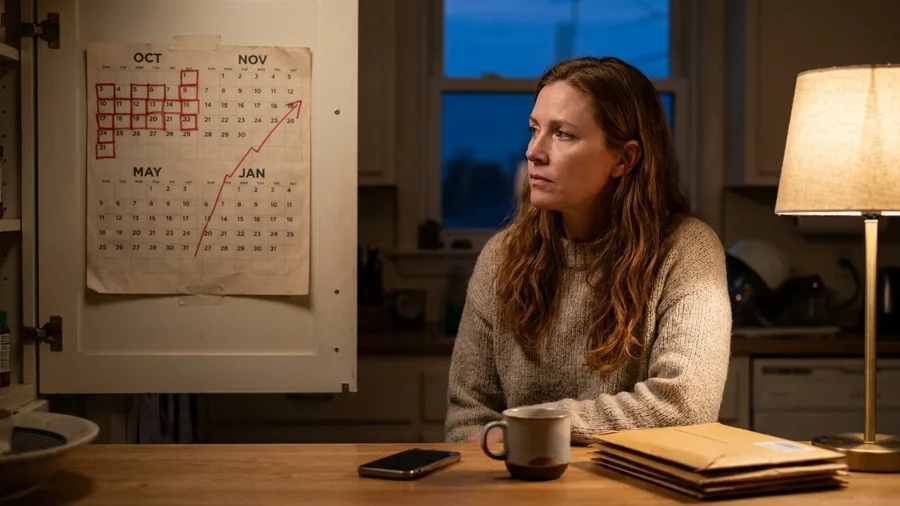
Money starts arriving later than the first upload. In months 1 and 2 this example earns $0 while the 12-video library is built and monetization review runs. The first payout month is month 4.
Tool bills arrive on the other schedule. Subscriptions charge from month 1 whether or not a single video is published. So the reader pays for the stack for three months before a payout lands, and that gap is the real cost of starting.
The zero months are not idle. They hold the 12-video library and three format tests, and those tests decide which format the remaining videos follow. Month 4 rests on work done in months 1 and 2, when the channel was paying out nothing.
The ramp: $0 in months 1 and 2, first payout in month 4, tool bill from month 1. Line those four months up before committing, because the order is fixed and no plan removes it.
Mass-Produced AI Video Cannot Earn Ad Money

YouTube does not ban AI videos. It bans videos that look mass-produced or repetitive. The rule is called 'inauthentic content,' and it has been in force in the Partner Program since July 15, 2025. YouTube updated its guidance on July 16, 2026.
YouTube says those videos were never eligible for ad money in the first place. The tools are not the problem. YouTube's head of trust and safety called the platform 'agnostic' about which tools a creator uses.
So the same chat assistant and the same voice tool can make one video that earns and one that does not. What separates them is the work around the generation: your own research, your own script, your own angle on the topic.
In practice that means your own source list, a script you rewrote in your own words, and a fixed format a reviewer can point at. Build those three things once and the rule stops being a threat.
The Words That Decide Your Channel
Faceless Channels Are Fine; Interchangeable Ones Are Not
Face is required. A faceless history channel is not at higher risk than a channel with a host on camera.
What gets a channel pulled is output that looks automated and interchangeable, the kind YouTube calls a farming channel. Those lose their spot in monetized distribution.
YouTube runs automatic AI detection on uploads. Some AI clips still get through. Getting through is luck, not a strategy, and a 12-video library built on luck can lose its payout after month 4.
Before video one, add something a copycat channel cannot paste: a named host voice with a consistent tone, a segment that runs every episode, or a source list that grows video by video.
Pick one. Twelve videos carried by one of those three read as a channel, not a feed.
⚠️ COMMON MISTAKE
Slipping Through Is Not a Plan
Automatic detection catches some AI channels and misses others. Building on the misses means building on a review that has not happened yet. One differentiator before video one costs an hour; a removal after twelve costs the library and the tool bill.
AI Voice, Scripts and Captions Are Allowed

You tick the AI box when realistic pictures or sound were made or changed by AI. You leave it clear when AI only helped with the script, ideas or captions. YouTube says the label does not change who sees the video or whether it earns.
Run this at upload time, before you hit publish. Upload check: tick altered-or-synthetic if AI made or changed realistic visuals or audio. Leave it clear if AI only wrote the script, gave you ideas or made the captions.
Tick it for an AI voice that sounds like a real person or a generated realistic scene. Publish only when the box matches what is in the video.
The mistake to avoid is ticking it on a history explainer whose visuals are plain maps and stills. That mislabels the video and tells viewers something untrue about it.
AI Personas Cannot Give Money, Health or Legal Advice

Some topics are closed to an AI host, even when everything else is done right.
An AI persona that gives advice on serious money, health or legal matters is not monetized on YouTube.
The label on the upload does not fix that; the subject itself is the problem.
The block lands on the persona doing the advising. A history explainer that mentions a country's economy in passing is not giving financial advice.
A host whose whole format is telling viewers what to do with their savings is, and that channel cannot earn ad money.
These are the niches faceless channels flock to, because the ad payouts run high. Find out at video 12 and the refusal costs the whole library plus every subscription month that built it. That is the expensive version of a ten-minute check.
So check the niche against YouTube's current policy pages before scripting anything. Read the page yourself, as a stop or go, before the first of your 12 videos.
Ten minutes of reading there can save you a $288 generation bill and two months you cannot get back.
Why Grim Video Tone Loses the Ad Money
A permitted niche can still lose its ad money on tone. YouTube pulls off-putting or distressing content from monetized distribution whether a person or a tool made it. Animal peril is the clearest case, and generation makes it easy to fall into by accident.
A prompt for a dramatic history clip can come back looking like real distress: an animal in water, a crowd in panic. The clip looks effective on the timeline, so it goes into the edit. What it does is cost the video its ads.
Run the check before you generate, not after. Does the prompt put an animal or a person in danger, pain or humiliation? Would the thumbnail alone read as distress? Is that distress needed to make the explainer point, or is it just the hook?
If the first or second answer is yes and the third is no, rewrite the prompt or drop the video. The point is to catch it at the prompt. A demonetized idea is minutes lost, not the month a finished video would have cost.
Free Tiers Cover 30 Seconds, Not 96 Minutes

The free plans do not cover this channel. They were built for testing, not for 96 finished minutes a month, and the gap shows up the first week you try to publish on schedule.
Testing is still worth it, and free AI tools with no sign-up cost nothing to try first.
ElevenLabs' free plan gives about 10 minutes of audio a month, and commercial use is blocked. The $6 Starter plan covers about 32 minutes, still a third of what 96 minutes needs. The tier that covers 96 minutes is priced on ElevenLabs' own page.
Pika's free Basic plan hands you 80 credits a month at 480p, and a 5-second clip runs about 12 credits. That is six clips, or 30 seconds of finished footage, watermarked.
Kling's free tier gives 66 credits a day that do not accumulate, one image-to-video generation a day, 720p, watermarked, no commercial use.
Paid generation runs about $0.05 a second through an API. That's the connection that lets one program send requests to another without a person clicking anything. For this channel: 5,760 seconds is about $288 a month, before retries and rejected clips.
So the budget line reads: the voice tier that covers 96 minutes, plus about $288 for generation, plus a margin for retries. Check each figure on the tool's own pricing page before you subscribe.
Free Plans vs. What the Channel Actually Needs
What the free tiers give you
- ElevenLabs free: 10 minutes a month, so audio runs out on video 2 of 12
- Pika Basic: 30 seconds of footage against about 48 minutes of clips per video
- Kling free: one clip a day, so a single 8-minute video takes weeks to build
- Nothing free can be monetized, so month 1 and 2 earn $0 anyway
What 96 minutes a month needs
- 96 minutes of audio means about 10 times the ElevenLabs free cap
- Roughly 48 minutes of generated clips per video, or 30 seconds free for every 96 needed
- $288 of clips plus voice tier per month against $0 earned in months 1 and 2
- First payout month in this example is month 4; price the stack before the first upload
Generation Takes 30 Seconds; Review Takes the Hour
Picture where a single 8-minute video goes. Paying for tiers clears the credit ceiling. It does not clear the hours. Each job inside a video runs on two clocks: the machine's short one and yours, much longer.
Script: ChatGPT writes about 700 words in 10 to 60 seconds. Hand-writing that same script takes you about 15 minutes. Then you read it back and fix the flat lines and the wrong claims. That edit pass runs 40 minutes.
Narration: ElevenLabs turns the finished script into an 8-minute read in about 2 minutes. Recording it yourself takes about 5. Clean up the mispronounced names and the odd pauses, and that is another 10.
Visuals: Veo 3.1 Lite generates the clips in about 4 minutes. Kling, Pika and Runway also work here. Cutting the clips that look wrong or drift off the point takes about 20 minutes. On this job, generation is the fast part.
Captions and thumbnail: YouTube's automatic captions and a ChatGPT thumbnail line take about a minute. Fixing the caption timing and testing the thumbnail text against the video takes 5 more.
The pattern: the machine is fast and you are slow. The review is where the video actually gets made. Write the script first and never skip the edit pass.
🎬 One Faceless Video, Start to Publish
Write and fix the script
By hand about 15 min to write. Fix order: cut invented names and dates first, flat lines second. Budget 40 min or the video ships wrong.
Record the narration
If ElevenLabs voice cracks on a surname, respell it phonetically in the script box and regenerate that line only. Do not re-render the full 8 minutes.
Generate the visuals
Expect to bin 1 clip in 3 in the first month. At $0.05 a second, a rejected 5-second clip still costs about 25 cents, so log rejects.
Add captions and the thumbnail
Caption timing drifts on names and numbers. Before testing thumbnail text, cut each title option to 4 words so it survives a phone screen.
Upload and tick the disclosure
Skip this step only if nothing realistic was generated. A history channel using AI voice plus AI footage always ticks the box, every upload, no exceptions.
One Niche, One Format, Twelve Videos Deep

Go deep. One niche and one format you repeat is the proof of effort YouTube's inauthentic-content rule looks for.
Those task times only pay off when all 12 videos are versions of the same thing, though. A scattered library multiplies the research and weakens the pattern a reviewer can see.
Picture the 12-video library. It should hold one format, one audience, and a source list that grows video by video.
The viewer who likes video 3 knows what video 4 will look like, and your research on video 4 starts from the sources you already gathered.
The counterweight: if the topic cannot yield 12 clear angles, narrow the slice rather than add topics. A channel that jumps from Rome to volcanoes to tax tips reads as interchangeable output, and that is the thing YouTube pulls from monetized distribution.
Do the test before video 1. Write out 12 angles on the topic without repeating yourself. If the list stalls at seven, the niche is wrong. You learn that before any subscription bills.
Copyright, Likeness and Fake Reviews End Channels

Copyright, likeness and fake reviews end a channel on legal grounds long before a rule about AI does. A repeatable format still needs rights sorted on every asset, so check each one before it goes into the timeline.
Most AI tools let you sell or use what you make. The catch sits with you: you cannot copy someone else's work, brand or likeness.
Generated and stock visuals are not cleared for free. Check each one against the tool's license and the terms of the original asset.
The FTC has banned fake reviews and testimonials since October 2024. That covers AI-written ones. It also requires clear disclosure next to every affiliate link. That's the tracked link that pays you a commission when a viewer buys.
Run four checks before you publish. Rights on every visual. No real person's face without permission. No made-up reviews. A clear disclosure beside each affiliate link and sponsored slot.
One more: never paste passwords, client files, or medical or financial records into a chatbot.
💡 PRO TIP
Build the Source List as You Go
Keep one running document per channel with every source you used, one line each. It is the fastest proof of original effort if a review lands, and it makes the next script easier to write.
Frequently Asked Questions
Do I need to show my face to monetize a YouTube channel?
No. YouTube has never required a face on camera, and faceless channels monetize every day. What it reviews is whether the output is original or interchangeable, not whether a host appears.
Will ticking the altered-or-synthetic box hurt my views?
YouTube says the label does not affect algorithmic distribution or monetization eligibility. Tick it honestly whenever realistic audio or visuals were generated, and leave it unticked when AI only wrote the script or captions.
How much does it cost to run a faceless channel each month?
For the 96-minute example in this article, plan on an ElevenLabs tier covering 96 minutes plus about $288 in generation at $0.05 a second, plus a retry margin. Prices change, so check each tool's own pricing page before subscribing.
Can I start on free plans and upgrade later?
You can test the workflow, but not the channel. ElevenLabs' free plan blocks commercial use, and free video tiers give you watermarked, low-resolution clips that will not carry an 8-minute video.
Is an AI voice allowed in monetized videos?
Yes, with disclosure. A realistic AI voice is allowed when the video adds original value and you tick the altered-or-synthetic box. The rules target mass-produced, repetitive output, not the voice itself.
Do I need to code to run any of this?
No. ChatGPT, ElevenLabs and the video generators are browser tools with no code step. If you later connect a paid API, set a spending limit first and keep secret keys out of anything public.
The $945 Is a Views Target, Not an AI Toggle
$945 a day is a traffic outcome, not a setting you switch on. The only version of this plan with a real chance is twelve original videos a month in one niche, on paid tiers, after two zero months.
A side income at 12 videos a month is a realistic goal. $945 a day inside a year is not, because it asks for 236,000 views a day before you have earned a channel.
Start with the arithmetic. Run the views formula with your own Analytics figure, then check your niche against YouTube's current policy pages before you write video one.