
The most useful AI tool on this list does not ask you for an email address. You type nothing at the door, no card, no trial countdown, and a full chatbot opens on the first page load.
That is the surprise: the no-account tools are not leftovers. Several of them remove your IP address, skip storing your chats, and bar the model providers from training on what you type.
Six of the twelve open with no account at all. Six more need a free login but never a card. Each one charges you later, in caps, ads, training data, watermarks or public projects, and this list names that price for every single tool.
| Tool | Account needed | Best for | The catch |
|---|---|---|---|
| Duck.ai | None | One-off chat with model choice | No memory between sessions |
| Proton Lumo guest | None | Private thinking-out-loud | Only Proton-hosted open models |
| Playground GPT Image 2 | None | Posters with legible text | 3 generations a month |
| Playground Nano Banana | None | Retouches, same character | No history without an account |
| Veida | None | Fast look test on a direction | Watermark, 1 image per client id |
| Goblin AI | None | Heavy image experimenting | You install it, no support |
| ChatGPT Free | Free account | One assistant for everything | Ads, training on by default |
| Gemini Free | Free account | Long research questions | Pro model and Deep Research throttled |
| Claude Free | Free account | Long documents, artifacts pane | Top model kept for paying plans |
| Microsoft Copilot | Free account | Quick answers inside Windows | Stores chats 18 months by default |
| GitHub Copilot Free | Free account | Code help on a side project | 2,000 completions then it stops |
| Lovable Free | Free account | A throwaway app prototype | Public projects, daily credits expire |
1. Duck.ai: Model Choice With No Account
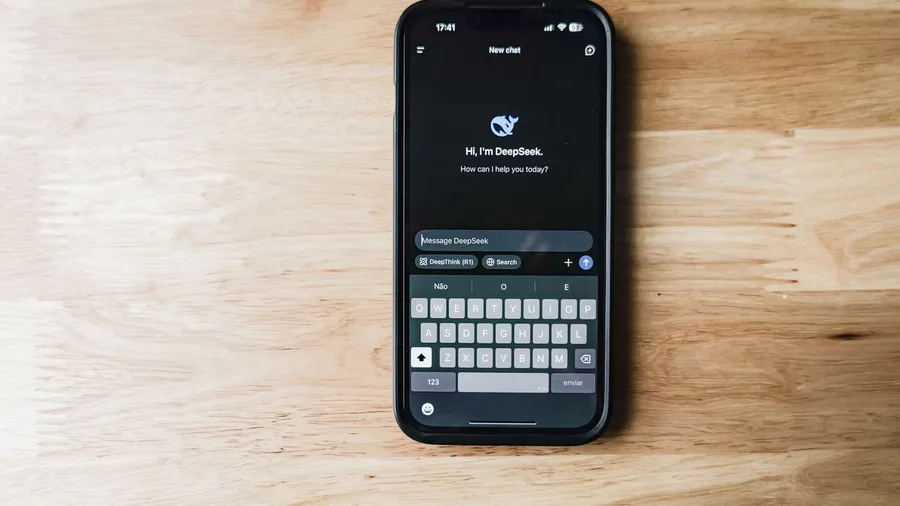
Duck.ai is a full chatbot that opens on the first page load, with no account, no login and no card. A model picker lets you switch between OpenAI, Anthropic, Mistral and Google models before you type a word.
It strips identifying metadata such as your IP address, does not store chats on its servers by default, and bars the providers from training on your conversations.
The trade is memory: no saved history and nothing carried between sessions. Paste the background again each visit, and copy anything worth keeping out before the tab closes.
A 20-page document pasted in for a summary takes about 1 to 2 minutes in the chat and 10 to 15 minutes to check and trim, against roughly 40 minutes of reading it yourself.
That gets one-off drafting, a pasted document summarized, and questions you would rather not attach to your name.
💡 Tip: Paste the document and the question in the same first message. With no history, a follow-up that assumes context gets a confused answer.
2. Proton Lumo Guest: No Logs, Smaller Models
Proton Lumo guest, which needs no account and keeps no logs of what you type.
It also uses zero-access encryption on saved chats, so Proton itself cannot read them. That's the point where a chatbot is built so the company running it cannot open your saved conversations.
The old way: an email, a card form, and a chat tied to your name forever. The new way: open the guest page and type. Nothing to sign, nothing to cancel.
The trade is choice of model. Lumo runs only open-source models hosted by Proton, and open source means the model's inner workings are published for anyone to inspect and reuse.
There is no switching to OpenAI or Anthropic models the way a model picker allows, and a smaller model shows its size on hard reasoning and long multi-step instructions.
What you get is private drafting and thinking out loud. A smaller model is an acceptable price for the strongest no-account privacy story on the list.
3. Playground's GPT Image 2: Legible Text, 3 a Month

Three generations a month is the whole allowance, with no sign-up and no card. Text-heavy jobs are where that budget earns its keep, and most free image tools turn a title card into a smear of near-letters when you ask for words inside the picture.
So the wording gets settled before any try is spent. In ChatGPT, draft the copy first with a prompt like this.
Prompt to copy
Write the title text for a Saturday farmers market flyer. Give me a headline of six words or fewer, the date and hours, and one line naming what's for sale. Return only the text, no image suggestions.
That draft takes about 30 seconds, and it protects the allowance: one rewrite in the image tool costs a third of the month.
On the image side, an event flyer built by hand in a design tool runs 60 to 90 minutes. Generation takes 20 to 60 seconds.
The catch is that no account means no gallery. The file exists on screen and nowhere else, so it is downloaded the moment it appears. Generation also runs 20 to 60 seconds per try, and picking none of them still costs a slot.
Budget 10 minutes to check every word letter by letter and nudge the layout, because a misspelled headline is on the third try, not the first. Then the month's one flyer, poster or title card is done, spelled right, for nothing.
💡 PRO TIP
Screenshot Every Result You Keep
No-account tools leave no gallery, no history and no draft folder. The moment an image or answer is worth anything, download the file or copy the text into a document on your own machine.
4. Nano Banana: Free Retouches and Matching Characters
A free run with no account leaves no trail of what worked. So before the Playground tab closes, save the source photo to your own folder and type the exact wording that produced the good result into a notes file.
That is the whole safety step.
Nano Banana opens free on Playground with no sign-up. The Pro version gives 1 free image per 30 days, also without an account.
What it does best is the opposite of a poster made from nothing: retouching a photo you already own, and keeping one face or one product looking the same across several shots.
A product photo turned into six angles for a listing takes about 40 minutes of editing by hand. Each generation runs 20 to 40 seconds.
Checking that the label, the color and the shape stayed right takes 10 to 15 minutes, and a wrong prompt costs one of your free runs.
The bill here is memory, not money. There is no account and no history, so a prompt you lose is a prompt you rebuild from scratch.
Copy every prompt and download every file before you close the tab, and one photo can become a set without a subscription.
5. Veida: Anonymous Images With a Watermark

Redoing the same rough render to test a look is the boring part: a paid render or a designer's hour each time you change your mind. Veida answers the volume question out loud, and the answer is small.
Step one: open Veida with no account and type a short description of the look you want. You get one image per anonymous client id at 1K resolution, stamped with a watermark, and a per-IP ceiling of 30 credits a day, roughly 7 images.
Step two: try uploading a photo to fix. Nothing happens, because the anonymous tier generates from text only. The watermark also rules it out as a client file. Treat output as a mood check, not a final deliverable.
The No-Account Words, Decoded
6. Goblin AI: Open-Source Images, No Keys
Prompt to copy
A weathered wooden market stall at dawn, crates of oranges in front, chalkboard sign reading FRESH JUICE, soft side light, shallow depth of field, photographic, no text anywhere else." That is the kind of prompt you would run dozens of times to find one keeper, and the cap on free browser tools runs out fast.
Goblin AI is open-source, which means the code is public and anyone can run it. It is advertised as unlimited free generation with no sign-up, no API keys and 30+ models.
An API key is a password a service issues so software can bill your account; Goblin avoids them by running on your machine.
The trade is that you install and run it yourself. On a modest laptop a single image can take minutes rather than seconds, and quality swings from one model to the next.
There is no support desk and no promised uptime, so the project's own documentation is your only help when it breaks.
By hand, a week of testing 40 look directions in a design tool runs 6 to 8 hours.
Goblin gives each image in 1 to 4 minutes depending on the model, and sorting keepers takes about 30 minutes. The browser caps would be gone before lunch.
Time: 6 to 8 hours by hand against roughly 2 to 3 hours of generation plus 30 minutes of sorting, on your own hardware.
No Account vs Free Account: What Each One Takes
No account needed
- Opens on the first page load, nothing to fill in
- Strips IP address, skips stored history
- Different model families to choose from
- Hard caps after a few images or no memory at all
- Nothing saved for you when the tab closes
Free account, no card
- Email login, still no payment details
- History, memory and saved files
- Training on your chats, often on by default
- Ads under the answer on some plans
- Public projects or monthly caps on the good parts
7. ChatGPT Free: Unlimited Chat, Ads and Training On
A one-page brief drafted from nothing comes back in 10 to 60 seconds. Writing it yourself runs about 45 minutes.
Turning the answer into something you would send takes another 15 to 20 minutes of cutting and correcting. That editing is the real cost of the free tier, not the wait.
Getting there takes a free account and one settings change made before the first real prompt. New accounts have model training switched on by default, so what you type can feed future versions.
Turn it off first. And keep passwords, client documents and medical or financial records out of every chatbot, this one included.
The rest of the bill is smaller but visible. A sponsored block sits under each answer, and the setting that cuts those ads costs you message limits, image generation and deep research.
Go at $8 a month still shows them. Plus at $20 is the ad-free step.
The walls: a 27,000-token context, about 12 pages of text. That's the working memory the chat holds at once, which is why long files get trimmed.
The upload library stops at 500MB, and custom GPTs need a paid plan. Web search, file uploads, data analysis and image creation all stay at $0.
8. Gemini's Free Tier: The Widest of the Big Five

Deep Research on the free tier answers a question that needs 20 sources in several minutes, and the heaviest runs take up to about half an hour. Manual reading for the same question eats several hours.
The catch is the throttle: the pro model and Deep Research are rationed, so your biggest question is the one that stalls. Paste this before you spend a run.
Prompt to copy
Act as a research assistant. My question is [paste your question]. Search for at least 20 sources published in the last two years. For each, give the title, the publisher, the date and one line on what it adds. Then write five key findings, each tied to the sources behind it, and flag any claim only one source supports. Keep it under 600 words.
What comes back is a sourced brief that takes 20 to 30 minutes to check, because a confident line with a thin citation is the usual flaw.
Push past the limits and Google AI Plus is $4.99 a month, with AI Pro at $19.99. For one place to do deep research and image generation, the free tier is still the widest of the big five.
9. Claude Free: Memory and Artifacts, Top Model Paid
Prompt to copy
This is a working document I will return to across several days. Remember my audience, my tone and the decisions we settle, so I do not repeat them. Today: [paste the document]. Summarize what is here and list what still needs writing.
That prompt is a one-time setup, about two minutes, and it keeps paying back. Memory carries the context between sittings, artifacts give you a working pane beside the chat, and connected apps are on the free plan too. Long documents become possible in pieces.
The catch is the model. Free users get an older one, and the strongest is reserved for payers.
Claude Pro is $20 a month, or $17 a month billed yearly, so the best results sit behind a bill.
Free Claude stays the strongest pick for long documents and drafting beside the chat.
10. Microsoft Copilot Free: What the Cuts Left

Copilot still opens inside Windows and Edge with the Microsoft account already signed in, and answers come back grounded in web results.
On August 18, 2026, Deep Research left the free consumer app, and the version that replaced it sits behind a subscription.
So the free tier now gives chat and a search-backed answer, not a research report.
That is the sharpest example of a free tier losing a feature rather than a model. Claude keeps its features and holds back its best model. Copilot pulled the tool itself, and anyone who built a habit around it found an empty menu one morning.
The catch: conversations are stored for 18 months by default, so anything typed is on the record long after the tab closes. Skip the client names, the numbers and the personal details.
What is left is a quick answer while already inside Windows or Edge, with no second tab and no new login. It suits a definition, a conversion or a quick lookup. For a real research brief, it sends the reader somewhere else.
11. GitHub Copilot Free: 2,000 Completions a Month
The tedious part of a side project is the typing: the form, the fetch call, the test that fails on one missing field.
Two hours of it by hand, mostly small code. GitHub Copilot Free lives inside the editor and offers that code as you type.
The caps are hard and monthly: 2,000 completions and 50 premium requests, then it stops until the month resets. Completions are the inline suggestions line by line. Premium requests are the bigger asks in chat. Students can get Pro free through verification.
This is a different kind of free offer from the chat assistants. They answer questions; this one produces work, and the work is code. That makes it easy to budget, since every suggestion is a countable event.
A small feature went from about 2 hours written by hand to 30 to 40 minutes of reviewing and testing what the model proposed. Suggestions landed in seconds each, so the time went into the check, not the typing.
The catch: it completes lines and chats inside the editor rather than running off on its own, so every line gets read before it ships. That is the right deal for a solo side project, a weekend build or a student's coursework.
What Goes Wrong With Every Free Tier
12. Lovable Free: A Working App From a Prompt
Lovable turns a typed description into a working app, and its free plan does it without a card. A simple two-screen demo, say a task list with add and delete, runs about 3 hours by hand.
Lovable builds a first version in 2 to 4 minutes, and reviewing it on a phone takes 20 to 30 minutes of re-prompting to fix a button and a layout.
The bill is paid in visibility. Every free project is public and wears Lovable's branding, so clients, passwords and API keys stay out of the prompt entirely. Anyone can open what gets built.
Credits are listed at 5 a day and 30 a month, and the daily ones vanish at midnight rather than adding up.
Check Lovable's pricing page for the current allowance instead of trusting an old number. Every re-prompt spends credits, so sketch the screens on paper first.
By hand: about 3 hours. With Lovable: 2 to 4 minutes to build, then 20 to 30 minutes of checking and fixing. The result is a throwaway prototype or a portfolio demo the reader is happy to let strangers open.
Grade the Free Tier Before You Stay
Frequently Asked Questions
Do I need to code to use any of these twelve?
Only GitHub Copilot Free expects you to be in a code editor, and even there the suggestions arrive as plain lines you read before accepting. Lovable writes the app for you. The other ten are typing into a box or clicking a button.
Which tool is safest if I do not want an account anywhere?
Duck.ai for chat, because it strips your IP address, stores nothing by default and bars providers from training on the conversation. Proton's Lumo guest mode is the alternative when you want zero-access encryption on anything saved.
What does a free account actually cost me if I pay nothing?
Three things show up on this list: ads below the answer, model training switched on by default, and hard caps on the good features. ChatGPT Free adds all three. Every tool here spends one of them to keep the $0 tier running.
Can I use free-tier images in paid client work?
Not while a watermark is on the file. Veida stamps one on every anonymous render, so treat it as a look test. Get a clean render from a paid tool or a designer once the direction is agreed and the client has signed off.
Why do the image tools allow so few generations?
Playground's GPT Image 2 gives 3 a month with no sign-up, and Nano Banana Pro gives 1 per 30 days. Rendering costs real computing, so a no-account tier caps it hard. Write your wording down before you spend a try.
Should I upgrade or stay free?
Stay free until a specific wall blocks a specific job. ChatGPT Plus at $20 a month matters when ads and the 12-page context get in the way. Claude Pro at $20 or $17 a month billed yearly matters when a long document needs the top model.
Open Duck.ai First, Then Match the Tool to the Job
Pick by the job in front of you. A private one-off question goes to Duck.ai or Lumo guest. A poster with readable text goes to GPT Image 2. A retouch or a matching character goes to Nano Banana, and volume experimenting goes to Goblin AI.
One assistant for everything means ChatGPT Free with training switched off. Long research goes to Gemini Free, code to GitHub Copilot Free, an app prototype to Lovable Free.
Then do this today: open Duck.ai with no account and run one real task end to end, from first prompt to copied-out result. You will know what a free tier feels like before you sign up anywhere.