
The Tuesday 7:12 email check starts the same way it always has: nine retainer clients, one week of billable hours ahead, and 70 threads already stacked in the inbox before the coffee finishes brewing. That used to be the whole morning.
Same picture, smaller scale, as the 8 to 10 hours a week you lose to copy-paste admin. On my worst Monday the first billable hour was gone to email before 9am.
The turning point was dull: every tool I ended up using was already free and already in my account – Gmail, Sheets, Docs, ChatGPT free. Access was never the blocker. Picking which task to automate first was.
So I ran it as an experiment. Nine clients, six weeks of 45-minute weekday evenings plus two weekend afternoons, 12 builds, free plans only, no code written by hand. For the month after setup I tracked every saved minute in Toggl's free plan: 40 hours back a month.
Below is the ranked set, each with the exact tools, the build time and the hours returned. The inbox runs in 20 minutes and can be going tonight.
Quick Tips Before You Start
Log a normal week first
Track every task for five weekdays so you automate the work you actually do, not the work a listicle says you do.
Build in 45-minute evenings
Set a timer and stop when it rings; unfinished builds pick up the next night without losing state.
Test with real data
Run each automation against last week's actual emails or invoices, never a sample file.
Keep a manual fallback
Before you switch anything on, confirm you can still do the task by hand if the script breaks.
Watch the free caps
Check the current plan page for Otter, Buffer and Airtable before a client deliverable depends on them.
Review after 30 days
Mark in your calendar which builds you quietly stopped using and turn them off.
1. A self-sorting inbox with draft replies

The inbox fix runs on two pieces you already have: Gmail's filter builder and a ChatGPT prompt saved in a tab you keep open. Start with the filters, because they are the twenty minutes that buy the six hours. In Gmail, open Settings, hit Filters and Blocked Addresses, and build one rule per label. Rules match on sender domain and subject keyword — flag anything from a @clientdomain as Action, route newsletters and receipts to Read, and send everything tagged [FYI] or with no reply marker straight to Archive. Three labels, three rules, and the triage happens while you sleep.
The second half is the reply. Open a new ChatGPT thread, paste in one real email you answered well, and type the instruction once: rewrite any thread I paste as a three-sentence reply in the tone of the sample, no greeting, no sign-off. Save that conversation and pin it. Every morning, paste the Action thread, copy the output straight into a Gmail draft with the reply button, read it, change three words, hit send. The draft never goes out on its own — that is deliberate.
The first Monday after I built it is the number I still quote: 70 unread threads at 8:50 became 11 sitting in Action, and every one of those 11 had a saved draft waiting. The coffee was still hot. Six hours a month came back for a twenty-minute evening — the best return per minute of build on the entire twelve.
The failure is real and it is not the filters. Drafts go flat and generic on brand-new client threads, because there is no prior correspondence on file for the model to imitate. My first reply to a new retainer read like a form letter from a bank. So the filter set only fires its draft prompt for known senders — anyone whose address I have already emailed twice lands in Action untouched, and I write those by hand.
That one limit is why the build survived month one when two other tools on the list got quietly switched off. Nothing leaves the building without a human thumb on send. Filter what you recognise, draft what you recognise, and let the unfamiliar stay unfamiliar.
💡 Tip: Write the prompt with two examples of your own past replies pasted in — the tone changes instantly.
| Automation | Free tools | Build time | Hours saved per month |
|---|---|---|---|
| Inbox sorting and draft replies | Gmail filters, ChatGPT | 20 min | 6 |
| Meeting notes and follow-up | Otter / Google Recorder, Google Docs | 30 min | 5 |
| Invoice reminders | Google Sheets, Apps Script | 90 min | 4 |
| Proposals from past wins | ChatGPT, Google Docs | 40 min | 4 |
| Social repurposing | ChatGPT, Buffer / Meta scheduler | 45 min | 4 |
| Weekly client report | Google Sheets, Apps Script, Docs | 45 min | 3.5 |
| Client onboarding | Google Forms, Docs, Gmail, Drive | 60 min | 3 |
| Receipt filing by photo | Drive shortcut, Gemini, Apps Script | 90 min | 2.5 |
| Voice memos to SOPs | Google Recorder / Whisper, ChatGPT | 25 min per procedure | 2.5 |
| Contact list cleanup | Airtable, Apps Script | 90 min | 2 |
| Research digest | Google Alerts, NotebookLM / ChatGPT | 30 min | 2 |
| Scheduling link | Calendly, Gmail canned response | 20 min | 1.5 |
Nothing leaves the building without me. That single rule is why the inbox build survived month one when two others didn't.
— What I keep telling myself
2. Meeting notes that write the follow-up

Calls and email are the same raw material — a client's words going in, a clean written output coming out — so the pattern that sorted the inbox repeats on the phone with a recorder standing in for the filter. The recorder captures what was said; a fixed prompt shapes it into the recap. You are not typing during the call anymore. You are reading the transcript after.
Start with Otter on the free plan. Before you let a single client call depend on it, open the current plan page and read the monthly minute cap yourself — free tiers move, and mine moved under me. I burned through my allotment in week three, and the remaining nine meetings that month ran through Google Recorder instead, which is free, sits on the phone, and transcribes fine for a two-person call. Two recorders, one prompt, no subscription.
The prompt is where the value hides. Write it once, save it like a ChatGPT mega-prompt, and lock the output order: decisions first, then who owns each one, then the dates attached to them. That sequence is what makes the recap readable at a glance in a client's inbox — the reader gets the answer before they get the context. Paste the transcript, get the structured recap, drop it into a Google Doc, share it. My recap now lands before I have walked back to my desk.
Five hours a month came back for about thirty minutes of setup. The honest failure is transcription quality: group calls with crosstalk produce overlapping garbage, and accented names get mangled into something that is not a name. Skim every line before it sends — never forward a transcript unread. In month one I shipped a recap with a client's surname misspelled, and I heard about it. That is a two-minute fix per recap against a half-hour saved, and it still clears.
Two builds in, the running total is 11 hours a month returned for under an hour of setting up. The inbox build moved work around; the recorder build actually removes it — the typing, the recap drafting, the follow-up email all collapse into one paste.
My top three picks for a first evening
3. Invoice reminders that chase themselves

The inbox and the recorder handle what comes in. The money is what goes out, and it runs on a clock — a due date that arrives whether or not you remember it. That makes it the first automation worth putting an actual script behind, because a job that fires on a calendar has no memory to fail.
The whole system starts as a plain Google Sheet with five column headers across row one: client, amount, sent date, due date, paid. Nothing clever, no formulas, no formatting. About 30 rows a month across the nine clients, one per invoice. That sheet is the database, and every invoice you send gets a row the day it goes out.
The script comes from Google's own Apps Script template gallery — the invoice reminder template — not from code you type. Open it, swap the sample column names for yours, save, and set a daily trigger. Every morning it reads the sheet, finds any row where the due date has passed and the paid column is empty, and emails you a pre-written reminder draft addressed to that client, ready to forward. You write no code. You edit five cell references.
Ninety minutes of an evening to build, and four hours a month come back. The Friday afternoon that used to disappear into scrolling sent mail and drafting apologetic nudges — the awkward wording, the second-guessing whether it was too soon, the tab left open because I did not want to send it — is now a five-minute pass over drafts that are already sitting there. Four hours for ninety minutes is the slowest return per minute of build on the early list, and it still earns this slot because 30 recurrences a month make late payments the single biggest leak in the week.
The failure mode is embarrassing and easy to trigger: the script will chase a client who already paid, if the paid column is not filled the same day the money arrives. One nudge went out to a client who had cleared the invoice that morning. Now I fill the column the second the payment notice hits my phone, before I close the email. The system is only as honest as the row you edit.
Invoice Chaser — At a Glance
🧾 Rows per month
~30
📅 Trigger
Daily, 8am
🔧 Build time
90 minutes
💸 Hours saved
4/mo
⚠️ Failure mode
Paid column unfilled
The five-minute rule
Fill the paid column the moment payment lands, not at the end of the week — that habit is the whole safety catch.
4. Proposals drafted from your last three wins

The proposal and the invoice that follows it are two ends of one deal. Win the work once, and the chase begins; win it faster, and the money arrives sooner. The last three proposals I sent that actually closed sit in a Drive folder now, and they are the raw material for this build.
Three documents, one folder, plus a saved prompt that studies them: the order the sections run in, how long each one is, the way the numbers get framed before the fee appears. Paste the call notes in as the input, and a draft comes back inside the Google Doc template I already use. Two proposals a month used to eat two hours apiece. They now take about twenty minutes.
About 40 minutes of evening time built this. It returns 4 hours a month, and the first draft reads like my firm wrote it, not like a language model trying on a suit.
scope, pricing and deliverables get typed by hand, every single time. Leave the model alone on those and it invents services that sound like yours. Mine once dropped a quarterly SEO audit into a proposal that was one click from a client, and I have never sold that audit in my life.
The build is cheap and the payback is fast, but this is the one automation in the set whose worst day ends in a contract. Read the whole draft before it leaves, every time. That edit pass is the difference between a shortcut and a liability.
💡 Tip: Save the three winning docs to a dedicated Drive folder and point the prompt at those, not at your whole proposal archive.
5. One post turned into five

Social posting runs on the same principle as the proposal draft: hand the model something that already worked and make it yours before it ships. The raw material is different, one finished piece instead of a call transcript, but the routine holds. Feed it the good stuff, edit the output, queue it.
Start with one source a week: a blog post, or a case note off a client project. The prompt asks for five separate outputs, a LinkedIn post, two short posts and two thread starters, and each one is written fresh rather than cut down from the same paragraph. Trimmed remixes all taste like the same post wearing different hats.
Queue them in Buffer's free plan, checking the channel limit on the current plan page before the week's schedule gets planned. Buffer was the second tool in month one to bump its free cap, so the overflow channel moved to free AI tools with no sign-up rather than a $6 subscription.
About 45 minutes of build returned 4 hours a month. Daily posting now happens in one Sunday sitting, coffee on the desk and the week's calendar open, instead of every morning before client work.
What goes wrong is the copy-paste: the identical post sent to every network reads as spam, and people notice. Each output gets a pass for its platform before it queues, and the two thread starters never go out on the same day. Four hours for 45 minutes is the trade, and the risk here is reputational rather than financial. The edit pass is the actual product.
Best For
6. A weekly report assembled from a spreadsheet
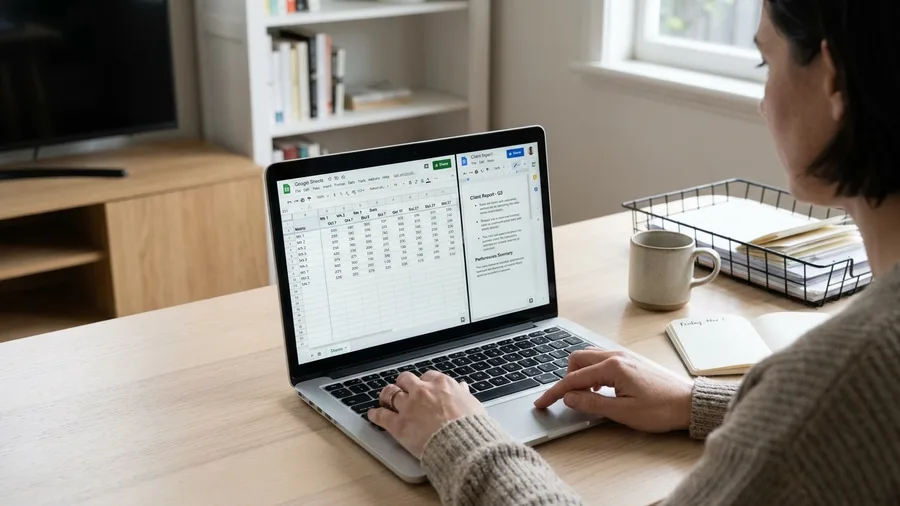
A published post is read by strangers who owe you nothing. A client report is read by someone paying the retainer, and the numbers in it have a source in a spreadsheet the client has seen before. That makes a prompted weekly report a safer document than anything aimed at the feed, provided the numbers behind it hold still.
Set the Sheet up first: one per client, nine of them in my case, with that week's metrics in fixed columns and a date row across the top. That rigid layout is not housekeeping, it is the load-bearing wall of the whole build, and any drift in the columns breaks the script behind it.
An Apps Script pulls the week's range into a Google Doc template, and a prompt turns those numbers into three sentences of commentary. The document comes out the same shape every Friday, which is the thing clients actually want from a report.
Build it in about 45 minutes and get 3.5 hours a month back. My Friday afternoons stopped being report day somewhere in week two.
The failure to watch for: pointed at the wrong range, the script reports last week's numbers with total confidence and no warning at all. Check the date row before the doc goes near a client. Modest hours, cheap build, and the highest trust cost on the list if it gets it wrong.
7. Client onboarding without the back-and-forth
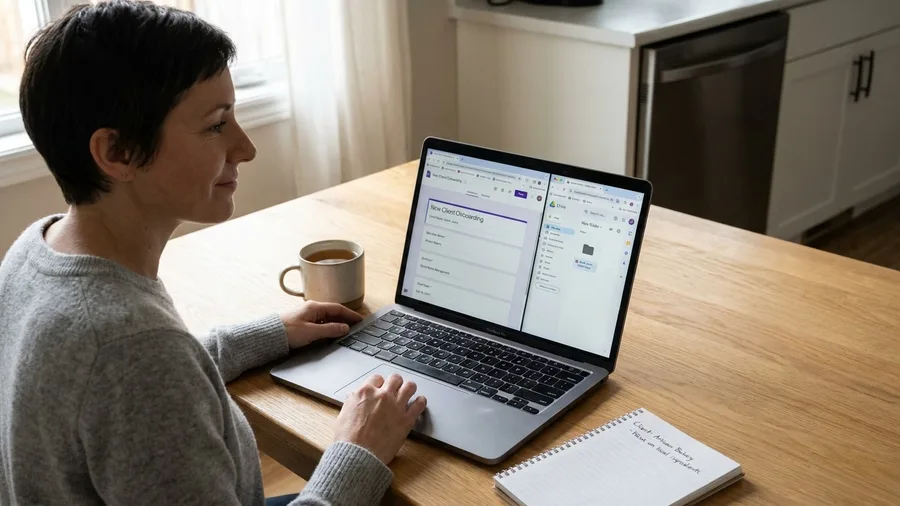
A new client arrives in a burst: the welcome email, the contract, the shared folder, the billing details, and the access notes you need before you can do a thing. It is the weekly report compressed into one anxious morning.
I used to collect all of it by hand, six emails deep over two days, for a fee that started the day I signed. Now a single Google Form asks the four questions that matter: who you are, who to contact, how you pay, what access I need.
The form is the whole front door. One response fires a Docs template merge, drops a welcome message into Gmail as a draft, and builds the client folder in Drive before I've opened my laptop.
I still personalise that email: adding a line about their business, checking a detail I remember from the call. The folder, the contract, the facts are already sitting there.
Build time was about an hour. It hands back three hours a month, which sounds minor until you add the goodwill you don't lose by not chasing someone for a billing address.
During the six weeks I signed two new clients, and each one was set up in under 15 minutes. That is the real test: not the hours, but whether a Monday sign-up ruins a Monday.
The honest limit comes before you build. Below two new clients a month, the setup costs more than it saves, and you should leave it alone. An hour of evening time against three hours a month only pays when the volume is truly there.
This is the first build on the list I'd call conditional rather than universal. Check your own signing rate before you open the form builder; the rest of the list runs either way, but this one needs a reason.
💡 Tip: Make the company name the required field on the form; it seeds the Drive folder name and every merge field downstream.
8. Receipts filed by photo

Paper receipts are the last thing in my admin that still looks like a shoebox: thermal paper, half-faded, a Sunday panic before the accountant's cutoff. The stack under my monitor had 40 slips by the middle of the month.
The fix starts on the phone. A shortcut on the lock screen drops any receipt photo straight into one Drive folder, one tap, no app open, no menu.
It also needed a second Apps Script snippet: the one I pasted from Google's template gallery, altered to read the folder rather than the invoice sheet. Gemini reads each image, and the script writes vendor, date, amount and a category guess into the expense sheet.
The build took about 90 minutes, and the payback is 2.5 hours a month. That is half the return of the inbox for over four times the evening time, and the arithmetic is not flattering.
What fails is thermal paper and repetition. Faded receipts come through with a blank amount, and the same cafe three times a week produces duplicates. So the sheet gets a five-minute glance before anything goes to the accountant.
I keep it because nobody wants to sort receipts, and that is a real reason, even if it is a weaker one than hours saved. If you have a bookkeeper who does it for you, skip it. If you're the one with the shoebox, this is a 90-minute evening that ends the Sunday panic for good.
9. Voice memos that become written SOPs

A voice memo is easier than a photo because you're already talking: you finish a task, press record on the phone still in your hand, and say what you just did with the screens open in front of you.
No script, no second sitting. The recording is a by-product of the work, not a separate job on the list, and that is the only way a process ever gets written down.
Google Recorder or a Whisper-based tool turns it into text, and a prompt returns numbered steps, the tools used and a gotchas section. That last part is the one I could never make myself write: the small, painful lessons I forget by Friday.
Build time runs about 25 minutes per procedure. At 2.5 hours a month back, I documented six processes across the six weeks, including the invoice script itself, and each one is now a written asset instead of memory.
The failure mode is rambling. My first attempt covered onboarding and invoicing in one breath and produced an unreadable hybrid nobody could follow. Keep the memo under five minutes and to one task.
This is the cheapest build on the list per unit, and the only one that compounds. The procedure it produces is what lets you hand any of the other builds to someone else later, whether that's a contractor, a VA or a future hire.
10. A contact list that cleans itself
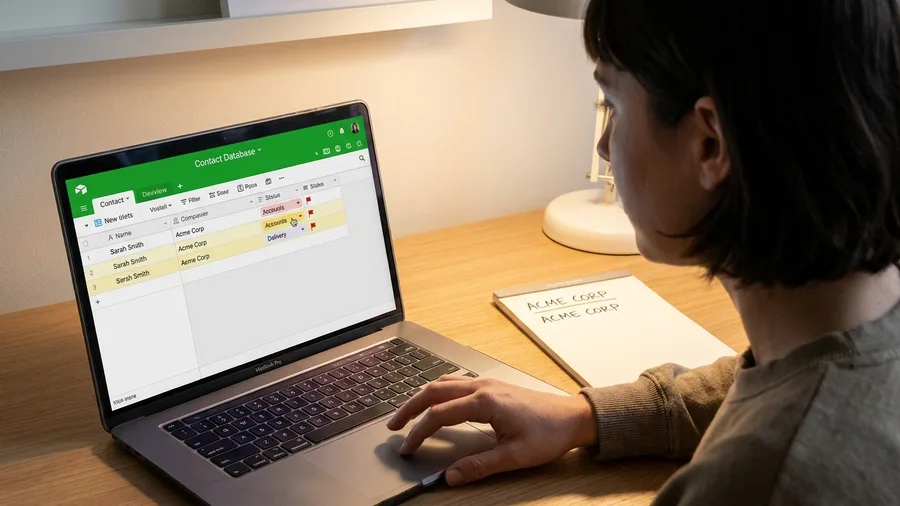
Every form, merge and email your SOPs point at ultimately lands on a name, and a written procedure is only as good as the person that name resolves to. The contact list is the plumbing underneath everything else you build. Mine was rebuilt around an Airtable free base that holds every client, vendor and subcontractor record, and two things feed it without help. New Google Form submissions drop straight in, and the email signature on an inbound message gets parsed into the same base, so the same name never gets keyed twice.
The second ingredient is a monthly dedupe pass. A script checks email address first and company name second, and instead of merging anything it raises a flag on a side column that I read through that morning. Nothing vanishes from the base without me looking at it first.
2 hours a month back for roughly 90 minutes of build. This is the last of the three 90-minute Apps Script jobs, and the one I adapted instead of starting over. I copied the invoice script's structure, re-pointed it at the Airtable columns, and had it running in one evening.
What breaks: the check can't tell two people apart when they share a firm. I have two Sarah Chens at one client, one in accounts and one on delivery, and the company-name match decided they were one record. Every flagged pair gets confirmed by hand now, and I've added a job title column so the next pass has something to lean on.
Two hours returned against 90 minutes of build is the weakest ratio on the whole twelve, and this is one of the two I'd tell a small list to skip outright. With fewer than a dozen regular contacts, the dedupe has almost nothing to find. The compounding only starts once your list is big enough to rot.
💡 Tip: Never run the dedupe with auto-merge on — set it to flag-only and confirm each pair yourself.
11. A research digest in your inbox by 7am

Tidy contacts and clean inputs are housekeeping, and housekeeping doesn't buy you back the first hour of the day you spend reading the industry instead of billing against it. That's the gap this closes, and it closes it overnight. The container is a single folder of RSS feeds on the sites I actually care about plus Google Alerts on exactly five keywords, one per client sector. Not fifty. Five, because a keyword you can't name a client for is a tab you'll never open.
On top of the folder, a NotebookLM notebook or a ChatGPT prompt takes the day's items and boils them into five bullets, each bullet carrying its source link. That runs on a schedule and lands in my inbox as a Gmail draft timed for 7am, so it's waiting next to the coffee before I've opened anything else.
2 hours a month back for about 30 minutes of build. The honest comparison isn't another automation – it's the hour a day of tab-piling that used to happen instead, which never turned into a single email to a client. Thirty minutes of setup, and that hour stops getting eaten.
What goes wrong: the summarizer will happily drop where a fact came from. So every bullet keeps its link, and nothing gets repeated to a client without one. If I can't paste the source into the message, the claim doesn't go out.
Two hours a month is the smallest return on the list after scheduling. I'm not pretending otherwise. What it does that no other build does is change what the morning feels like before the work even starts.
12. Scheduling that ends the email tennis
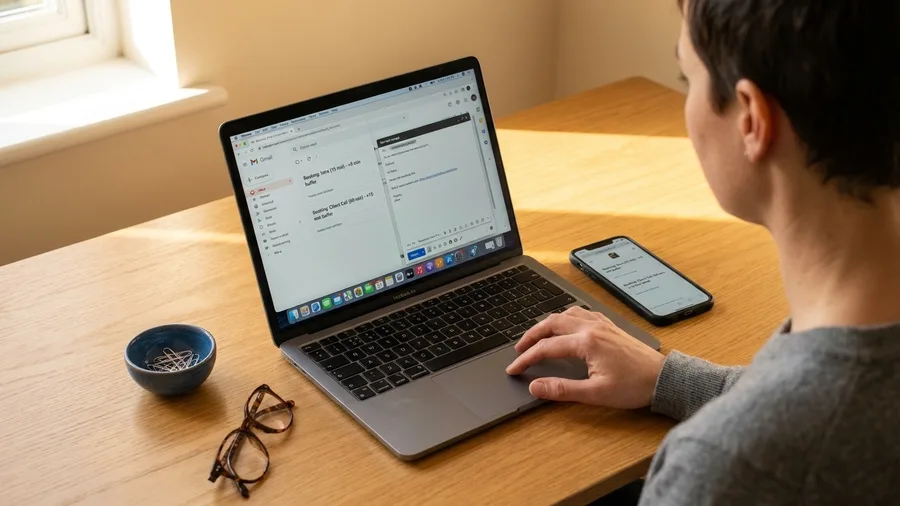
All of this automation assumes the call actually gets booked, and the last real leak is the four-email exchange that happens before a meeting exists on the calendar at all. That's the cheapest thing on the whole list to close. Set up Calendly's free tier with exactly two event types, a 15-minute intro and a 60-minute client call, and set a buffer on each so one call can't bleed into the next. Two types, not six – the menu is what makes booking feel like a chore.
The tool is the easy half. The behavioural fix is a Gmail canned response that offers the booking link in the first reply, not the third. Most of my lost hours came from asking what times worked before I'd ever suggested one.
1.5 hours a month back for about 20 minutes of build. The four-message exchange dies before it starts, and the call lands on the calendar with a time that already has a buffer after it.
Who it doesn't suit: clients who book through an assistant. To them the auto-link reads as a brush-off. One of my nine still schedules by email through her EA, and I've stopped fighting it. Twenty minutes lost on her, hours saved on the other eight.
Smallest return on the list, cheapest build on the list: 20 minutes for an hour and a half back, and doable tonight. If you want one win under your belt before you commit the evening to the inbox, this is it.
Frequently Asked Questions
Do I need to write any code to do this?
No. The three 90-minute Apps Script jobs use snippets pasted from Google's own template gallery and edited for the column names on your sheet. If you can add a column to a spreadsheet, you can make the edit.
What if I hit a free-plan cap?
Check the current plan page before a client deliverable depends on it. Both my caps hit in month one and I rerouted to a second free tool — Otter to Google Recorder, Buffer to Meta's scheduler — rather than paying for an upgrade.
How long before I actually get 40 hours back?
Six weeks of weekday evenings and two weekend afternoons, but the payback starts in week one because the inbox and meeting notes return 11 hours for under an hour of setup.
Which builds should I skip if I have fewer than five clients?
Skip contact list cleanup, the onboarding form, and the research digest. The first two don't pay at low volume, and the digest is a habit build rather than a time-saving one.
Will the 40 hours hold up in month two?
Mine did, because I tracked it in Toggl's free plan for the month after setup. Two builds quietly switched off — the ones I'd tell most solos to skip — and the rest still pay today.
Why is the inbox ranked first and scheduling last?
Ranked by hours returned per month, biggest first, with ties broken by how often the task recurs. The inbox returns six hours for a 20-minute build; scheduling returns 1.5 for 20 minutes but fires less often.
Inbox First, Then Meeting Notes, Then Rest
Go by build order, not by the size of the list. Inbox first: 20 minutes of setup for 6 hours a month. Meeting notes second: 30 minutes for 5. That is 11 hours a month for under two hours total, which is why they come before anything clever. Then work down the ranking, with the three 90-minute Apps Script jobs – invoices, receipts, contacts – parked in week five, because they eat the most evening time.
Two builds to skip outright if you have fewer than five clients: onboarding, whose hour of setup only pays above roughly two new clients a month, and contact cleanup, which returns 2 hours for a 90-minute build and has nothing to dedupe on a short list. Leave them.
And before you build any of it, log one normal week of tasks with the minutes each one actually takes. The ranking only holds on a week you have measured. The Monday I started this – 70 threads before 9am and the first billable hour gone – now opens with 11 threads in Action and the replies already drafted. Get the inbox to that by tomorrow morning, and you will know the rest is worth the evenings.
Log One Week Before You Build
Open Toggl's free plan now and start the timer on whatever you're doing next. That log is the only list worth automating from.