
Batching 15 pin titles and descriptions by hand takes about 45 minutes. ChatGPT returns a usable first draft in roughly 40 seconds, and checking every claim against the product page adds 15 minutes back on.
That trade is the whole AI promise on Pinterest, and it is also the smallest number in this article. The $10,000+ a week headline has nothing to do with how fast a chatbot writes.
By the end you will know the four revenue lines behind that figure, what each pays per unit, when each one starts, and whether the honest test fits your next six months.
Pinterest Pays Nothing per View; Four Lines Do

A view on Pinterest earns the creator zero dollars. So does a click, an impression or a save. The platform hands money to nobody who simply posts, which is the first thing to understand before anything else in this plan makes sense.
Creator Rewards was the one program that paid directly for Idea Pins. Pinterest shut it down in 2023, and nothing has been confirmed to replace it. Most posts promising Pinterest paychecks still describe it, so they lead readers toward a door welded shut.
Four lines do send money, and none of them sit inside Pinterest itself. Display ads on a blog you own, affiliate commissions, a digital or physical product of yours, and brand deals. The example month adds those four to $43,000 across four weeks.
Check what sits behind any $10,000-plus month: a blog with ad slots on it, or a product catalog. Pins move people toward those assets and never replace them.
That reframes the weekend question. Not how Pinterest pays, but which of the four lines fits inside 12 hours a week.
| Task | By hand (minutes) | AI's own time | Review and edit (minutes) | Best tool |
|---|---|---|---|---|
| Titles and descriptions for 15 pins | 45 | about 40 seconds | 15 | ChatGPT |
| One 1,400-word blog post | 240 | about 90 seconds | 90 | Claude |
| Keyword and pin-angle research | 60 | several minutes (up to 30 in deep research) | 20 | Perplexity |
| Sunday batch: 4-6 pins scheduled | n/a | n/a | n/a | Tailwind |
The $10,750 Week Is a $43,000 Month
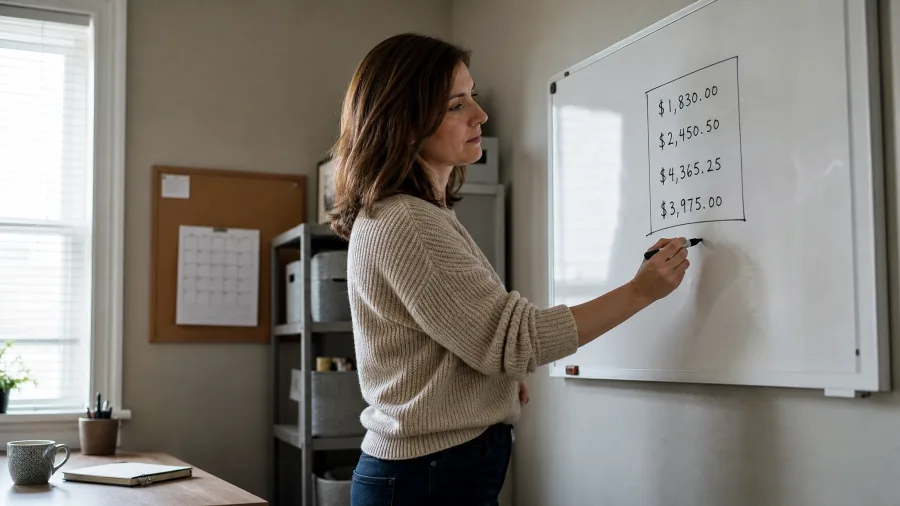
Take the headline rate apart: $10,750 a week, multiplied across the four weeks of a month, is $43,000.
The famous week is one twenty-eighth of a month's work, presented as a weekly figure. The sum itself is real and can be pulled into four separate amounts.
Blog display ads: $18,000, or 42% of the month, from 600,000 page views at $30 per 1,000. Affiliate commissions: $12,000, 28%. A digital product at $45 a copy: 200 sales, $9,000, 21%. Two brand deals at $2,000 each: $4,000, 9%.
Nothing here dominates. The biggest share is under half the total, so a plan that leans on affiliate pins only, or a product only, is aimed at a fraction of the number from the start.
Four lines are needed because four lines are what produced it.
They also switch on in sequence. Ads and affiliate money arrive once posts and pins begin ranking in search. The product and the brand deals wait until traffic proves itself.
Treat the four lines as the four workstreams of the 12-hour week and size them in that order.
⚠️ COMMON MISTAKE
One method cannot reach the number
If your whole plan is affiliate pins, the $43,000 month is arithmetically out of reach before you start. Affiliate is 28% of it. Build the blog line alongside, or lower the target.
Display Ads Need a Blog, Not a Pin
A pin pointing at someone else's product page, or at a homepage, generates no ad revenue for you.
There is no ad slot on a page you do not control, so traffic routed that way earns commission or nothing.
Your own site is where the space to sell exists.
The rate is roughly $10 to $50 per 1,000 page views, set by the ad network and the niche. At $30 per 1,000, which is the figure used here, 600,000 monthly views return $18,000. That is the single largest line in the $43,000 month.
So the pin's destination decides its job. Send pins to your own blog post, review or landing page and you keep the ad slots, plus Rich Pins that pull the live price off a page you control.
Point them straight at one product and the only money is commission.
For a home coffee setup, one blog post a week is the smallest repeating piece. Pins push readers toward the post. The post is what pays.
Affiliate Pins Pay $1 to $10 per 1,000 Views

Affiliate is the smallest line per view and the fastest to switch on this week. Pinterest views pay about $1 to $10 per 1,000, depending on niche and click-through, so 100,000 views is $100 to $1,000 – not $10,000 in a week.
The official US routes are Rakuten, LTK, Shop Style and Amazon Associates. In June 2026 Pinterest also added an Amazon storefront tool that tags products on pins and applies your tracking code itself, which removes a setup step.
Followers barely move this number. Accounts with 500 followers earn $1,000 or more a month when their pins rank in search, because income tracks impressions and click-through rate, not audience size.
At $12,000 of the $43,000 month, affiliate is under a third of the total. It still earns the first test, because it pays in weeks rather than years and tells you early whether your pins rank at all.
Affiliate Links Must Land on the Product Page
The link is where day-one affiliate work usually fails, and the penalty is removal, not a lower ranking. Get the destination wrong and the pin comes down. An affiliate link is a tracked web address that credits you when someone buys through it.
Send it to the page for one named item, with the price and the buy button on it. A shop's front page or a category list will not do, and the pin's title and description have to describe that same item.
Shorteners that hide where a click leads are out, Bitly included. Pinterest can flag those pins and take them down. On the Sunday batch, paste the full address exactly as the network gives it to you.
The Amazon storefront tool skips the problem entirely. It attaches its own tracking as you tag, so a shortened link is never needed. A plain link plus an honest title costs nothing and survives review.
What survives review and what gets pulled
Keeps the pin live
- Full product-page link, no shortener
- Pin title and description match the destination
- AI images labeled, affiliate tag disclosed
- Original image file kept for appeals
Gets flagged or removed
- Bitly or cloaked link hiding the destination
- Link to a homepage or category page
- Undisclosed affiliate link in the copy
- AI image showing something the product is not
AI Images Are Labeled; Affiliate Links Must Be Disclosed
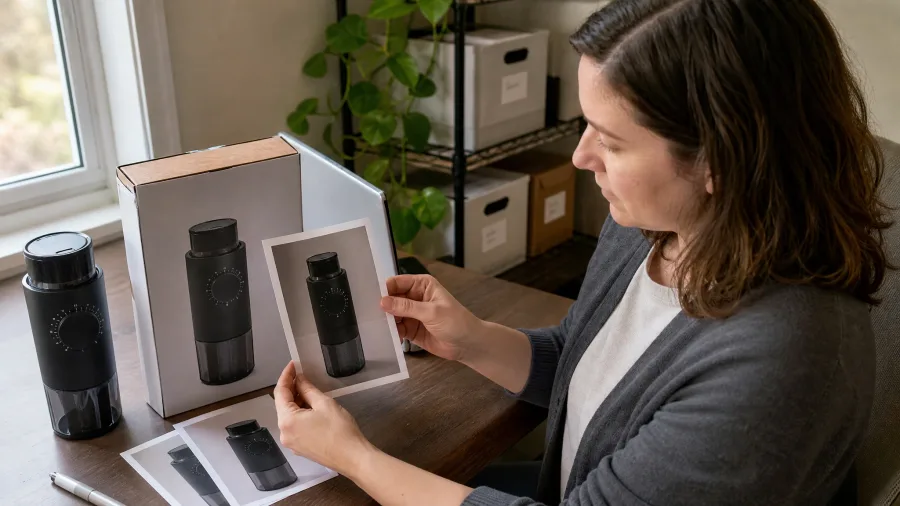
Pinterest will not remove a pin for being made with AI. It tags the image as AI-generated and leaves it up, so your batch can use generated pictures. What gets a pin pulled is a picture that misleads or copy that hides the link.
Buyers can turn down how much tagged AI content they see. The setting is Manage GenAI, under Social permissions in their account, so reach may dip without anything being wrong with your pin.
Disclosure is required. Commercial and branded guidelines want the affiliate relationship named in the pin text itself, with a tag like #ad or #affiliate sitting in the copy, not buried on the landing page.
Build every pin at 1000 by 1500 pixels. That is the 2:3 shape Pinterest shows in the feed, and a taller image gets cropped, which can cut the product clean out of the frame.
Then hold each image against the product listing. A generated coffee grinder that looks nothing like the one shipping is the version a buyer reports. Match it, tag it, disclose it, and the pin stays.
Moderation Flags Human-Made Pins as AI Too
Even a fully compliant batch of pins can still be swept up by Pinterest's own automation.
Creators have watched the platform stamp an AI-modified label on photos they shot and edited themselves, and others have lost whole accounts to a moderator that gave no reason beyond a canned note.
Your records are the only defense you have against a decision no person made.
So before the first Sunday batch goes out, the raw image files are saved to a folder and kept, not overwritten.
Next to them sits a plain text log: which pin carried an affiliate tag, which disclosure line went in the copy, and the date it published.
When a label lands on a photo you took, that folder is your reply.
Think of the account as rented space. The blog, the email list and the $45 brewing guide survive a suspension. Pins do not.
Losing the profile costs you traffic for a few weeks, not the whole business, and that is the third reason the blog is not optional.
Pinterest Payday, Decoded
AI Drafts in Seconds; You Edit for 90 Minutes
Three drafting jobs are where the hours go, and each has one tool that fits it. Pin titles and descriptions for 15 pins take about 45 minutes by hand.
ChatGPT returns a set in about 40 seconds, and the review and edits take 15 minutes. The catch is tone: unedited titles repeat the same hook, so check each one against the product it sells.
A 1,400-word blog post takes about 4 hours by hand, and Claude returns a draft in about 90 seconds.
Checking facts, links and product claims then takes 90 minutes, and that is the part not to skip.
A confident paragraph about grind size or warranty terms reads perfectly and can still be wrong.
Keyword and pin-angle research takes about 60 minutes by hand. Perplexity's deep-research mode runs it in several minutes, up to about half an hour when it browses widely, then 20 minutes of review.
Drafting drops from hours to a minute. The 12-hour week becomes 2 hours of Sunday pin batching in Tailwind, 6 hours of blog and product work, and 4 hours of review and link checks.
🗓️ The Sunday batch, start to scheduled
Pull the product links
Copy the full detail-page URL for each product in the batch, with no shortener.
Draft titles and descriptions
Paste the product facts into ChatGPT and get 15 lines back in about 40 seconds.
Check every claim
Spend 15 minutes matching each line to the product page and adding #affiliate.
Export the images
Size every pin at 1000 by 1500 pixels and keep the originals on file.
Schedule in Tailwind
Queue 4-6 pins to spread across the week and let the batch run.
Never Paste Client Files or Passwords into a Chat

The chat window that holds your niche, your $45 brewing guide and your audience can also hold things that should never leave your laptop. Turn the training switch off in settings first.
On free and personal plans, an assistant may otherwise learn from what you type, and switching it off after the fact does not recall what already went in.
Some material stays out entirely: passwords, a client's files, and anyone's medical or financial records. The home coffee example needs none of them, so nothing is lost by leaving them out.
Treat every fact, figure, quote and link an assistant returns as unverified until you check it against the product page or a source you opened yourself.
Keep one clean prompt file with the niche, product, audience, tone and banned claims. Reuse it every Sunday.
💡 PRO TIP
Write the product facts once
Keep a plain text file with each product's real specs, price and link. Paste that block into the prompt every time, so the assistant stops inventing sizes and features you then have to catch.
It Costs About $1,000 a Month to Run
Cash out in the example month is $1,000, and that is the whole bill: a freelancer hands over 20 hours of pin design and post editing at $35 an hour for $700, and $300 buys coffee gear to photograph for the pins.
Against $43,000 coming in, $1,000 paid out leaves $42,000 before tax. Same four-week stretch the headline rounds to $10,000-plus a week.
Software is missing from that total on purpose. Scheduling, hosting and email prices move, so read each vendor's own pricing page, Tailwind included, rather than trusting a number from a post.
The line barely moves as the account grows. Samples and freelance hours cost the same in a thin month, which is why the quiet early months stay affordable.
The real bill is 12 unpaid hours a week for six months. Cash is the small number; time is the expensive one.
The 12-Hour Week, Budgeted
📌 Pins made per Sunday batch
4-6 pins
✍️ Blog posts per week
1 post
📐 Pin size to design at
1000 x 1500 px
🔗 Affiliate link rule
#affiliate tag
⏭️ Skip this if
You need cash by month 3
The trade
Months 1-2 pay $0. Month 6 lands $2,000-$5,000. The $43,000 month is year two.
Months One to Four Pay Almost Nothing
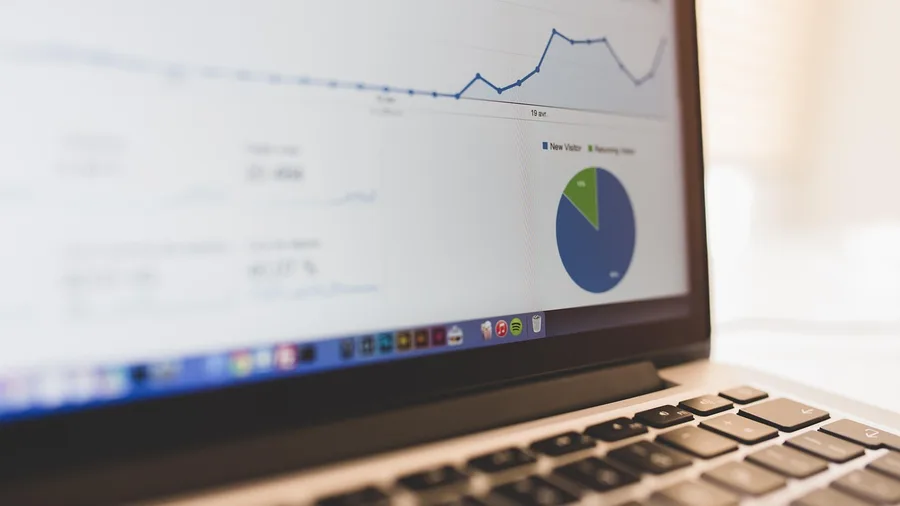
Time and cash only matter if the first money shows up inside six months, and the first four months of this example pay close to nothing. The first two months look empty, and traffic reads almost flat through month four.
Around months three and four the first small commissions land as pins start ranking in search. By month six, accounts at this pace are seeing roughly $2,000 to $5,000 a month.
One creator hit about $2,000 a month by month nine on two hours a week, batching four to six pins in Tailwind each Sunday. About 60% of her commissions still came from pins made in year one, because older pins keep working.
That is the test before committing: can the reader run 12 hours a week for six months on $0, since $43,000 is a year-two target.
Frequently Asked Questions
Does Pinterest pay creators for views or pins?
No. Views, impressions and clicks on Pinterest carry no payout. Creator Rewards, which paid directly for Idea Pins, ended in 2023 and no relaunch is confirmed. Creators earn through affiliate commissions, brand deals, their own products, and ads on traffic they send to their own sites.
How many followers do I need to earn on Pinterest?
Very few. Ranking in search matters far more than follower count, and accounts with 500 followers regularly earn $1,000+ a month when their pins rank. Income tracks monthly impressions and click-through rate, not audience size.
Can I post affiliate links directly on Pinterest?
Yes, and it has been allowed since 2016. The link must go to a specific product detail page, the pin title and description must match that page, and the copy must carry a disclosure such as #affiliate. Shortened or cloaked links are not allowed.
Will Pinterest remove my pins for using AI images?
Not for using them. Pinterest labels AI-generated images rather than banning them, and users can limit how much labeled content they see. Pins get pulled when the image misrepresents the product or the affiliate link breaks the destination rules.
How much does it cost to run this before it pays?
In the example month, about $1,000 in cash: freelance design and editing plus product samples. Software costs sit on top and change with each vendor's plans, so check their pricing pages. Early months cost far less and pay far less.
Do I need to know how to code?
No. A hosted blog platform, Tailwind for scheduling and a chat assistant for drafts cover the whole workflow. What you do need is a niche you could write 40 posts about without running dry.
Start Sunday, or Wait Until You Can Fund Four Quiet Months
Start this week if you have 12 hours a week and a niche you could write 40 posts about. Begin with one product category, not a $10,000 spreadsheet, and let the pin data tell you whether the next four months are worth funding.
Wait if you need income inside 90 days. Months 1 to 4 pay almost nothing, and no AI tool changes that arithmetic.
The first action is small: this Sunday, batch five 1000 x 1500 pins for one affiliate product, using the full product-page link and #affiliate in the copy.