
The old way is a blank page and a slow build: three lines of notes retyped into an email, reworded, softened, then read twice before it leaves, and 18 minutes gone before it does.
The faster way starts with the same three lines pasted into the chatbot you already keep open for one job. Sixteen of those minutes are dread and typing, not writing.
The honest clock is not seconds. Rough notes become a sendable email in 4 minutes with ChatGPT, and that number has one full checking pass inside it.
Every task on this list is timed the same way, so a chore only pays when its likely mistake is cheap to catch.
Where to start: at work with meeting transcripts, send Claude the notes at 45 minutes down to 7, the biggest win you can actually verify. Not sure yet, the email draft at 18 to 4.
By Friday you can know which of the thirteen chores to hand over, which assistant to open, and the one line to read twice before anyone else sees the result.
💡 PRO TIP
Time saved only counts after the check
The AI minute count in this article already includes one verification pass. A four-minute email draft is four minutes because one of them is spent reading the promise line. Skip the check and the saving is imaginary.
Writing that has to sound like you
These four tasks share a risk: the output goes out under your name. A wrong number in your own voice is harder to spot than a wrong number in a report.
Every check in this group is the same shape. Read the draft once, out loud, looking only for the thing you did not actually agree to say.
1. Rough notes become a sendable email

Prompt to copy
Write a sendable email from these three lines of notes: [paste notes]. Keep it to under 150 words, polite but not stiff, and state plainly what I am agreeing to. Do not add a date, a discount, or any promise that is not in my notes.
Paste that into ChatGPT and it returns a complete, polite draft in one pass. By hand, shaping those three lines into something sendable takes 18 minutes. The run plus the check takes 4.
The catch is the commitment line. The draft will invent a date, promise a discount, or add a courtesy the notes never agreed to. Read every name, date, amount and promise against what you actually meant before sending.
Skip that read and the 14 minutes you saved cost you a promise you now have to keep. Do it and you edit one finished paragraph instead of staring at a blank page.
💡 Tip: Add "no apology" or "firm but friendly" to the prompt. Tone drift is the most common rewrite.
| Task | Best assistant | By hand (min) | With AI incl. check (min) | What to check |
|---|---|---|---|---|
| Rough email notes to sendable draft | ChatGPT | 18 | 4 | Names, dates, amounts, any promise |
| Meeting transcript to action items | Claude | 45 | 7 | Owners, deadlines, decisions |
| Resume bullet for a job post | Gemini | 25 | 5 | Numbers, tools, titles |
| Toast or speech draft | Claude | 90 | 10 | Names, relationships, stories |
| Three spec sheets to shortlist | Perplexity | 70 | 9 | Specs and source links |
| 40-page PDF to one-page brief | Claude | 60 | 8 | Page references and numbers |
| Class notes to study questions | Gemini | 50 | 8 | Formulas, dates, key terms |
| Inbox triage and reply drafts | Copilot | 35 | 6 | Sender, thread, deadlines |
| Records request letter | Claude | 40 | 5 | Office, address, ID rules |
| Excel formula from plain English | Copilot | 30 | 5 | Column letters, blank rows |
| Fridge inventory to week of dinners | ChatGPT | 30 | 5 | Use-by dates, quantities, allergies |
| Trip details to packing list | Gemini | 20 | 3 | Medication, documents, bag rules |
| To-do list to two-hour schedule | ChatGPT | 25 | 4 | Real deadline, task durations |
2. Meeting transcript to owned action items

Yes, and this is where the invention risk gets more expensive than an email.
An email is caught by rereading one paragraph. Here the same invented detail lands on a colleague's name and a date they will act on.
Paste the transcript into Claude and ask for decisions, owners and deadlines as a short list. Replaying the recording by hand, writing out what was decided and chasing down who owned it takes 45 minutes. Claude returns the list in 7, check included.
The catch: speaker labels get scrambled in a noisy recording, and a maybe becomes a firm action with a due date nobody said out loud. Read every owner, deadline and decision against the transcript before the list reaches the team.
The check is the whole job. Each name and date is one line in a transcript you already have, which makes this the largest easily verifiable gap on the list: 38 minutes back.
Four ways the minutes disappear
3. One resume bullet, matched to the post
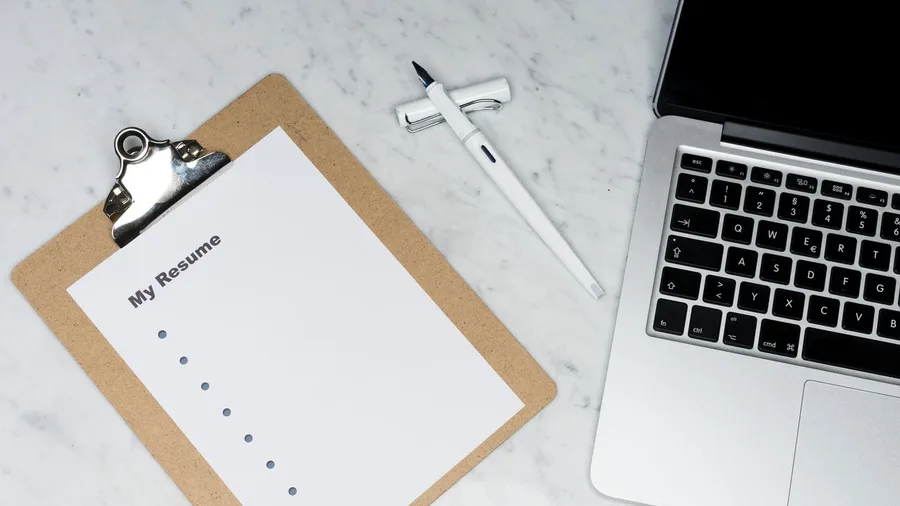
Rewriting a resume bullet to match one posting is the tedious part: reading the ad for its exact words, then squeezing your own history into them without a lie.
A transcript can prove an action item. A bullet has no source document except your own record, which is where padding starts.
By hand that bullet takes 25 minutes. Gemini does it in 5, check included, when you paste the posting and the current bullet together and ask for a rewrite using the ad's wording.
The catch is inflation. It adds a tool you never touched, a metric you never measured, or seniority you cannot defend when an interviewer asks. Check every number, tool and job title against your real experience and the posting's own words.
That leaves one tailored bullet that reads like the job and still sounds like you. The clock: 25 minutes by hand, 5 with the check inside it.
💡 Tip: Paste the posting's own wording next to your bullet so the match is visible on screen.
4. A toast that starts from real stories

A ten-minute run in Claude turns a page of bullet points into a toast you can rehearse, against 90 minutes of staring at a blank page. The catch is that it will invent a memory and pull a name from the wrong family branch.
The check is a conversation, not a reread. Because the audience knows these people, someone has to confirm each name, relationship and story against what was actually said. That talk is the real cost of the 80 minutes saved.
Total cost: 10 minutes of drafting and checking against 90 by hand, and one conversation about who is who before anyone raises a glass.
Research and reading
These three tasks hand the AI outside material: spec sheets, PDFs and class notes. The output is only as good as the source it points at, so the check moves from wording to citations.
The time saved here is large, from 42 to 61 minutes, and so is the risk of a stale page or a dropped caveat.
5. Three spec sheets, one shortlist

Perplexity compares three product spec sheets and returns a shortlist. It is the first job here where the source sits outside your own head, so the comparison can look right while resting on a page that is quietly out of date.
Step 1: Upload the three spec sheets, or paste the manufacturer links, and name the two features that decide the purchase. You should see a table with one row per product.
Step 2: Ask it to flag where any spec came from a retailer page rather than the manufacturer. Expect a two- or three-item shortlist with the exact differences that matter.
Step 3: Open every source link and check each spec against the manufacturer's current page. Retailer typos and dead links drop out here, and the shortlist holds.
The clock runs 70 minutes by hand against 9 minutes with the check inside it. That is 61 minutes back, spent on the one page that confirms the numbers.
6. A 40-page PDF into one checked page
Eight minutes, one page, and a check against the pages it cites. A 40-page PDF brief condensed by hand takes 60 minutes, and few people read the whole thing twice. Condensing it in Claude is the riskier job, because nobody goes back to the source.
Prompt to copy
Paste the 40-page PDF below. Summarize it on one page for a colleague who will forward it without reading the original: the main finding, the numbers behind it, and every exception or caveat that changes the answer. Cite the page number for each point. Keep it under 300 words and leave out background.
The summary comes back clean and confident, and that is the trap: it drops the exception that changes the answer and cites pages that do not say what it claims. Check every page reference and number against the PDF before forwarding.
Do that check and the one-page brief is safe to send, with 52 minutes back and the risky claims gone.
💡 Tip: Ask for page numbers in the summary. A claim without a page reference is not checkable.
7. Class notes into self-test questions
A study guide built on a sign error teaches the mistake. Gemini turns class notes into practice questions fast, but a formula can come back with a flipped sign, shifted dates, or a definition smoothed into words your teacher never used.
Retype the formulas and key terms into the request yourself.
Working from the corrected notes, Gemini takes 8 minutes including the pass through every formula, date and term against your original. By hand the same question set runs 50 minutes.
That is 42 minutes back, and the real gain is catching a wrong formula before you memorized it.
Research tasks at a glance
⏱️ Largest saving
61 min (spec sheets)
🔍 Hardest check
Source and page references
🧰 Best tools
Perplexity, Claude, Gemini
⚠️ Top failure
Stale or wrong citation
Bottom line
Save time on the reading, spend it on the links and page numbers.
Admin that touches real files
This group deals with inboxes, records and spreadsheets: places where a wrong move has consequences beyond a bad draft.
The check gets harder here because you have to know the file, the sender or the deadline before you accept the output. One privacy rule applies to the whole group, and it is in task 9.
8. Inbox triage with reply drafts
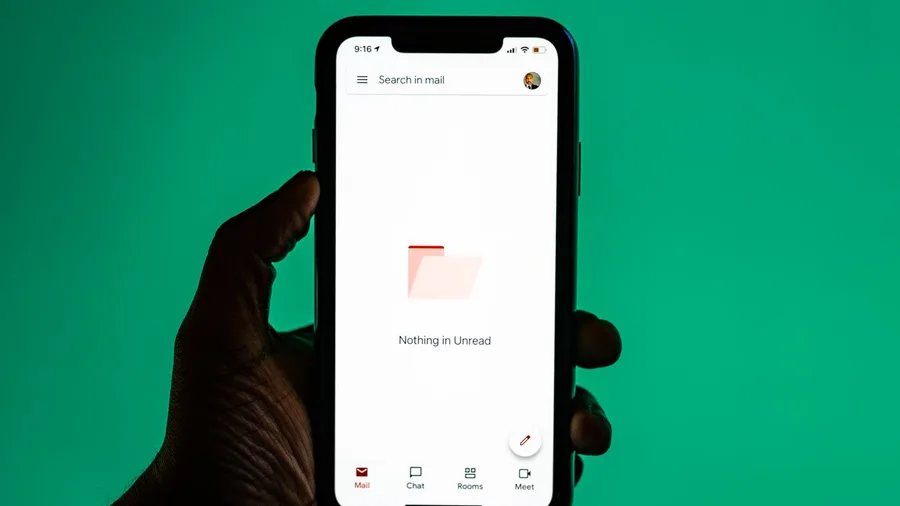
Sorting a month of email is dull in a way that eats an afternoon. You read each thread, decide what it is, drag it to a label, then start a reply and wonder whether the sender already answered.
Then you find a refund notice still sitting in general mail.
Microsoft Copilot on a pasted export of the inbox takes 6 minutes including the check. It groups messages into labels and drafts three replies. By hand the same pass takes 35 minutes.
Sorting is the easy half. A time-sensitive message can come back labeled low priority, and a drafted reply can promise a delivery date or a discount you will not honor.
Prompt to copy
Here is my inbox list with sender, subject and first line of each message. Sort them into these labels: reply today, this week, receipts, and read later. Draft a short reply to the three messages that need one. Flag anything with a deadline inside the text.
Read the sender, the thread history and any deadline in the message before you apply a label or send a draft. Done that way, you finish a sorted inbox and three replies in one pass, 29 minutes ahead.
9. A records request letter, records left out
40 minutes is what a records request letter costs by hand: finding the right office, the address, the identification rules and the deadline. Claude drafts one from the request alone in 5 minutes including the check.
Never paste passwords, client files, or medical or financial records into a chatbot.
The catch is in the address line. A draft letter can name the wrong office or a deadline from memory instead of the source. Check both on the provider's official page, not in the letter itself.
The letter goes out naming the right office, 35 minutes back, and the records stay in the drawer.
💡 Tip: Describe the request in one sentence. Never paste the records themselves.
10. A plain-English Excel formula

A plain-English description of what a column should calculate, pasted into Copilot, usually comes back as a finished Excel formula.
The version that pays is the one built in 5 minutes including a test run, against 30 minutes typing, testing and retyping it by hand.
The risk is a wrong column letter or a skipped blank row, not a language mistake.
The formula works until the pasted sample runs out. Copilot can point at column D when the total lives in E, or stop a range before the blank row halfway down.
That is why it is tested on a copy of the sheet where the answer is already known, not on the live file.
Quick check: run the formula on a copy first, then compare the result with the known total before the live sheet is touched.
Do that and the output is a formula to fill down and reuse, with 25 minutes back and every row beneath it correct.
What AI should and should not touch
Safe to hand over
- Draft from your own notes
- Summarize a public PDF
- Write a formula on a copy
- Sort an inbox you own
Keep it off
- Passwords and secret keys
- Medical or financial records
- Client files on a free plan
- Sending without reading
Planning the week and the trip
The last three tasks move into the kitchen, the suitcase and the calendar. The AI has less to verify and more to get physically wrong: dates on food, medicine in a bag, a deadline that cannot slip.
These are the fastest wins on the list, between 17 and 25 minutes each, because the check is a glance at a shelf or a calendar you already have open.
11. Fridge inventory to a week of dinners

The real risk here is food, not wording.
Ask ChatGPT to plan a week of dinners from your fridge and it may build a dish around a tub that went off on Tuesday, ignore that you have two chicken breasts and not six, or call for a pan you do not own.
Do it anyway, because 30 minutes of planning by hand becomes 5 with the check inside it.
Paste the contents of the fridge and pantry, then check every use-by date, every quantity and any allergy against the shelves themselves, and swap out any dish whose pan is missing.
Then five dinners are planned, a short grocery list covers the gaps, and 25 minutes are back.
12. Trip details into a packing list

Hand Gemini the destination, the number of days and the forecast, and a full packing list comes back in a couple of seconds.
Twenty minutes of scribbling and second-guessing by hand becomes 3 minutes with the check, which is 17 minutes back, and nothing essential left in the bathroom cabinet.
The list that comes back is a starting point, never the final word. It can leave your prescriptions off because you never mentioned them, name a charger for the wrong plug, or assume the airline's bag limit rather than the one printed on your booking.
So the check is three reads: your medication, your documents, and the airline's own baggage page. Where this does not work is a medical trip or a visa run.
Then the documents and their requirements come first, from the official pages, and the packing list is built around them by hand.
13. A long to-do list into two hours
A trip has a departure date to force the packing. A to-do list has only the clock, so it fails by squeezing ninety minutes of work into a forty-five-minute gap.
ChatGPT can lay the list into a two-hour block: 25 minutes by hand, 4 with the check. It reads the whole list before it decides what fits.
Prompt to copy
Here is my to-do list for today: [paste list]. Put it into one two-hour block. Put the task with a hard deadline first. Use how long each task took last time. Leave out anything that will not fit in 45 minutes. Tell me what got dropped and why.
The catch is overpacking. With no durations given, it will book ninety minutes of work into a forty-five-minute gap.
And the one deadline that cannot slip often lands at the bottom of the block. Check the real deadline, the meeting times, and last week's actual task times before accepting the plan.
Accept the order and keep the parked list. The must-do task sits first, the rest waits for later. That is 21 minutes back, with the one deadline no longer buried under errands that could have moved.
⏱️ Pick your first task this week
Find a 45-minute chore
Look for a task that takes you at least 45 minutes by hand and has an output you can verify line by line.
Name the one failure
Write down the single error the check must catch, such as an owner, a date or a page number.
Run it once
Do the task with the named assistant and time both the draft and the checking pass.
Compare the real total
If the checked AI time is not clearly lower than hand time, stop using it for that task.
Save the prompt
Keep the prompt that worked and paste it back in for the same job next week.
Frequently Asked Questions
Do I need to pay for any of these tools?
No. ChatGPT, Claude, Gemini, Copilot and Perplexity all have free tiers with usage limits that change. Start free, and move to a paid plan only when you hit the limit on a task you use weekly.
Do I need to know how to code?
No. Every task here is typing a request and reading the answer. The only technical step is the Excel formula, and you describe it in plain English.
How do I stop the AI from making things up?
You cannot stop it, so you check it. Ask for page numbers or source links, then open them. Names, dates, amounts and promises get read twice before anything is sent.
Is it safe to paste my documents into a chatbot?
Not passwords, client files, or medical and financial records. On free and personal plans, chats may be used to improve the company's models unless you switch that off in settings where the option exists.
Which task should I try first?
The meeting-notes task if your work involves meetings, because it saves the most verifiable time. The email draft is the low-risk first try if you are unsure.
Why do the AI times include checking?
Because an unchecked draft is not finished work. The four-minute email is four minutes only if one of them is spent reading the promise line before you hit send.
Start with the 45-minute chore you can check
The rule is simple: start with a task where hand time is at least 45 minutes and the output is easy to verify. That combination gives you a real saving and a check you can actually finish.
If you work in an office, the meeting-notes task is the high-value first try at 45 minutes down to 7. If you are unsure, draft one email with ChatGPT at 18 minutes down to 4.
Run one task this week. Before you use the result, read the line that would embarrass you if it were wrong: the owner, the date, the amount or the promise.