
Fifteen copy-and-paste Perplexity prompts, sorted by the kind of job you are doing, with the honest time each one saves. This is for a manager or a solo operator with a Perplexity tab open and a deadline close. The order runs from incoming material, to what you already hold, to other people's numbers, to the reusable setup, to the final check before anything goes up the chain.
Expect roughly three to five times faster on most of these jobs, not ten. Drafting is quick; the review is what takes the time, and the review is yours.
So each prompt gets two numbers: the minutes Perplexity spends producing an answer, and the minutes your checking costs. Book the review before you paste anything in.
Prices and plans here are as of October 2026. Check the current limits on Perplexity's own plan page before you rely on a free tier.
| # | Prompt | Job it replaces | By hand (min) | Perplexity (min) | Review and edit (min) |
|---|---|---|---|---|---|
| 1 | Competitor teardown | Comparing five named competitors | 180 | 2 | 45 |
| 2 | Dated trend scan | Finding what changed this year | 240 | 8 | 40 |
| 3 | Industry primer | Sounding credible in a new field | 300 | 10 | 45 |
| 4 | Scored decision memo | Picking one option with reasons | 90 | 1 | 20 |
| 5 | PDF digest | Reading a 60-page document | 75 | 2 | 15 |
| 6 | Meeting notes | Turning raw notes into actions | 45 | 1 | 12 |
| 7 | Executive summary | Making a rough draft readable | 40 | 1 | 10 |
| 8 | Call to proposal | Writing a proposal from a call | 120 | 2 | 35 |
| 9 | Spreadsheet questions | Knowing what a file can answer | 60 | 2 | 20 |
| 10 | Outreach sequence | Writing four cold emails | 60 | 1 | 15 |
| 11 | Fact-check pass | Checking your own claims | 90 | 3 | 25 |
| 12 | Vendor quote grid | Comparing three quotes | 90 | 2 | 20 |
| 13 | Weekly status | Writing Friday's update | 50 | 1 | 12 |
| 14 | Project brief | Re-explaining your company | 120 | 4 | 30 |
| 15 | Red-team review | Guessing the hard questions | 75 | 2 | 25 |
1. Teardown table of five named competitors
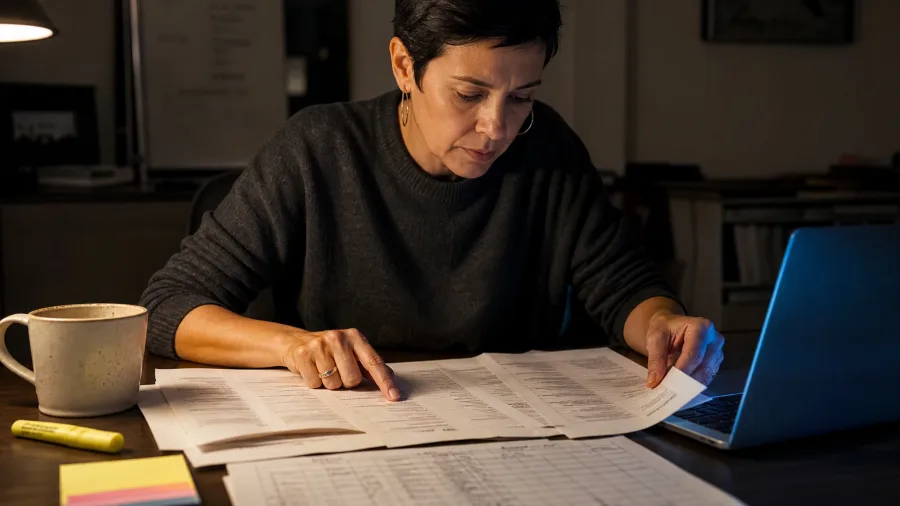
Five competitors mean five pricing pages, five feature lists and twenty tabs. Done by hand for a six-person marketing team, that teardown runs about 180 minutes.
The tedious part is not the reading. It is re-opening each page to check whether the number you copied is still live.
Prompt to copy
You are a competitive analyst. Compare [COMPETITOR 1], [COMPETITOR 2], [COMPETITOR 3], [COMPETITOR 4] and [COMPETITOR 5] for a [YOUR PRODUCT CATEGORY] buyer. Steps: 1) list the pricing tiers each one publishes today; 2) list the features each one charges extra for; 3) name the buyer each one targets; 4) flag every claim you could not confirm on a page you link. Output: a markdown table, one row per competitor, a source link in every cell, cells under 12 words, then a five-bullet where-we-win-and-lose list. Rules: no figure without a link; write not published instead of guessing.
Ordinary chat in Perplexity with cited answers returns the table in about 2 minutes, a link in every cell.
The catch is timing: vendor pages change weekly, and the model can misread one or attach a stale link.
So all 45 review minutes go cell by cell against the live pricing pages.
That is 47 minutes against 180, under four times faster, and the review is what bought it. What ships is one slide that survives a CFO question, closing on the where-we-win line instead of a folder of screenshots.
💡 Tip: Open every linked pricing page before the table leaves your screen. A single wrong tier can sink the whole slide.
2. A dated trend scan with sources

240 minutes, mostly link-chasing. A table of what five competitors charge today is a snapshot, and the next question a manager asks is what changed in this market over the last year. That needs dated developments from different publishers, not cells.
Open a research run, not chat: in Perplexity, paste the prompt below into a new chat. Deep research asks two or three clarifying questions before it starts, then shows which sources it is reading as it goes.
Expect 8 minutes back: a table of date, publisher, what happened and so what, then three watch items for next quarter.
Prompt to copy
You are a market researcher. Topic: [MARKET OR TREND]. My company: [ONE LINE]. Window: the last 12 months. Steps: 1) find 8 to 10 developments, each from a different publisher and each dated; 2) for each, write what changed, who it affects and the date; 3) separate confirmed news from analyst opinion; 4) end with three things to watch next quarter. Output: a table of date, publisher, what happened, so what, then the three watch items. Rules: no undated claims, no forecast without a named source, write no reliable source found rather than filling the gap.
Check every link: the report streams into an editable file, and that is where the 40 review minutes go. The model will cite a blog as if it were a filing.
48 minutes against 240 is about five times faster, and the minutes saved on drafting are repaid in link-checking. Raise the dated slide and three watch items at the next planning meeting.
💡 Tip: Deep-research runs count against your plan's research allowance. Free has a limited daily allowance; paid tiers list limits of 50 and 500 a month.
3. A primer on an industry you do not know
Go to the official source for anything legal or financial, and use Perplexity for the vocabulary and the money flow.
Knowing how money moves explains the dated market shifts you gathered, but it never substitutes for confirming a rule.
Prompt to copy
You are a consultant briefing a newcomer. I know nothing about [INDUSTRY]. I need it for [DEAL / HIRE / LAUNCH]. Steps: 1) explain how money moves in this industry in plain English; 2) define the six terms I will hear in the first meeting, one line each; 3) name the three things outsiders get wrong; 4) give five questions that make me sound informed. Output: under 600 words, a short glossary at the end, a source link for every size or regulation claim. Rules: expand every acronym, mark anything you are unsure of as unverified." Deep research returns the primer in about 10 minutes.
The trap sits in the citations: figures for market size, licensing or tax rules come back stated confidently and can be flat wrong, and verifying them at the regulator's own page is the 45 review minutes.
Reading the same ground yourself would take 300, so the primer at 55 minutes comes out about five and a half times faster, the widest gap on this list.
4. A scored memo that picks one option
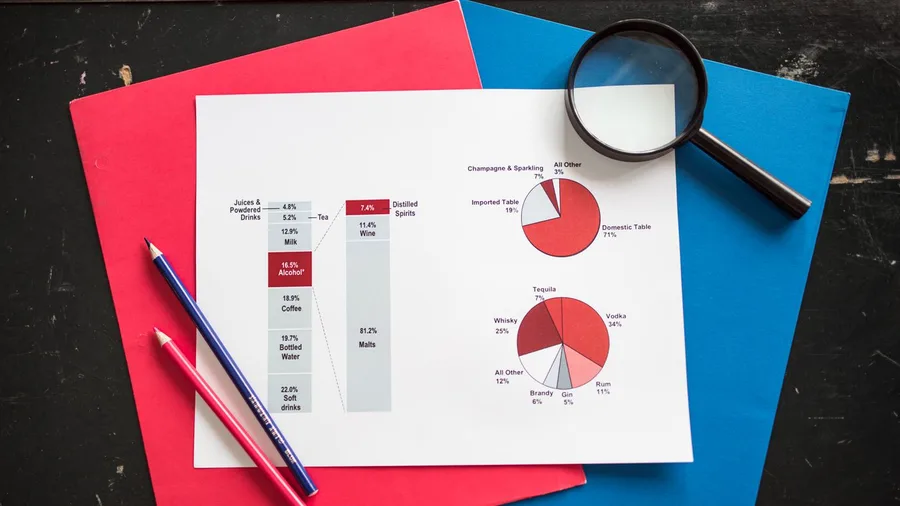
A memo that scores options on made-up numbers reads perfectly and is worthless. Paste the decision, three named options, your deadline, your three criteria and their weights, and write "unknown" anywhere you lack a figure so the model has to ask.
Prompt to copy
You are my chief of staff. Decision: [THE DECISION]. Deadline: [DATE]. Options: [OPTION A], [OPTION B], [OPTION C]. Steps: 1) restate the decision in one sentence and define what good looks like; 2) score each option 1 to 5 against [CRITERION 1] (weight [X]), [CRITERION 2] (weight [Y]) and [CRITERION 3] (weight [Z]); 3) give the strongest argument against the leading option; 4) recommend one option and the first step to take this week. Output: a one-page memo, scores in a table, recommendation in the last line. Rules: use only the facts I give you; if a fact is missing, ask for it instead of assuming.
Ordinary chat returns in about a minute: the decision in one line, options scored 1 to 5 against the weighted criteria, the strongest case against the frontrunner, one pick and the first step this week.
The model scores invented numbers as readily as real ones, so your 20 review minutes go on checking each score against actual figures.
That review is the price of the one-page memo, and the ChatGPT mega-prompts arithmetic is 90 minutes by hand against 21 (1 + 20), roughly four times faster.
A memo built on options learned from a primer on the industry is worth far more than a guess, though. The room ends up arguing the choice itself, not the framing, because the second question is already answered.
💡 Tip: If the model asks for a missing fact, answer it there and then. That question is the prompt stopping you from getting a confident wrong answer.
Reviewing a Perplexity answer: what to do and what not to do
Do
- Open every link before you trust the cell beside it
- Redo two totals in the file itself
- Quote exactly when the prompt says quote exactly
- Fill in owners the prompt marked unnamed
Do not
- Ship a table you have not checked against live pages
- Paste passwords, client files under NDA, or medical records
- Treat another AI summary as a primary source
- Call it shipped because Perplexity called it shipped
5. Digest of a 60-page PDF or transcript
A memo picks between options using the facts you paste in, and the facts behind most options sit in a long document nobody has read yet.
A 60-page PDF or a meeting transcript, read before the meeting, takes about 75 minutes by hand. With Perplexity's file reading it comes back in about 2 minutes.
Prompt to copy
You are a research assistant. Attached: [FILE]. What I need from it: [QUESTION]. Steps: 1) summarize it in eight bullets in the document's own order; 2) pull every number, date and named commitment into a table with the page it came from; 3) list what the document does not say that I would expect it to; 4) draft five questions to send back to the author. Output: bullets, then the table, then the questions. Rules: quote exactly when you quote, say so if a page is unreadable, add no outside facts.
What comes back: eight bullets in the document's own order, a table of every number, date and commitment with its page, the gaps you would expect it to fill, and five questions for the author.
Reported tests found summaries slipping in small details absent from the source, so each quote gets checked against its page number. That is most of the 15 review minutes.
Keep passwords, NDA client files and medical or financial records out of the upload, and on Free and personal plans switch off chat training in settings first.
By hand / with Perplexity: 75 minutes against 17 (2 + 15), about four and a half times faster. An afternoon of bullets and column-adding becomes one readable page.
💡 Tip: Ask for the page number in the same table as the number. A figure without a page is the one that gets challenged in the meeting.
⚠️ COMMON MISTAKE
Do not paste raw notes without a rule
A prompt that says 'summarize this' will tidy a bad meeting into a good-looking one. The rule 'write owner not named where the notes are silent' is what keeps the action list honest, so include it every time.
6. Notes into decisions, owners and dates

Prompt to copy
You are a project manager. Raw notes: [PASTE NOTES]. Steps: 1) list the decisions made, each with who made it; 2) list actions as owner, verb and date, and write owner not named where the notes are silent; 3) list the open questions; 4) flag anything that contradicts an earlier action in the same notes. Output: three short lists plus a three-line summary I can paste into Slack. Rules: invent no owner, date or decision; keep to what the notes support.
A meeting leaves its decisions and owners spoken aloud, and the document summary does not recover them; the raw notes do, if you turn them around in about a minute.
Ordinary chat returns decisions with who made them, actions as owner, verb and date, the open questions, contradictions, and a three-line summary for Slack.
Reported tests found meeting summaries well organized but adding detail that was not in the minutes. Your 12 review minutes go on filling the owners the prompt marked unnamed. By hand: 45 minutes. Here: 13 (1 + 12), about three and a half times faster.
💡 Tip: Check the plan before the meeting, not after. Free is built for occasional answers; paid tiers list research limits on Perplexity's own plans page.
Executive summary at a glance
⏱️ Perplexity time
About 1 minute
✂️ Summary limit
90 words
🔢 Numbers to list
Three, with sources
👀 Review owed
10 minutes
📉 By hand
40 minutes
The trade
The summary leads with the decision or the ask, and the before-and-after of cuts is what shows a director you know what you removed.
7. An executive summary from your rough draft
Forty minutes of rewriting an opener becomes eleven, and the director gets ninety words instead of a rough draft they scroll past. The tool is ordinary Perplexity chat, which returns in about a minute.
Your share is the ten minutes you spend on the number list. That list is where the argument gets caught, not made. The prompt goes in once the draft sits in the folder and the asks from the meeting are already pinned to owners.
Paste your own prose and let it do the cutting, not the writing.
It returns a 90-word summary that opens on the decision or the ask, a list of the three figures doing the real work with where each came from, and the trimmed sentences laid out as a before-and-after of at most five lines.
You read the five lines and see what went.
Prompt to copy
You are an editor for a busy executive. Draft: [PASTE DRAFT]. Steps: 1) write a 90-word summary that leads with the decision or the ask; 2) list the three numbers that carry the argument and where each came from; 3) cut every sentence that does not change the decision; 4) show the cuts as a before-and-after of no more than five lines. Output: summary, number list, before-and-after. Rules: keep my voice, change no figure, and mark any sentence where you had to guess my meaning.
The trouble is that it tidies a hole instead of pointing at it. A missing supporting figure gets written around, and the result reads smoother than your draft did. The number list is the tell.
Compare each of the three against your own source sheet. A director will ask where one came from, and that is exactly the moment the ten minutes is for.
What you carry into the room is an opener a busy reader finishes, plus the before-and-after that answers what got removed. Forty minutes against eleven, under four times faster, and the ten-minute check is what makes the shorter version safe to send.
💡 PRO TIP
Give the model your margin, not its guess
On pricing and proposals, the model knows nothing about your costs. Paste your own numbers and make the prompt use only those. Any price the model invents is a price you have to defend without knowing where it came from.
8. A call transcript into a one-page proposal
Yesterday's call becomes a proposal in the buyer's own language. Without a document to work from, a two-minute chat turn comes back with a one-page proposal under Problem, Approach, Scope, Timeline, Investment and Open questions, the pain quoted from the recording and three price options.
The other 35 minutes decide whether it is honest.
Two things the model cannot supply. Your margin is invisible to it, so all three prices come from you.
And the scope fights back: it will stretch a deliverable nobody discussed. Quotes lifted from the transcript get checked against the recording while you rebuild the numbers.
What ships is a proposal in the buyer's words, ready for your figures and your signature. 120 minutes against 37, about three times faster, with the 35 minutes of scope and pricing work as the price of the claim.
💡 Tip: If the buyer gave a number on the call, make the prompt repeat it and check it against the recording. Transcripts mishear figures more often than words.
9. Questions your uploaded spreadsheet can answer
A two-minute read answers that: which columns, what units, what date range the sheet actually covers. Point it at three named questions and it shows its arithmetic.
Then it names what the file cannot settle and the column you would need. The price is about 20 minutes of your own re-adding before any figure leaves your desk, but the pass itself is worth the setup.
Build it as a standing habit in one go, and every spreadsheet that lands afterward starts from the same script. The proposal prices you keep rebuilding belong here too.
Prompt to copy
You are a data analyst with no outside data. Attached: [SPREADSHEET]. Steps: 1) describe the columns, units and date range you actually see; 2) answer [QUESTION 1], [QUESTION 2] and [QUESTION 3]; 3) show the arithmetic behind each answer; 4) list the questions this file cannot answer and the column that would be needed. Output: short answers with the working shown, then the gaps. Rules: never estimate a missing row; write not in this file.
The failure mode is quiet and it is your fault as much as the tool's. Headers get misread, units get mixed, and a total comes back wrong with full confidence.
Check the two totals the argument rests on inside the file itself, cell by cell, before anything is quoted, because the 20 minutes are mostly spent there.
Three answered questions with working you can show, and a list of what the file cannot tell you. Sixty minutes against 22, about 2.7 times faster, and a habit that pays on the next file too.
10. An outreach sequence for a named list
Rewriting the same four cold emails by hand eats an hour you would rather spend on the list. Perplexity drafts the sequence in about a minute, and the 15 review minutes you owe go to trimming the statistics and client names it invented.
Prompt to copy
You are a B2B copywriter. Audience: [ROLE] at [COMPANY TYPE]. Offer: [ONE LINE]. Reason to act now: [TRIGGER]. Steps: 1) write four emails under 90 words each, one ask per email; 2) give three subject lines per email, under six words each; 3) name the objection each email pre-empts; 4) write the day-5 follow-up for a silent prospect. Output: a table of day, subject line, body, objection handled. Rules: no invented statistics or client names, no fake familiarity, one call to action per email.
What returns is a table of day, subject line, body and objection handled, each email under 90 words with one ask, plus the day-5 follow-up for anyone who stays silent. Ordinary chat, so it lands in 10 to 60 seconds.
The copy arrives confident, numbers and all. No statistic or client name ships unless you can point to its source, and the 15 review minutes are spent cutting the claims it made up.
Sixty minutes by hand becomes 16 (1 plus 15), under four times faster.
💡 Tip: Free-tier usage limits change. If you send outreach often, check the daily allowance and paid plans on Perplexity's own pages before you plan a week around it.
11. A fact-check pass on your own draft

Every draft on this list leaves the building carrying claims, and the claims are the part someone else checks. The trap is a verdict table you trust too early.
Open each source before you act on its row. The check costs 25 of the 28 minutes, and it is the price of the three-times saving.
In one test pass on a six-page draft, the table came back in 3 minutes with 41 claims numbered and sorted. Two source links returned nothing when opened.
The 25 review minutes went to those broken links and to deciding which of nine unverifiable claims to soften before the deck shipped.
Prompt to copy
You are a fact-checker, not an editor. Draft: [PASTE DRAFT]. Steps: 1) extract every factual claim as a numbered list; 2) for each, find a primary source and give the link, or write no source found; 3) mark each claim Verified, Contradicted or Unverifiable; 4) rewrite only the Contradicted sentences. Output: a table of claim, verdict, source and fix, then the rewritten sentences. Rules: prefer primary sources, never treat another AI summary as a source, leave opinion alone.
💡 Tip: A no source found verdict is useful. It tells you which sentence to cut or source yourself, and saves you arguing with a link that was never there.
12. Three vendor quotes normalized on one grid

Paste the three quotes and ask a procurement analyst to normalize every one to the same 12-month scope.
Back come a comparison table, each quote's exclusions listed for setup, support, overage and exit, 12-month totals with the arithmetic shown, and five questions before signing.
Ordinary chat, about 2 minutes.
Auto-renewal, overage and exit terms live outside the documents, so read the vendor's own contract pages and re-add the totals in a spreadsheet. The 20 review minutes go to that, not to trusting the model's sums.
What you hold is one grid with a 12-month total per vendor and the five questions that decide the signing.
🗓️ A normal week with the fifteen prompts
Monday: research first
Run the trend scan, industry primer and competitor teardown while your review hours are still free.
Tuesday: digests
Upload the PDF or transcript and let Perplexity read it while you book the 15 minutes to check quotes.
Wednesday: writing and checking
Use the memo, proposal and outreach prompts, then run the fact-check pass on what you wrote.
Thursday: comparing and reporting
Normalize vendor quotes and write the weekly status with the risk at the top.
Friday: gate before it ships
Run the red-team review, answer its questions, and only then send anything up the chain.
Once: the Project brief
Set it up on any day, and every later task in that Project starts from a brief the model already knows.
13. A weekly status report from a messy week
By hand, Friday's update eats 50 minutes. Forty-five of them go to dragging the week back out of three chat threads and a notes app. A vendor grid settles one purchase.
Status time comes round again every seven days, and the same sorting of scraps into facts starts over. Friday afternoon is where a week goes soft.
Perplexity's job here is sorting, not judgment. Paste the notes, the Slack snippets and the promises into ordinary chat, and the answer comes back while the coffee is still hot, in about a minute.
Prompt to copy
You are my program manager. Inputs: [PASTE NOTES, SLACK SNIPPETS, COMMITMENTS]. Steps: 1) sort everything into Shipped, In progress, Blocked, Decided; 2) name who unblocks each Blocked item; 3) write a five-line update for my boss that leads with the risk; 4) list what I promised this week and did not do. Output: the four lists, the five-line update, the promises list. Rules: keep my wording for anything quoted, no status inflation, invent no progress.
Back comes everything filed under Shipped, In progress, Blocked and Decided, with a named unblocker beside each blocker, five lines that put the risk first, and the promises list. Keep an eye on that promise list.
The tool tidies a rough week into a smooth one, so open your own notes first and ask of each item it marked shipped: did this really go out the door?
That is the 12 minutes, and they are the ones that save you in the meeting.
What reaches your boss is five lines with the risk at the top, built from notes that were already on your desk. The whole job runs 13 minutes against 50, under four times faster, and far less likely to hide a slip.
14. A reusable Project brief that remembers

Prompt to copy
You are the standing analyst for this Project. Read the files in this Project plus [MY ROLE], [MY AUDIENCE] and [MY STANDARD FORMAT]. Steps: 1) write a one-page brief on who we are, what we sell, who buys and how we sound; 2) list the ten rules a new draft must follow; 3) list what is missing from the files that you need from me; 4) end with a checklist I can reuse on every task in this Project. Output: the brief, the ten rules, the gaps, the checklist. Rules: mark anything inferred from my files with the file name, and invent no product fact.
Run it inside a Project and the answer lands in 4 minutes: the brief, ten draft rules, the gaps in your files and a reusable checklist. Project memory then studies those files between tasks, so every later job starts at step three.
The 30 review minutes fix the brief first. Files from your own desktop stay visible only to you, so check who else is in the Project and confirm Projects access on Perplexity's own pages.
One setup of 120 minutes, then 34 (4 + 30) against writing a brief from scratch. It keeps paying after the week is over.
Four ways these prompts go wrong
15. A red-team review before you send
A red team that agrees with the plan has told you nothing. Neither has one whose arithmetic you took on trust, because its check is not a spreadsheet.
The plan is the week's work assembled, and this pass runs last, before that plan goes up the chain. Verify every total yourself first.
By hand, guessing at the hard questions costs 75 minutes. Perplexity returns in about 2 minutes.
Prompt to copy
You are a skeptical board member. Plan: [PASTE PLAN]. Numbers I am relying on: [PASTE NUMBERS]. Steps: 1) write the five hardest questions you would ask; 2) say what evidence would answer each one; 3) name the single assumption that breaks the plan if it is wrong; 4) write the 30-second answer I should give to question one. Output: numbered questions, then the breaking assumption, then the 30-second answer. Rules: be blunt, no compliments, use only my numbers, and flag any figure that does not add up.
You get five numbered questions, the evidence each needs, the one assumption that breaks the plan and a 30-second answer to question one. The 25 review minutes decide which questions you can actually answer and which need evidence gathered first.
Seventy-five minutes against 27 (2 + 25), under three times faster, and you walk in with the breaking assumption named and 30 seconds ready to say out loud.
Frequently Asked Questions
Do I need Perplexity Pro for these prompts?
Not for most of them. Ordinary chat prompts on the Free tier cover prompts 4, 6, 7, 8, 9, 10, 13 and 15 within a limited daily allowance. The deep-research prompts (2, 3) and heavier file work need the research allowance paid tiers provide. Pro is $20 a month and Max is $200 a month as of October 2026; check Perplexity's own plans page for current limits.
Why do you say three to five times faster and not ten?
Because the clock includes review. Prompt 1 is 2 minutes from Perplexity plus 45 minutes of checking links. That is 47 minutes against 180 by hand, under four times faster. A prompt with no review would be the ten-times claim, and it would also be a draft nobody checked.
Can I trust the citations?
Open them. Perplexity shows source links beside answers, which is why it is strong for research and fact-checking. But it can misread a page or attach a stale link, so the link opening is the review step, not an optional extra.
What should I not paste into Perplexity?
No passwords, no client files under NDA, and no medical or financial records. On Free and personal plans, turn off use of your chats for model training in settings first. If a file must stay private, keep the sensitive pages out of the upload.
Which prompt should I paste first?
Prompt 5, the PDF digest, if you have a document waiting today. It is the smallest review on the list and shows you the rhythm: upload, prompt, then 15 minutes of checking page numbers.
How do I make the fifteen repeatable?
Set up prompt 14 as a Perplexity Project with your role, audience and standard format. Project memory studies the Project's sessions and files between tasks, so every later prompt starts from a brief the tool already knows.
The order to run these in, and the one to paste first
Run a normal week in this order: research prompts first (2, 3 and 1), then the writing and checking prompts (7, 8 and 11), then the Project brief (14) so the setup is reusable, then the red team (15) before anything goes up the chain.
On the Free tier, treat prompts 1, 4, 5, 6, 7, 8, 9, 10, 13 and 15 as your day-to-day, within a limited daily allowance.
Prompts 2 and 3 are deep research and need a paid research limit; check the current allowance on Perplexity's own plans page.
Start with prompt 5 tomorrow morning. Upload the longest PDF on your desk, paste the digest, and spend the 15 minutes checking page numbers. That rhythm is the whole method: paste, then review, then send.