
A prompt can finish your admin in 30 seconds, or so the pitch goes. The first time I tried it, I spent 12 minutes correcting a client's name and a deadline the tool invented, and the afternoon was gone anyway.
I run a one-person brand and launch consultancy in Columbus, Ohio, with two retainer clients and a rotating set of project clients.
In September 2026 I logged 12 afternoons, each carrying 40 to 70 minutes of admin, and timed every job that ran past 40 minutes.
Then I rebuilt each job as a prompt and re-timed it the same week.
The chat answer is genuinely fast: 10 to 30 seconds for a normal answer, 45 to 90 seconds to read a long PDF or transcript. The job is not done until my own checking and edits, which run 2 to 12 minutes.
Twenty prompts follow, one best-suited assistant each, with those review minutes stated honestly. Pick three that match your worst admin, run them on last month's real material, and book the checking time as work.
The afternoon comes back from a short red-pen pass, not from a zero-work fantasy.
| Prompt | Best tool | By hand (min) | In the tool (sec) | Review and edits (min) |
|---|---|---|---|---|
| Meeting notes to decisions | Claude Free | 45 | 20 | 6 |
| Anxious-client status update | ChatGPT Free | 30 | 15 | 4 |
| 40-page PDF to one page | Claude Free | 70 | 90 | 8 |
| Sales call to scope of work | Claude Free | 60 | 25 | 9 |
| Three-email invoice chase | ChatGPT Free | 35 | 12 | 3 |
| Rewrite in their words | Claude Free | 50 | 20 | 7 |
| Kill-my-to-do-list triage | Gemini Free | 25 | 15 | 4 |
| Messy spreadsheet summary | ChatGPT Free | 55 | 45 | 8 |
| Two-rival pricing scan | Perplexity | 90 | 30 | 12 |
| Contract clause flagging | Claude Free | 80 | 25 | 10 |
| Webinar to eight posts | Gemini Free | 75 | 25 | 10 |
| Say no without burning it | ChatGPT Free | 20 | 10 | 2 |
| Numbers to client narrative | Claude Free | 60 | 20 | 8 |
| Scrub before you paste | Claude Free | 15 | 12 | 3 |
| Contractor screening scorecard | Gemini Free | 50 | 25 | 8 |
| Three-tier pricing | Claude Free | 90 | 30 | 12 |
| Receipts to bookkeeper pack | ChatGPT Free | 65 | 60 | 9 |
| New-client onboarding one-pager | Claude Free | 55 | 20 | 6 |
| Thirty-message thread decision | ChatGPT Free | 40 | 20 | 5 |
| Week planned around three priorities | Gemini Free | 30 | 15 | 4 |
1. The meeting-notes-to-decisions prompt

Claude Free will put a name on a decision that nobody in the room ever spoke into, so every row of its table needs reading against my own notes before it goes near a client.
Pasting raw shorthand is the real problem. My notes say 'TBD-ish?' and 'she'll send' and Claude fills the gap with a made-up owner.
The safe way: on a 45-minute retainer call, I paste the notes with the call length, client name and date, and run the coordinator prompt.
It builds a table of Decision, Owner, Due and Source line, then lists open questions and my commitments, and writes UNASSIGNED wherever the notes are silent.
Prompt to copy
You are a project coordinator who writes only what is actionable. Here are my raw notes from a [LENGTH]-minute call with [CLIENT] on [DATE]: [PASTE NOTES]. 1) List every decision actually made, in the words used in the room. 2) For each, name the owner and the due date, or write UNASSIGNED. 3) List open questions with who must answer each. 4) List everything I promised. Output a table with columns Decision, Owner, Due, Source line, then two short lists: Open questions and My commitments. Rules: no summarizing paragraphs, no invented owners or dates, mark every gap UNASSIGNED.
Claude answers in about 20 seconds. I spend 6 minutes opening each row's source line against the notes and correcting whoever the tool credited by mistake.
That table pastes into the follow-up email, and it killed the second call in nine of the twelve afternoons I logged.
💡 Tip: Attach the transcript rather than pasting it when the call ran over 30 minutes. Claude Free takes up to 20 files per chat, and the table keeps source lines pointing to the right page.
Score your own dry run
A prompt that fails two or more of these lines is not ready for live client work.
2. The anxious-client status update prompt
A weekly client update is one short email with three facts and one date in it. The decisions table settles what happened; the client who is anxious about deadlines still needs that written down on a schedule, or the same call happens again next week.
Prompt to copy
Draft a short weekly status update email to an anxious retainer client. Here is what got done, what slipped, and what is next: [paste the three facts]. The client's main worry is: [paste their worry]. Open on the one thing that moved, give three status lines, name the next date, and close with a question. Keep it under 150 words.
Mine took 30 minutes because I rewrote the same three facts for one nervous retainer client. ChatGPT Free, which is $0, does the drafting. Go is $8 a month and Plus is $20, per Notebookcheck's October 2026 check.
I dump what got done, what slipped and what is next, and give it the client's worry. It opens on the one thing that moved, gives three status lines, names the next date and closes with a question, in under 150 words.
It writes in 15 seconds. I spend 4 minutes checking the date and the facts.
The catch is money and exposure. Free and Go show ads, so the client's name sits beside a promoted link.
Keep that plan for work you would put on a postcard. Cost: 15 seconds of tool time plus 4 minutes of review, against a 30-minute rewrite.
⏱️ How the 12-afternoon test ran, start to finish
Log the afternoon
I wrote down every admin job that ran past 40 minutes and timed it with a stopwatch on my phone.
Rebuild it as a prompt
I wrote the full prompt, named the tool, and pasted last month's real material instead of a toy example.
Time the tool and the red pen separately
I started the clock for the tool's answer and stopped it, then started again for my review and edits.
Check every fact and figure
I opened the source document and verified names, dates, links and each number the tool produced.
Keep, change or drop
If the reviewed prompt beat my old time by at least 15 minutes, it stayed in the deck; if not, I dropped it.
3. The forty-page PDF to one page prompt

Seventy minutes is what a 40-page RFP cost me by hand, and I still stood up from it having missed two clauses that argued with each other.
A status email keeps me close to a client I already know. A long document is the stranger I have to make small before the next call.
The setup is worth doing once because the same shape of prompt works on any dense PDF after it.
I open a fresh chat in Claude Free, the $0 plan with no ads and room for large attachments, and paste this, then save it as a reusable note in my notes app.
Prompt to copy
You are an analyst briefing an executive who will not read the PDF. Attached: [FILE]. 1) In five bullets, what this document asks the reader to agree to. 2) Every number that matters, in a table with a page citation. 3) Anything undefined or contradictory, listed as a risk. 4) Three questions I should ask before signing. Output one page with headings as above and page numbers in brackets after each claim. Rules: cite only pages you actually read; if a number is unclear write CHECK PAGE; do not estimate.
In the tool, it reads the whole file in about 90 seconds. That is the one prompt on my list that blows past half a minute, and it earns the extra time.
My editing then runs a little over 8 minutes, most of it guarding the citations. A confident, clean-looking page number can be pure invention, so I pull up the PDF and check all four or five of them myself.
What lands on the desk is a single page with five things I am agreeing to, the numbers in a table beside the page each came from, and the contradictory clauses named as risks.
I walk into the call already holding the three questions I would otherwise have found on page 31, mid-sentence.
💡 Tip: Ask for page citations in brackets after each claim. Then spot-check every one in the PDF before you repeat a number to a client.
4. The sales call to scope of work prompt

The scope you owe a client after a discovery call is written from memory, and memory is generous. On my last one I hung up certain of two deliverables and vague on everything else, then spent 60 minutes guessing.
Prompt to copy
You are a consultant turning a sales call into a scope of work. Transcript: [PASTE OR ATTACH]. 1) Restate the client's problem in their words. 2) List the deliverables we agreed to, each with what is explicitly out of scope. 3) List assumptions and client-side responsibilities. 4) Propose three milestones with dates counted from [START DATE]. 5) Draft payment terms in [NUMBER] stages at [PERCENTAGES]. Output a markdown document with sections Problem, Deliverables, Out of scope, Assumptions, Milestones, Fees. Rules: use only what was said on the call; mark anything I promised vaguely as CONFIRM.
I paste the call transcript into Claude Free, which takes the file as an attachment. It returns in 25 seconds. Then 9 minutes of edits, nearly all of them on the CONFIRM lines, where I decide what I actually meant.
Claude only knows what was said out loud. The exclusions I skip on purpose, like stock photography and copy revisions past round two, never come back.
I type my standard exclusions in by hand before the file leaves, and the scope closes the objection before the client raises it.
5. The three-email invoice chase prompt
Prompt to copy
You are a bookkeeper who is polite and unmovable. Facts: invoice [NUMBER] for [AMOUNT], due [DATE], now [X] days late, client [NAME], prior contact [WHAT HAPPENED]. 1) Write three emails: day 1 gentle, day 10 firm with a new date, day 20 final notice before [NAMED NEXT STEP I AM ACTUALLY WILLING TO TAKE]. 2) Keep each under 90 words. 3) Keep the same one-line ask in all three. 4) Add a subject line for each. Rules: no threats I cannot legally make, no discounts, no apology for asking.
ChatGPT Free returns all three in 12 seconds, and 3 minutes of reading is enough because I already know what each one asks for. One late invoice used to cost me 35 minutes of softening three drafts.
The risk is a sentence I would never send: a late-fee percentage or a collections step pulled from nowhere.
I cross out anything not written in my contract or allowed under Ohio law before any of the three goes out.
What survives is saved as a template that runs on every invoice after it.
💡 Tip: Name the next step you are actually willing to take before you run the prompt. If you will not send it to collections, do not let the prompt pretend you will.
⚠️ COMMON MISTAKE
Do not count the 30 seconds as the whole job
The tool's answer is the cheap part. The 2 to 12 minutes of checking names, dates, figures and links is the job, and it goes in your calendar as work. Skip it and you will send a client a date the tool invented.
6. The rewrite it in their words prompt
Every proposal I write is read by someone who talks differently than I do. The client has a house vocabulary, a sentence length, a way of naming their own product, and translating my draft into it by hand took 50 minutes.
Prompt to copy
You are an editor matching a client's voice. My draft: [PASTE]. Samples of how this client writes, from their emails or site copy: [PASTE 200 TO 400 WORDS]. 1) List five words the client uses that I do not. 2) Rewrite my draft using their vocabulary and sentence length. 3) Keep every number and commitment identical. 4) Mark any sentence where the tone changed but the meaning might have, with [CHECK]. Output the rewrite, then a five-line list of what changed. Rules: no new claims, no shortening of scope.
The 300 words of theirs come from two emails, pasted into Claude Free under my draft. The rewrite lands in 20 seconds.
Then 7 minutes of my own reading, all of it on the [CHECK] lines, where the voice shifted and I decide if the meaning did too.
An invoice is a transaction. A proposal has to sound like the person approving it, and that is a different editing job.
Voice matching has one failure mode: the smoother sentence softens a commitment, so I set the rewrite beside my original and compare every figure line by line.
My numbers: 50 minutes by hand. 20 seconds in Claude, 7 minutes of checking. About 30 minutes back on the afternoon, and a procurement person reads the proposal without translating it first.
Which assistant fits which job — at a glance
🟣 Long documents
Claude Free: 20 files, 500MB each
🟢 Unlimited text chats
ChatGPT Free, with ads
🔵 Fast triage and rewrites
Gemini Free (Flash Lite since Oct 9, 2026)
🔎 Sourced pricing scans
Perplexity, tiers change often
💵 Paid step-up
ChatGPT Go $8, Plus $20; Claude Pro $20
Review time
Budget 2 to 12 minutes of editing for every prompt, no matter which assistant wrote the draft.
7. The kill-my-to-do-list triage prompt
Forty items on a Monday list, 25 minutes of moving them around by hand, and I still opened the morning rereading the same lines.
Gemini's answer on that list took 15 seconds; my four minutes under the red pen gave me three named first steps instead.
Google's free tier is $0, AI Plus runs $4.99 a month and AI Pro $19.99.
Prompt to copy
You are a chief of staff with no patience. My list: [PASTE EVERY TASK]. My three goals this month: [1, 2, 3]. My fixed commitments: [PASTE CALENDAR]. 1) Sort every task into Today, This week, Delegate or Delete. 2) For each Today item, give a 20-minute first step. 3) Name the three tasks that are not work and should be deleted. 4) Flag anything with a deadline I have already missed. Output four lists plus a one-line reason for every Delegate and Delete item. Rules: no new tasks, and nothing goes to Today that cannot start in 20 minutes.
Since October 9, 2026, free Gemini answers only through Flash Lite, per The Verge. That model triages errands well and stumbles on hard math, so keep the price modeling for a paid plan.
8. The messy spreadsheet summary prompt

Prompt to copy
You are a spreadsheet analyst. Attached: [CSV OR SHEET, plus the column names]. 1) Describe each column and its data type in one line. 2) Give me a summary table with totals, counts and averages by [GROUPING COLUMN]. 3) Write the exact Google Sheets formulas that reproduce each number. 4) List rows that look wrong: duplicates, blanks, dates out of order. Output a markdown table, then the formulas in a code block, then a data-issues list. Rules: do not guess missing values; show the count of blanks instead.
My October export arrived with merged headers and a stray totals row. Old way, I rebuilt the sheet first, then summarized it: 55 minutes.
New way, I attached the raw file to ChatGPT Free, which analyzes uploads on its free plan. The table took 45 seconds and my arithmetic check took 8 minutes.
The catch is the free Library cap of 500MB, so I upload the month, not three years of archives. I also add two rows by hand before trusting a total.
What stays with me is the formulas. I paste them into my own sheet, and next month is a refresh instead of a rebuild.
9. The two-rival pricing scan prompt

Perplexity answers that with the source page named beside each figure.
Step 1: open Perplexity and paste the prompt below, with your own product and two rivals named. You should see a three-column table with each row citing a page.
Step 2: open every cited page yourself, because invented links look plausible.
Step 3: paste the table into your deck.
Prompt to copy
You are a competitive analyst. Compare [MY PRODUCT] with [RIVAL 1] and [RIVAL 2]. 1) From each company's own pricing and product pages, extract the entry price, what the cheapest paid tier includes, and the one limit a buyer hits first. 2) Put the three side by side in one table. 3) List what none of the three offers. 4) Give the three questions a buyer will ask on the first call. Output the table, then the gaps, then the questions, every row carrying the source page name and the date you saw it. Rules: no figure without a source; if a page will not load, write NOT VERIFIED.
That search took 30 seconds. The review took 12 minutes, the longest on my list, because I opened every source page before a rival's number went near a deck. Perplexity's tiers shift often, so check its own pricing page.
💡 Tip: Run this prompt the week before a pitch, not the morning of. The sources go stale, and the review time is real.
10. The contract clause flagging prompt
A price table is public and a contract is where those same numbers turn binding. That is why the 38-page software reseller agreement I signed in July had to be read. Reading it took 80 minutes.
I still caught my eyes going back over the auto-renewal clause a third time, because nothing on the page told me where I was.
The old way was a highlighter, a notebook and two passes across the same 12 pages, my finger running down clauses about payment timing and liability caps.
The new way is Claude Free, which costs $0 a month, and last week it turned the whole contract around in 25 seconds.
The prompt:
Prompt to copy
You are a contract reviewer for a small consultancy, not a lawyer. Attached: [CONTRACT]. 1) Summarize the deal in five bullets: parties, term, fee, termination, renewal. 2) Quote any clause on payment timing, late fees, IP ownership, confidentiality, liability cap and auto-renewal, with its section number. 3) Rank the three clauses I should negotiate and say what to ask for. 4) List anything missing that I should add. Output a table of Clause, Section, Plain-English meaning, Ask. Rules: quote the clause itself rather than paraphrasing it, and put the line not legal advice at the top.
What came back was a five-line summary, a four-column table with 11 clauses, and a ranked top three. My review took 10 minutes, mostly checking the quoted section numbers against the PDF.
It is a first read, not legal advice. So the three flagged clauses go to a real lawyer for one paid hour, and I walk in with a page instead of 38.
11. The webinar to eight posts prompt

The transcript is the easy part. The risk is that Flash Lite, which every free Gemini account runs since October 9, 2026, smooths your spoken phrasing into generic copy. The distinctive line you said on the call is the first thing it flattens.
A recorded webinar is material you already paid for with your time, and mining one by hand took me 75 minutes. I open Gemini Free, attach the transcript, and run this prompt.
Prompt to copy
You are a social editor working from a transcript. Transcript: [PASTE OR ATTACH]. My audience: [WHO]. 1) Pull the eight strongest standalone ideas, each with a timestamp. 2) Write one post per idea: a first line that works alone, three to five short lines of body, and one question at the end. 3) Keep my spoken phrasing where it is distinctive. 4) No hashtags, no emojis. Output eight numbered posts with timestamps. Rules: quote only what was actually said; if an idea is thin, cut it and say so.
It answered in 25 seconds. If a post drifts from what I actually said, I play that timestamp back in the recording before it goes out. The check catches the flattening.
What I get is 10 minutes of reading against the video, and eight drafts in the bank from an hour already spent.
12. The say-no-without-burning-it prompt

I ended up with three versions of a no in 10 seconds: one at 40 words, one at 90, and one that offered a smaller yes instead. Each came with a subject line.
The whole thing cost me 2 minutes of reading, not the 20 I used to spend softening the real reason into a fake one.
More posts in the bank means more people asking for things, and some of those requests have to be turned down before they eat the week.
The setup that makes the next no cheap is a saved prompt on ChatGPT Free, pasted with the request, the true reason, and the relationship.
Prompt to copy
You are me, declining well. The request: [WHAT THEY ASKED]. My real reason for saying no: [REASON]. Relationship: [CLIENT, PROSPECT OR FRIEND]. 1) Write three versions: 40 words, 90 words, and one that offers a smaller yes instead. 2) No fake reasons, no unfortunately, no circling back. 3) Each version ends with one clear next step or none. 4) Give a subject line for each. Output three labeled versions. Rules: use my reason, not a softer invented one.
The catch is the same every time: ChatGPT drifts toward professional mush, and a real reason quietly becomes a polite false one.
I reread the reason field and retype it myself if the draft has drifted. What I get is a no sent the same afternoon, with the relationship intact.
13. The numbers to client narrative prompt

Saying no clears room in the week; the clients who stay still want a report on the first that they read past line one. Mine used to take an hour, because I circled the numbers before naming the one that moved.
Paste this month's figures beside last month's and the target into Claude Free, which costs $0.
Prompt to copy
You are a reporting analyst writing for a client who reads only the first paragraph. This month's numbers, with last month and target: [PASTE METRICS]. 1) Lead with the one number that changed most and why it matters. 2) Three bullets: what went up, what went down, what we did. 3) Flag any number within [X] percent of target as AT RISK. 4) End with next month's single focus. Output 180 words, plain English, no jargon, figures in bold. Rules: every figure must appear in my data, and do not compute anything I did not give you.
The draft lands in about 20 seconds. My red-pen pass runs 8 minutes, because the tool slips in a percentage change I never supplied. I count every figure against my own sheet before sending.
The trade: one hour becomes roughly 28 minutes, and the client meets the real story in the opening sentence. My report now goes out on the first, not the third.
14. The scrub-before-you-paste prompt
Fifteen minutes of hand-redacting a memo, and an email address still survived in line nine. Any figure you carry into a tool from a client report should make that stripping pass first.
Step 1: In Claude Free, which shows no ads, paste your text under a one-line instruction.
Prompt to copy
I need to scrub a client report before pasting it into any AI tool. In Claude Free, paste my text below under a one-line instruction: swap every person for [PERSON A], every company for [COMPANY A], and emails, phones, addresses and account numbers for their own tags, while keeping hours and rates. Show the clean copy first, then a table of what came out, then a warning list of anything identifying that may remain. Here is the text: [paste text here]
Ask it to swap every person for [PERSON A], every company for [COMPANY A], and emails, phones, addresses and account numbers for their own tags, while keeping hours and rates.
You should see the clean copy first, then a table of what came out. It takes about 12 seconds.
Step 2: Read the warning list at the end. My check takes 3 minutes, and it catches the identifying detail the tool left in. One redacted copy then serves every assistant, and the table tells you exactly what you hid.
💡 Tip: Keep the replacement table. It is the map back to the redacted names when the answer comes back and you need to know who PERSON A was.
15. The contractor screening scorecard prompt

A personal-sounding interview question can be illegal where I hire, so check anything touching private life against my state labor office's guidance before asking it. Then let Gemini Free write the rest.
Prompt to copy
You are a hiring manager for a two-person shop. Role: [ROLE], paid [RATE OR RANGE] for [HOURS] a week. 1) Write eight interview questions: four about the actual work, two about reliability, two that reveal how they handle a bad week. 2) For each, the good answer, the warning answer and a follow-up. 3) Build a scorecard with five criteria on a 1 to 5 scale. Output the questions, then the scorecard table. Rules: no questions about family, health, age or citizenship; keep every question tied to the work.
It answers in 25 seconds, then eight minutes to cut anything that strays from the work. Two candidates end up compared on the same five lines, not on how the call felt.
Run it once in private, then run it on a live client
Dry run
- Use last month's real material, not a toy example
- Time the tool and the red pen separately
- Check every name, date, figure and link
- Note the one thing that needed fixing
- Only then save it as a template
Live run
- Paste a client's material without a dry run
- Trust an owner, date or page number you did not check
- Send a draft with an invented percentage in it
- Forget that ChatGPT Free chats may train the model
- Count the tool's seconds as the whole job
16. The three-tier pricing prompt

Taking on a contractor forces me to look at my own side of the shop. What do I charge, and how is the offer built?
Last spring I billed one flat rate for everything, and every call ended with me making up a discount on the spot.
I drafted three tiers on paper. It took 90 minutes, and I still had no answer ready for the discount question. So I fed the numbers to Claude Free, whose reasoning holds up on pricing.
Prompt to copy
You are a pricing strategist. My work: [WHAT I DO]. Current price: [NUMBER] per [UNIT]. Clients: [WHO]. What they ask for most: [LIST]. 1) Build three tiers with names, contents and prices, anchoring the middle one at [TARGET PRICE]. 2) For each tier, the one thing that makes the next tier up tempting. 3) List what I must remove from my current offer to make the tiers credible. 4) Write the one sentence I say when a client asks for a discount. Output the tier table, then the removals, then the sentence. Rules: no price below [FLOOR], and no unlimited anything.
The table came back in 30 seconds. Then came 12 minutes under the red pen, the longest review in this stretch.
The catch is Claude's free window: it resets on a rolling five-hour basis commonly estimated at 15 to 40 messages. Run this first and leave low effort for the light jobs.
What I got was a three-tier table and one discount sentence I could say on the next call. No more price invented under pressure, and a floor I set before the conversation starts.
17. The receipts to bookkeeper pack prompt
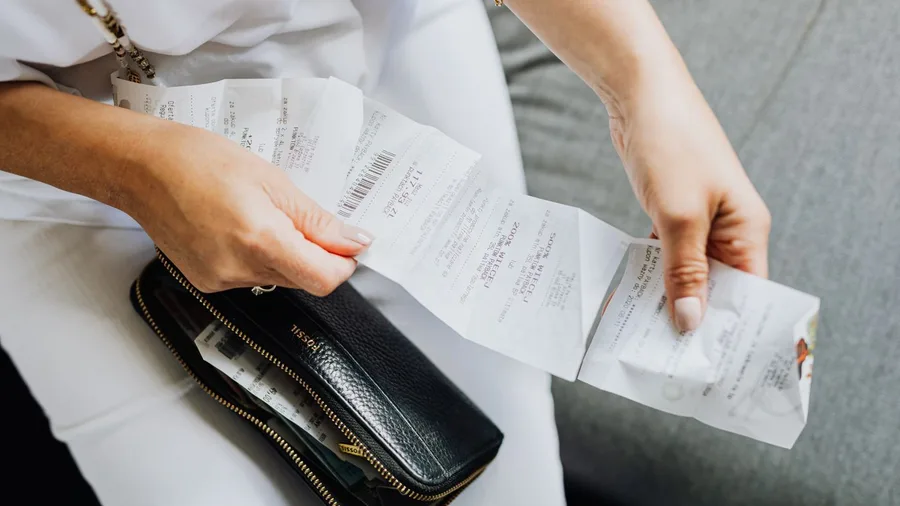
A clean month closes the back office, and a new tier structure only proves itself against a month of real receipts. The tool is ChatGPT Free, which reads uploaded spreadsheet exports and receipt photos within its plan limits.
Prompt to copy
I am closing the books for the month and need a bookkeeper pack. Here are my uploaded spreadsheet export and receipt photos [paste spreadsheet data and attach receipt photos]. Produce a month summary ready to send in one email, plus a list of receipts I still owe. Flag the ten largest lines so I can check them against the paper, since photographed receipts can be misread.
My raw job took 65 minutes of sorting by hand. By the time the upload came back in 60 seconds, I had 9 minutes of checking: the ten largest lines get compared against the paper.
The math: 65 minutes by hand against 10 minutes of tool plus review, on ChatGPT Free at $0, bills nothing.
Photographed receipts get misread, so the ten biggest lines are checked by eye. What I get is a month that closes in one email and a list of the receipts I still owe.
18. The new-client onboarding one-pager prompt

Fifty-five minutes went into my last onboarding page, and week one still stalled. The client emailed three questions the page should have answered. A clean month closes the back office, but a new retainer needs a first-week page before work starts.
I handed it to Claude Free. The result downloaded as a file in 20 seconds. It promised a 24-hour response time I never agreed to, so I edited every commitment against the contract, 6 minutes total.
Prompt to copy
You are an operations lead writing for a new client. Engagement: [WHAT, START DATE, FEE, LENGTH]. Contacts: [NAMES AND ROLES]. Tools we share: [LIST]. 1) Write a one-page document covering who does what, how we communicate, response times, what I need from them in week one, and how we change scope. 2) Phrase every commitment as a specific number or day. 3) Add a five-item checklist for their first week. 4) Add a section titled What slows this down. Output markdown, one page, headings bolded. Rules: no promise that is not in the contract.
The two times: 55 minutes by hand with week one still stalling; 20 seconds in the tool plus 6 minutes of edits, in a file I send on day one.
19. The thirty-message thread decision prompt

A thread of 30 emails gave me three decisions, two owners and one question nobody would type out loud.
The reply that ended it took 20 seconds to draft and 5 minutes to check. Rebuilding it by hand took 40 minutes of rereading, and still produced message 31 with no decision in it.
First-week pages cut the easy questions. The expensive ones arrive as a long chain where everyone sounds agreeable, and then a deadline passes because agreement was never written down. The prompt reads the whole chain and separates what was settled from what was assumed.
Prompt to copy
You are a project manager ending a thread. Thread: [PASTE EMAILS]. 1) List the decisions already made, with who made them. 2) List the open items and who owes each. 3) Name the one decision everyone is avoiding and the two options. 4) Draft a 120-word reply that states the decision needed, the two options and a date to answer by [DATE]. Output decisions, open items, the avoided decision, then the reply. Rules: quote names exactly and do not invent agreement.
ChatGPT Free handles it at $0, with unlimited text chats inside anti-abuse limits; Go is $8 a month and Plus is $20 as of October 2026.
The catch is silence: no reply reads to it as a yes. Open the last three emails and confirm every open item is really still open before you send.
20. The week planned around three priorities prompt
Prompt to copy
You are a scheduler who protects deep work. This week's fixed events: [PASTE CALENDAR]. Three priorities: [1, 2, 3]. Hours I will not work: [TIMES]. 1) Place three 90-minute blocks, one per priority, in the hours I focus best, which are [TIMES]. 2) Fit admin into two 30-minute slots. 3) Show the week as a day-by-day table. 4) List what does not fit and where it should go. Output the table, then the misfits list. Rules: no blocks before [TIME] or after [TIME], and nothing scheduled in the hours I named off.
A closed thread frees an hour, and an hour with no block around it fills itself by Tuesday. I paste this into Gemini Free on Sunday night, with my calendar, my three September priorities and my off-hours.
Fifteen seconds later I have a day-by-day table, and four minutes of moving blocks off my Columbus mornings gets them where I can hold them.
By hand this took 30 minutes on paper, and the blocks were gone by Wednesday noon. Gemini can't see the calendar once a meeting lands or a call moves.
So I spot-check the table Monday over coffee and run it again the first day something collapses. Three protected blocks stay on the page, and the week stops eating them.
💡 PRO TIP
Switch model training off before prompt 14
ChatGPT's free accounts are enrolled in model training by default. Open settings and switch it off before you paste anything with a client name in it, and never paste passwords, client files, or medical or financial records.
Frequently Asked Questions
Do I need a paid plan to use these prompts?
No. Every prompt here ran on a free tier in September 2026. The paid step-ups are worth it only when a limit pinches: ChatGPT Go is $8 a month and Plus is $20; Claude Pro is $20; Google AI Plus is $4.99 and AI Pro is $19.99. Perplexity's tiers change often, so check its own pricing page.
Which assistant should I start with?
Start with Claude Free if your work is long documents, contracts or pricing, because it takes up to 20 files per chat at 500MB each and shows no ads. Start with ChatGPT Free for short emails and threads. Use Gemini Free for triage and rewrites, and Perplexity when you need sources named.
Is the 30 seconds real?
For a chat answer, yes: 10 to 30 seconds. A long PDF or transcript takes 45 to 90 seconds. The part the headline leaves out is the 2 to 12 minutes you spend checking names, dates, figures and links, and that count is the honest one.
Can I paste client material into these tools?
Only after you scrub it. Never paste passwords, client files, or medical or financial records. ChatGPT's free accounts are enrolled in model training by default, so switch it off in settings first, and run the redaction prompt before anything goes in.
What if the tool invents something?
Assume it will. Every fact, figure, quote and link can be invented, and the fake ones look confident. Open the source, count the figures against your own sheet, and spot-check page numbers in the PDF. That check is why the review minutes exist.
Three prompts on last month's real work, then the red pen
Do not run all 20. Pick the three tasks that ate the most of your own afternoons, and run each once on last month's real material before you use it live.
The dry run is where you find the fake date, the invented percentage or the page number that does not exist.
Then put the review minutes in your calendar as work. If a prompt takes 20 seconds and 8 minutes of checking, block 8 minutes. The tool finishes the draft in 30 seconds; you finish the job.