
Reading a 40-page vendor contract by hand took me 90 minutes. Claude did it in 65 seconds, then took 4 minutes of my edits. ChatGPT answered in 50 seconds and cost me 7 minutes of fixes. Same prompt, same day.
That 3-minute gap is the whole article. I'm a freelance content strategist who pays for both tools out of my own pocket. Over ten evenings this October I ran the same 11 prompts through ChatGPT and Claude Pro, stopwatch in hand.
Claude won 6 to 5, and it won the five prompts where a wrong answer costs money or credibility. ChatGPT was faster on 10 of the 11. Speed is not the score, because the machine time was nothing next to the editing.
| # | Prompt | By hand (min) | ChatGPT answer (sec) | ChatGPT edits (min) | Claude answer (sec) |
|---|---|---|---|---|---|
| 1 | 40-page contract brief | 90 | 50 | 7 | 65 |
| 2 | Sourced EU AI Act answer | 30 | 9 | 6 | 12 |
| 3 | False premise on churn | 20 | 14 | 5 | 10 |
| 4 | Twelve constraints | 40 | 20 | 6 | 22 |
| 5 | Voice rewrite | 15 | 11 | 4 | 13 |
| 6 | Hard no email | 12 | 9 | 2 | 11 |
| 7 | Six-slide deck outline | 45 | 22 | 4 | 16 |
| 8 | Meeting notes table | 25 | 10 | 3 | 14 |
| 9 | Broken Python script | 35 | 8 | 2 | 11 |
| 10 | Reusable calculator | 10 | 12 | 2 | 16 |
| 11 | Asheville trip plan | 60 | 25 | 6 | 30 |
Reading, research and fact-checking

Everything in this first group produces an answer I would quote, cite or check before it leaves my desk. That changes what counts as good.
A fast answer built on a dead link or a made-up page number is worse than a slow one I can verify.
By hand these four jobs ran 180 minutes. The machines answered all four in under two minutes combined, and I still spent 30 minutes fixing ChatGPT's answers against 19 on Claude's. The correction log is where the money is.
1. A 40-Page PDF: Claude Needed Three Fewer Minutes

Ninety minutes is what I would have billed for pulling the money obligations out of that vendor agreement by hand. ChatGPT came back in 50 seconds and cost me 7 minutes of fixing. Claude came back in 65 seconds and cost me 4.
Both briefs looked the part. Claude's five quotes matched the pages it named. ChatGPT's table was cleaner, and wrong.
Where it broke: it folded two payment terms into one line and pointed to page 41 of a 40-page file. Claude dropped a renewal date I caught on a second pass.
Strip client names, passwords and any financial or medical records before you upload. On free and personal plans your chat may be used to improve the company's models unless that is switched off in settings.
Prompts that surface what the tool silently stores help you audit your stored profile before uploading anything sensitive.
Long contracts and reports go to Claude. The line that earned those four editing minutes is telling it to flag a conflict instead of picking between two values. Wrap your next agreement with that sentence and you save the three minutes.
💡 Tip: Keep the line "flag the conflict instead of choosing" in every document prompt. It was the single instruction that most changed the output.
2. Sourced Answers: Claude's Links Actually Opened
Do not draft a sentence from a sourced answer until you have clicked every link.
I asked what the EU AI Act changed for small software companies in 2026, under 300 words, with a primary source on each claim and an explicit say-so where none exists.
ChatGPT answered in 9 seconds and cost me 6 minutes. Claude took 12 seconds and cost 3.
The wrong page number last time cost me edits. Here the sharper version: ChatGPT returned two links, and only one loaded, because one pointed at a news story and the other at a page that no longer exists.
Claude's three links opened. It also dated a deadline loosely.
Step 1: In Claude, paste the question, the word limit, the demand for primary sources and the rule to say so when none exists. You should see fewer claims, each with a link.
Step 2: Open all three links yourself. Do not trust a sentence you have not followed to its source.
Step 3: The official text is where a deadline gets confirmed, because neither tool's legal detail was reliable enough to state as a rule.
Opening every link is why this kind of prompt goes to Claude. Fewer claims, and the ones that survive are ones you can show a client.
3. A False Premise: Claude Caught It, ChatGPT Answered It
My first real check of both tools was a question I got wrong myself. I uploaded my Q3 churn sheet and asked why churn spiked after a July price increase, plus three Q4 retention plays.
Claude answered in 10 seconds and spent 2 minutes in edits, the only prompt where it beat ChatGPT on speed.
It opened by saying the file did not support the premise: churn was flat, and the price change took effect in October. Then it answered the question the data did support.
ChatGPT answered in 14 seconds and wrote a fluent three-cause story with percentages and a plan. Every cause was fiction, and my 5 minutes of edits went on cutting them.
Read the first two lines of any answer before the recommendation. That is where the correction shows up.
💡 Tip: Read the first two lines of any data answer before the recommendation. That is where a corrected premise shows up, if it shows up at all.
4. Twelve Constraints: Claude Held Them, ChatGPT Dropped Four
Prompt to copy
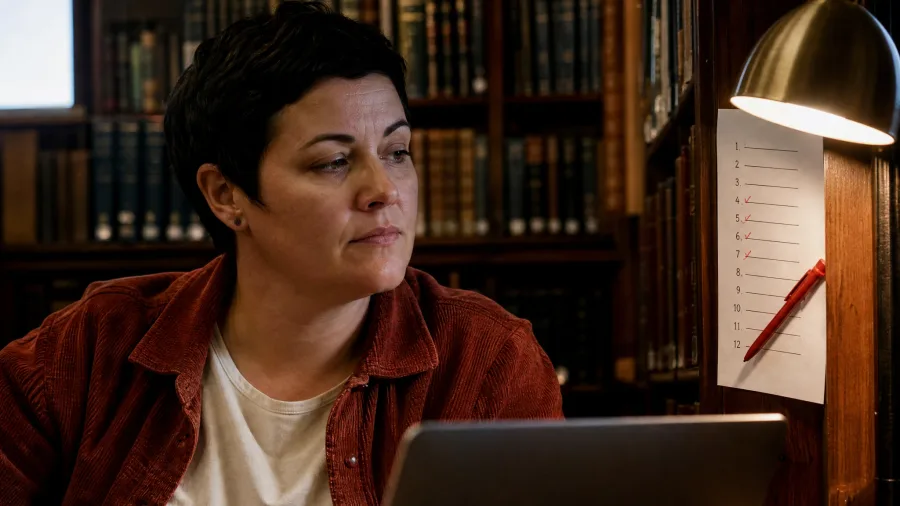
Answer the question below while following all twelve constraints, in this order: under 400 words; no em dashes; every claim tied to one of the four attached sources by name; US spelling; no sentence over 25 words; no rhetorical questions; never write 'it's important to note'; note include one counterargument, end with a one-line recommendation; no invented statistics; keep my section headings; do not restate the question. Question: should a 12-person agency move its client work to a per-seat AI plan or stay on the free tiers?
Catching a false premise is one skill. Holding a dozen explicit rules through a 400-word answer is a harder one, and both tools failed it to some degree.
The list has to sit at the top, or the small rules slip by while the big ones get followed. A set of copy-and-paste prompt moves can repair the weak, hedged replies before you start stacking constraints.
By hand the agency question ran 40 minutes. ChatGPT returned in 20 seconds and Claude in 22. ChatGPT broke four rules: it used two em dashes, wrote a 31-word sentence, and restated the question. Claude broke only the bullet count.
Both tools smuggled in an unsourced statistic, so the no-invented-numbers rule failed in both drafts. In editing minutes the bill was six against three.
💡 Tip: Small constraints break first. Check the em dashes, the sentence lengths and the restated question before you trust the big ones.
Writing that has to sound like me

These prompts produce sentences that go out under my name, which makes voice the whole job. Clean generic prose is worse than a rough draft here, because clean generic prose gets sent by accident.
Both tools wrote flat, tidy text until I pasted in two paragraphs I had actually written. The samples did the work, not the adjectives.
5. Voice Rewrite: Claude's Draft Needed Two Edits, ChatGPT's Four
Neither can, until you paste two paragraphs you actually wrote. The samples carry the voice; the adjectives do not.
My job was a 200-word rewrite of one paragraph, keeping every fact and the same length. By hand it runs about 15 minutes.
I pasted two paragraphs of my own writing for tone and the paragraph to rewrite, and asked for short sentences, first person, a little dry, no three-item lists.
ChatGPT answered in 11 seconds, Claude in 13.
I pasted the samples into both from the start, so this test judged the voice, not the setup. Claude's draft took 2 minutes of edits; ChatGPT's took 4.
Two times: 11 seconds to answer, 4 minutes to fix ChatGPT's; 13 seconds to answer, 2 minutes to fix Claude's.
💡 Tip: Paste two paragraphs you actually wrote before you ask for a voice match. The prompt alone will not get you there.
6. The Hard No Email: ChatGPT Needed One Pass

Two lines had to come out of a sendable draft: Claude's refusal turned three apologies into a maybe, while ChatGPT's one pass needed only a trim. The awkward email was done before the coffee went cold.
Voice is one test; a short refusal that must stay warm is another. The job was 120 words turning down a three-year client on an impossible timeline, one apology, no discount, door open next quarter.
By hand: 12 minutes. ChatGPT answered in 9 seconds and took 2 minutes of edits; Claude in 11 seconds and 4.
💡 Tip: Keep "give me one version only" in short refusal prompts. A menu of options makes these drafts slower than writing them yourself.
💡 PRO TIP
The Prompt Line That Makes a Refusal Sendable
Add "don't apologize more than once, and leave the door open for next quarter" to any no email. It gives the tool an explicit boundary to hold, and it stopped both assistants from turning the refusal into a maybe.
7. Slide Notes: Claude's Were Closer to Sendable

The slow part of a pitch deck is not the design. It is turning six slides of rough notes into headlines that make a claim and speaker notes you can read aloud without stumbling.
Fifty minutes of note-sorting, by hand, is about 45 minutes of writing.
Prompt to copy
Turn these rough notes into a six-slide deck outline for a 15-minute internal pitch to a skeptical finance team. For each slide: a headline that states the claim, three bullets, and 40-60 words of speaker notes in spoken English. Slide 6 is the ask: $180,000 for two engineers.
ChatGPT answered in 22 seconds and cost me 4 minutes of edits; Claude answered in 16 seconds and cost 3. Claude wrote headlines that made actual claims and notes I could read out loud. ChatGPT returned labels like "Market context," which are topics, not arguments.
Where both broke: each tool invented a market-size figure, so the money slides got written by hand. Claude also ran two sets of notes past 80 words. The three editing minutes against ChatGPT's four are the time saved before that check.
Structure, math and building things

This last group is operational: notes that land in Slack, a script that runs, a calculator I can reuse, a trip I can book. Here a wrong answer is not embarrassing, it is expensive, because it goes into a table, a file or a reservation.
ChatGPT won most of these, and one of them by a margin of six editing minutes. Format was the reason every time.
8. Meeting Notes: ChatGPT's Table Survived Contact With Slack

Take raw notes from a 50-minute call and turn them into a table you can paste into Slack: decisions, action items with owners and dates, open questions. By hand that takes 25 minutes. The trap is a neat table with one invented due date.
Prompt to copy
Here are my raw meeting notes from a 50-minute project call. Turn them into three lists: decisions made (with who decided), action items (owner, due date, and what 'done' looks like), and open questions. Do not invent an owner or a date – write 'unassigned' if the notes don't say. Output as a table I can paste into Slack.
ChatGPT answered in 10 seconds and took 3 minutes of edits; Claude answered in 14 seconds and took 5. ChatGPT's table pasted cleanly into Slack.
Claude obeyed the "unassigned" rule but merged two separate decisions into one line, which lost a decision in front of the team.
The catch: one of ChatGPT's action items carried a due date that appears nowhere in my notes. I read every date against the source before posting.
That check, plus fixing the column widths, is the three minutes. Where the output has to live in a table or a message, ChatGPT is the cheaper answer.
9. A Broken Script: Both Fixed It, ChatGPT Explained It
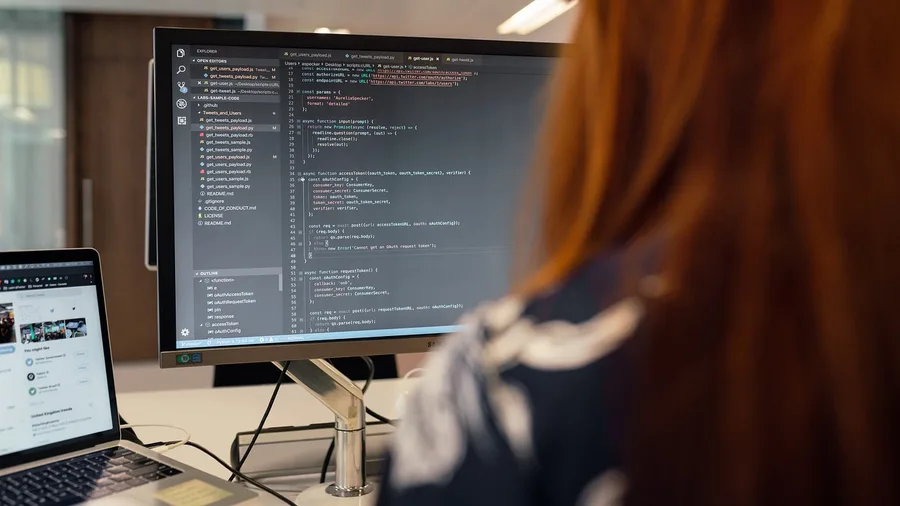
A broken script wastes an afternoon if debugging means reading the whole file re-explained line by line. Mine threw a KeyError on line 34 of a CSV cleanup script that drops duplicate rows and writes a regional summary.
Prompt to copy
This Python script is supposed to read a CSV, drop duplicate rows, and write a summary by region. It throws a KeyError on line 34. Find the cause, show the smallest fix as a diff, and explain in two sentences why the original line failed. Then tell me one other place in the file that will break next.
By hand, tracing the error and patching it took 35 minutes. ChatGPT answered in 8 seconds and I spent 2 minutes checking the patch. Claude answered in 11 seconds and I spent 3. Both found the real culprit: a trailing space in a column name.
The difference was the size of the patch. ChatGPT returned a three-line diff I could paste. Claude rewrote the entire function, which meant reading twenty lines to confirm it had not changed behavior I relied on.
The word "diff" belongs in the prompt. Without a request for the smallest change, both tools tended to rewrite more than asked.
ChatGPT's "what breaks next" forecast was wrong, so run the patch and ignore the prediction. The three minutes I spent on Claude's fix against two on ChatGPT's is the price of the extra code.
💡 Tip: Ask for the smallest fix as a diff, not for a corrected file. It is the difference between a 3-line patch and a 40-line rewrite.
Where Each Tool Earns the Subscription
Pay for Claude Pro
- Answers you quote or cite
- Long PDFs and contracts
- Catching a false premise
- Drafts that have to sound like you
- Holding a long list of rules
Pay for ChatGPT
- Tables you paste somewhere
- Working calculators and tools
- Short, blunt emails
- Fixing a broken script
- Fast first drafts
10. A Reusable Calculator: Only ChatGPT Actually Built One
A one-off repair and a tool you keep are different asks. For a calculator I could reuse, ChatGPT built one inside the chat in 12 seconds; Claude returned a correct formula and a worked example in 16.
By hand, the same tool takes about 10 minutes.
Prompt to copy
Build me a small calculator I can keep in this chat: enter a monthly subscription price, a number of seats, and an annual discount percentage, and it returns monthly cost, annual cost, and annual savings versus paying monthly. Show the formula it uses, and let me change the inputs by typing new numbers.
Claude's math was right, so my 8 minutes went into rebuilding it in a spreadsheet. ChatGPT's takes 2.
The catch: that calculator only lives in the chat experience, and not in its Work or Codex modes. Check the product's own release notes before relying on it.
Type fresh inputs a few times before trusting the numbers.
💡 Tip: Test fresh inputs a few times before trusting the totals. A formula that looks right and a tool that stays right are different things.
The 11-Prompt Test — At a Glance
⏱️ By hand
382 min (6h 22m)
🤖 Machine time
410 sec total
✍️ My editing time
91 min
🏆 Score
Claude 6, ChatGPT 5
⚡ Faster on
ChatGPT, 10 of 11
The real cost
Editing took about 13 times longer than the machine took to answer, on both tools together.
11. A Trip Plan: ChatGPT's Table Beat Claude's Prose

Sixty minutes is what it takes me to plan this trip by hand. ChatGPT did it in 25 seconds and I spent 6 minutes editing; Claude did it in 30 seconds and I spent 7.
Both planned a believable three days, but only one put its numbers where I could catch them.
Prompt to copy
Plan a three-day trip to Asheville, NC for two people in the last week of April, driving from Charlotte. Budget $900 total excluding gas. Constraints: one hike under 4 miles, a sit-down dinner each night under $40 a head, no chain hotels, and nothing that requires a reservation I can't cancel. Give me a day-by-day table with times, costs, and drive times.
Asking for a day-by-day table with times, costs and drive times was the whole test. ChatGPT's table showed a $212 room at a glance, wrong and easy to strike. Claude's paragraphs buried the same wrong price, and I read past it twice.
The catch: both sent me to a restaurant that has since closed and priced the hotel at last season's rates.
Every price and opening time gets checked on the venue's own page before I book. The seven editing minutes against ChatGPT's six show how little the prose format saves.
💡 Tip: Ask for the table when a plan has to be audited. The format is the value, not the prose.
⚠️ COMMON MISTAKE
Don't Paste Real Client Data to Win a Test
On free and personal plans, chats may be used to improve the company's models unless you turn that off in settings. Strip names, passwords and account numbers before uploading a contract, and never paste medical or financial records.
Frequently Asked Questions
Which one should I pay for if I only buy one?
Claude Pro at $20 a month if your answers get quoted, cited or checked, or have to sound like you. ChatGPT's entry paid plan if your daily work is tables, small tools and fast first drafts. Run your own three hardest prompts through both free tiers before either renews.
Do I need to know how to code to get these results?
No. Every prompt in this test was typed in plain English into a chat window. The script prompt worked because both tools read it, not because I do. Keep the vocabulary plain and the constraints at the top.
Why did the faster tool lose?
Because answer seconds are not the cost. ChatGPT answered faster on 10 of the 11 prompts, and I still spent 47 minutes editing its answers against 44 on Claude's. The stopwatch that matters is the one on your own corrections.
Can I trust the sources either one gives me?
Not without opening them. ChatGPT produced a dead link on the EU AI Act question, and both tools invented a market-size figure for the deck. Open every link and check every number against the primary source before it goes out.
What did the whole test cost in hours?
The same jobs by hand were 382 minutes, about 6 hours 22 minutes. Both machines answered all 11 in 6 minutes 50 seconds combined, and my editing added 91 minutes.
Is it safe to upload a contract to either tool?
Strip client names, passwords and financial account numbers first. On free and personal plans, chats may be used to improve the company's models unless that is switched off in settings, so treat the upload box as a public desk.
Claude for the Answer You Quote, ChatGPT for the Table You Paste
Claude Pro if your answers get quoted, cited or checked, or your drafts have to sound like you. ChatGPT's entry paid plan if you live in tables, working tools and fast first drafts.
Before either subscription renews, run your own three hardest real prompts through both free tiers. Same day, one answer each, stopwatch and edit log running.
That is what the ten evenings came to: 382 minutes by hand, 6 minutes 50 seconds of machine time, 91 minutes of edits.
Set that same 40-page vendor agreement in front of both tools, note which answer needs fewer minutes before it is safe to send, and keep the one that wins.