
You have seen the posts: one prompt and ChatGPT writes like a $500-an-hour copywriter. Then you try it, and what comes back is a flat three-paragraph blob you have to rewrite yourself.
The problem is not the tool. It is the prompt. Most people type a request like "write a launch email for my app" and hand ChatGPT every decision that makes a draft useful.
This article gives you the five-slot formula that fixes that. You will get the exact template to paste, a fully filled example, and a real clock on the eight minutes it takes to build a prompt.
You will also see the part the headline skips: 10 to 15 minutes of checking that makes the answer usable. That trade is worth making once you see what the formula does.
| Slot | What it forces the model to do | The line used in the worked example |
|---|---|---|
| Role | Fixes vocabulary, audience and tone before a word is drafted | B2B email copywriter with ten years writing for freelance designers |
| Task | States exactly what to produce in one sentence | Write a 700-word launch email for an invoicing app |
| Context | Gives the facts the model cannot guess | Invoicing app at $49 a month, for freelance designers, goal is signups from a waitlist |
| Format | Locks length, structure, tone and one thing to leave out | 700 words, three short sections, second person, plain tone, no exclamation marks |
| Rules | Sets the prohibitions and the output limits | No invented statistics, sources or customer names. One draft only. |
The formula is five slots in a fixed order
The formula is five lines, always written in the same sequence: Role, Task, Context, Format, Rules. Rearrange them and it stops working as a formula. It becomes a checklist you pick from, which is how slots end up empty.
Role sits first because it sets the vocabulary and the reader before a single sentence exists. Open with a copywriter who has spent ten years writing for freelance designers. The launch email that follows now carries that register from its first line.
Whatever you leave blank, the model fills with its own default. Drop Format and you get its favorite shape, three loose paragraphs, when you wanted three short sections and a clear close.
When an answer comes back bland or hedged, prompt tricks that fix weak replies show exactly which slot to repair.
OpenAI's own prompt guidance from April 2026 says the same thing in different words. Give more direction, and treat the assistant as a collaborator rather than a search box.
The first handwritten version takes about 6 minutes. By the third request the five lines come back from memory in roughly 2 minutes, which is where the eight-minute headline gets its number.
Can I just have the prompt text?

Here is the whole thing as one block, with each bracket dropped in by you. Paste it into a new ChatGPT chat and fill every gap before you send.
Prompt to copy
You are a [role] with ten years of experience writing for [audience]. I need: [one sentence describing exactly what to produce]. Context: [product or service], [price], [who it is for], [the goal], [what I have already decided]. Steps: 1. Ask me up to three clarifying questions if any slot is unclear, then wait. 2. Draft [word count and structure]. 3. Tone: [tone]; include [must-haves]; leave out [must-avoid]. 4. After the draft, list any claim, number, quote or link you are not certain of, marked [CHECK]. Rules: Do not invent statistics, sources, customer names or quotes. One draft only, no alternatives unless I ask. Keep every sentence under 25 words.
Each bracket is a place your own material goes. Skip one and the model guesses at it, which lands you right back at a vague answer.
Step 1 is the guardrail that saves a weak brief. The model asks up to three questions and then stops. A thin brief earns questions, not guesses.
Everything the model must not do sits in the Rules line, and nowhere else. That makes Rules the last line to shorten, never the first.
Step 4 has the model flag its own uncertain claims with a [CHECK] tag. You will use that list in the final section.
💡 PRO TIP
Paste the template, not a fresh request
When a draft misses, the fix is almost never a longer sentence at the top. It is a blank slot somewhere below. Retype the full five lines with the missing slot filled in and paste the whole thing again.
The same request, filled in slot by slot

Filled in, the same launch email request reads like this. The Role line names a copywriter with a decade of experience writing for freelance designers. The Task line asks for one launch email of 700 words.
Then the Context block: an invoicing app priced at $49 a month, built for freelance designers, with the goal of signups from a waitlist you already have. It closes with what is settled, one call to action and no subject line.
The Format line is written out exactly as it goes in: 700 words, three short sections, second person, plain tone. The Rules line reads: no invented statistics and no invented customer names.
The draft lands in about 10 to 60 seconds, and this time it arrives on format. Three sections, 700 words, because Format was never available for the model to guess.
Retype it with your own product and it takes under 6 minutes. Mostly you change Role and Task, since Context, Format and Rules often carry over unchanged.
A flat answer means one slot was empty
A filled template still flattens when one slot came in thin, and the thin slot is usually the same one.
Read the Role line first: 'You are a B2B email copywriter' with no audience named gives the model nothing to calibrate against, so it writes for everyone and lands on nobody.
If Role holds up, read Task. 'Write a launch email' with no length and no structure hands the model both choices, and its default is the three-paragraph blob.
Then read Context: a paragraph about how long the company has existed tells the reader nothing about their own Tuesday, so the sentences stay abstract.
The fastest of the three to repair is Format, because one line replaces the guess. Type: "700 words, three short sections, plain tone, no exclamation marks."
Resist fixing all three at once. Change one slot, rerun, and read the two drafts against each other. Otherwise the better answer arrives and you cannot say which line earned it.
The fix happens inside the chat already open, in under a minute, and the earlier draft stays on screen to compare against.
Do this in the chat prompt, not in custom instructions
Keep in the chat prompt
- The one task: launch email, 700 words
- Context: product, price, audience, goal
- Format: word count, sections, tone
- Rules: what not to invent this time
Store in custom instructions
- Your role and responsibilities
- Preferred tone and output types
- Standing guardrail: ask clarifying questions
- Format preferences that never change
Put stable preferences in custom instructions

Some of the five lines stay the same from request to request, so stop typing them into the chat. Custom instructions hold your role, your preferred tone, the output types you want and a line asking clarifying questions when a brief is unclear.
They sit on every plan, Free included, apply to new conversations until you change or remove them, and sync between the browser and the phone app. Put the Role line there, plus the tone and format you always want.
The task itself still goes in the chat prompt. Projects override custom instructions, and memory runs alongside them, so your stored preferences do not block a one-off request.
Ledger line: with the stable half stored, the typed prompt shrinks to Task, Context and Format, about 2 minutes per request. The Role slot stops being retyped.
What the eight minutes does not cover
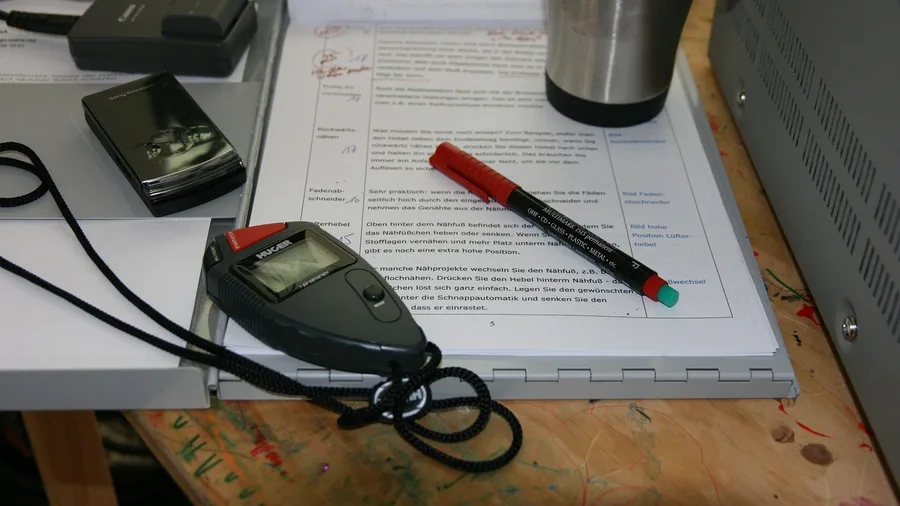
The typing is only the front of the clock. Count the whole job: about 6 minutes to build the first prompt, 10 to 60 seconds for ChatGPT to draft 700 words, then 10 to 15 minutes to read, check and edit.
The 8-minute headline stops before the last number.
Plan pricing as of October 2026 is Free at $0 a month, Go at $8 a month and Plus at $20 a month.
On Free, a task can hit a 27K context window, which is the total text the assistant holds at once.
It takes about 12 pages of pasted text per message, uploads sit in a 500MB Library, and there is a single weekly limit you can check in Settings under Usage.
Free is enough to learn the formula and run it. Pay only when uploads or deep-research limits actually interrupt real work, not before.
The four terms that keep coming up
What never to paste, and what to double-check

The format is now right. The facts inside it are not yet checked.
ChatGPT can state a false fact in a confident voice and attach a source, quote or link that does not exist, so every figure, quote and link in that launch email gets matched to a primary source before it is sent.
Some material stays out of the box entirely: passwords, client files, and medical or financial records. On free accounts, chats feed model training by default.
The "Improve the model for everyone" toggle sits in Settings under Data controls. Temporary chats are kept out of training, but a copy is held up to 30 days for safety.
Quick check: finish the launch email, then paste the draft back into the chat with "list every claim, number and quote that needs a source, marked [CHECK]". Verify that short list against primary sources. On a 700-word draft the pass takes about two minutes.
Four ways the formula fails in practice
Frequently Asked Questions
Do I need a paid ChatGPT plan to use this formula?
No. Custom instructions are available on the free plan, and the five-slot template works on any plan. Free has a 27K context window and about 12 pages of pasted text per message. Upgrade only when uploads or deep-research limits start interrupting real work.
How long does the prompt really take to write?
About 6 minutes the first time you build it by hand from the template. After two runs, most people write the five lines from memory in about 2 minutes. The 8-minute headline covers building the prompt, not editing the answer.
Why is my answer still generic after filling in all five slots?
Usually one slot is thin rather than empty. A Role with no audience, a Task with no word count, or Context about the company instead of the reader are the three usual culprits. Fix one slot, rerun, and compare the drafts side by side.
Can I reuse the same prompt for different products?
Yes, with the Role and Task lines swapped for the new audience and product. The Context, Format and Rules lines change less. Keep the slot order fixed even when the content changes, because the order is what keeps the draft consistent.
Is it safe to paste client information into ChatGPT?
No. Keep passwords, client files, and medical or financial records out of any chat. On free accounts, chats feed model training by default, though you can switch that off in Settings under Data controls. Temporary chats are excluded from training but a copy is kept for up to 30 days.
Memorize the five lines, then budget the checking
The formula is worth memorizing if you write with ChatGPT every week. Five lines in a fixed order turn a vague request into a draft you can edit instead of a blob you have to rewrite.
Once the five lines feel automatic, paste-ready mega-prompts show how far the same structure stretches across a full workday.
The free plan is enough to learn it. Take the request already open on your desk, fill in only the Role and Task slots, paste the template, and see what comes back.
Then accept the other half. The 10 to 15 minutes you spend checking and editing is what makes the formula work every time. Skip that step and the eight-minute prompt is just a faster way to send an unchecked email.