
You open ChatGPT, type a question, read the reply, and close the tab. That is how most people use it. But the same free account holds eleven features that sit behind buttons most users never press.
This list walks through each one, says which single job it speeds up, and gives the time it saves on that job. Then it names the catch on the free plan that decides whether the feature is worth your ten minutes.
By the end you will know exactly which two or three to switch on this week, and which ones can wait until the paid plan makes sense.
| Feature | Minutes by hand | ChatGPT's own time | Minutes of review and edits |
|---|---|---|---|
| Deep research | 120 | 8 | 25 |
| Think mode | 45 | 1 | 10 |
| Projects | 30 | 1 | 8 |
| File upload and data analysis | 60 | 1 | 15 |
| Voice mode | 25 | 1 | 6 |
| Memory setup | 15 | 1 | 5 |
| Store GPTs | 40 | 0.5 | 10 |
| Intelligent UI calculator | 20 | 1 | 4 |
| Library retrieval | 10 | 1 | 2 |
| Locked Chats setup | 5 | 1 | 1 |
| Codex | 35 | 5 | 12 |
1. Deep research reads the whole market

A deep-research run can hand back a confident source list with dead links and invented quotes inside it. That is the reason to cut the job down before you start it.
Use it for a market scan with a decision attached, not for a single lookup you could settle with a search.
The answer arrives as a structured brief with sources, built from many pages rather than one reply from memory.
On Free the runs are limited, so spend each one on a purchase you are actually weighing.
A buying shortlist takes 120 minutes by hand, 8 in deep research and 25 checking.
The checking dominates, and that is the part people skip. Open every URL and confirm every quote against the page before anything goes into a shortlist. Cut the brief down to products you can afford, then ask for the questions to put to a salesperson.
That leaves a shortlist plus a set of questions, finished in one sitting. Skip deep research for a quick fact, a price on one site, or anything you can verify in a minute.
The feature earns its run when the alternative is two hours of open tabs.
💡 Tip: Open every source link before you act on a claim. If the link 404s or the quote is not on the page, delete that point from the brief entirely.
2. Think mode for questions with a right answer

Forty-five minutes is what a lease-versus-buy comparison takes by hand, with a calculator and a notepad. A brief narrows the options, but the trade-offs still need working through.
Press the Think button in the chat and that comparison comes back in about a minute, especially with the prompt tricks that upgrade answers. Free has no thinking slider; the button is the whole control.
One free quirk worth knowing: thinking does not use a separate limit, as long as files and tools are not used at the same time. Press it for math, planning and trade-offs, where a wrong number hides in a rushed answer.
The working can be confidently wrong, so the answer only helps when it shows the steps and lists its assumptions. Check the arithmetic against a calculator; about 10 minutes covers it. A visible assumption sheet makes an error catchable rather than buried on page two.
Once the deposit, the rate and the term sit side by side in the working, the comparison can be acted on. That is the one-time habit: press Think, read the assumptions, check the sums, then decide.
💡 Tip: A visible assumption sheet makes a wrong figure catchable rather than buried. Once the assumptions are on the page, the comparison can actually be acted on.
3. Projects keep one job in one place

Keep a worked answer and everything after it inside a project.
A project holds its own chats, uploaded files and standing instructions in one workspace, so the assistant stops starting from zero each time. Projects and shared projects are on Free.
Set it up: open a new project in ChatGPT and name it for the job, such as a search for a new role.
Write the standing instructions once, covering the field, the seniority and the tone. It drafts them in about a minute.
What you should see is a project that answers as if it already knows the job.
Edit it: the 30 minutes by hand becomes 8 minutes of editing its draft, or lean on mega-prompts that save hours. A vague instruction block produces a vague start, so name the roles you want and the ones to skip. Then start a chat inside the project and skip the re-explaining.
💡 Tip: Write the instruction block once, edit it until it names your role, your tone and the format you want back. Paste it into the project and keep it there.
4. File uploads turn a spreadsheet into answers

A project can hold the instructions for a job, but it cannot add up a column or read the PDFs sitting inside it.
That is the tedious part: a 40-row expense sheet, 60 minutes of hand-totaling and hunting for the rows that do not reconcile. Upload the file and ChatGPT reads and totals it instead.
Paste the file into the chat and give it this.
Prompt: "I've uploaded a 40-row expense sheet as a spreadsheet. Give me the three biggest spending categories with their totals, then list every row where the amount doesn't match the category subtotal. Show the row number, the amount and what looks wrong, and don't guess at any figure you can't read."
It answers in about a minute. The catch is real: it can misread a column or invent a total, so re-add every figure before acting on it.
That is 15 minutes of checking, not all 40 rows. Check the flagged rows, and a 60-minute sheet becomes a verified answer in about 16 minutes.
⚠️ COMMON MISTAKE
Do not paste raw client files
Free chats may be used to improve the company's models unless you switch that off in settings. Never paste passwords, client files, or medical or financial records into a chat. Redact or summarize first.
5. Voice mode for thinking out loud

Prompt to copy
I have a hard conversation coming up: telling a long-standing client that our rate is going up 15 percent next month, and I expect pushback on loyalty and timing. Play the client. Push back the way a busy, skeptical person would, one objection per reply, and stay in character until I say stop.
That prompt turns the voice mode into a rehearsal partner you can talk to. Tap the microphone icon in the chat, speak your side out loud, and the assistant answers aloud.
On the Free plan, the voice defaults to the smaller, quicker voice model, so keep the exchange short and conversational.
Voice suits working out what you want to say, not producing the words you will send. Spoken replies are not exact text.
Numbers, quotes and final wording should be typed, or you will be correcting the transcription instead of your argument. A spreadsheet can total a column. A nervous phone call cannot be rehearsed in one.
A difficult email of 600 words takes 25 minutes to draft by hand. Spoken replies come back in under a minute each, and tidying the conversation into a draft takes 6 minutes.
The saving comes from getting the argument straight before you write, not from cutting the writing.
Talk it through on a walk, then ask for the conversation as bullet points. You arrive at the keyboard with your three strongest answers already chosen, and the typing becomes transcription of a decision you have already made.
Quick check: 25 minutes typing versus 6 minutes tidying and one walk.
💡 Tip: Ask for the conversation as a bullet list at the end. Voice mode's value is the rehearsal, and the bullets are what you carry back to the keyboard.
6. Memory ends the weekly re-introduction

A saved preference block ends the reintroduction, even when memory runs short. Write down your role, the tone you want and the formats you use again and again, then add them to memory.
On Free, memory is limited and lives inside a 27K-token context. A token is a small chunk of text the assistant reads at once. That's the unit that decides how much it can hold.
Writing those preferences takes 15 minutes, adding them about 1 minute, and testing on a real request 5 minutes.
The test is the step that exposes a vague preference, so run it on something you actually need.
More room costs $8/month on Go or $20/month on Plus, US prices, October 2026.
Running total: 21 minutes to set up, then zero minutes of reintroduction each week. A spoken session untangles today's problem and forgets it by Monday; the saved block is what survives.
The three free-plan limits that decide everything
📄 Context window
27K tokens (about 12 pages)
🗂️ Library storage
500MB
💳 More room
$8/mo Go, $20/mo Plus
🔒 Training toggle
On by default
⏳ Temporary chats
Kept up to 30 days
🤖 Custom GPT creation
Paid plans only
What to watch
The context window is the hard ceiling on how much a free chat can hold at once, so long documents and long conversations both bump into it.
7. Store GPTs you can use for free

A GPT is a packaged assistant someone else set up, and Free accounts can use them from the store even though creating one needs a paid plan.
Memory can hold your role and tone, but a recurring format still gets rebuilt. A store GPT packages that format for you.
Treat a GPT as its instructions, nothing more. Many are narrow, built for one task, and stale, written months before the model changed.
Check who made it and when it was last changed. A once-a-week cover letter takes 40 minutes by hand, about 30 seconds for the draft, and 10 minutes of editing.
The catch: an abandoned GPT follows an old set of steps and sounds certain while doing it. Two keepers cover most recurring work, one for a format you repeat and one for a specialist topic. The rest of the store can be ignored.
💡 Tip: Save your two keepers in a note. The rest of the store can be ignored without losing anything.
Deep research: worth the minutes or not
Worth it
- The job is a market scan, not one lookup
- You will open every source before trusting it
- The output is a structured brief you can act on
- One buying shortlist finished in one sitting
Skip it
- The question has one factual answer
- You cannot check sources yourself
- Free runs are limited and you need many
- You only want a quick opinion
8. Intelligent UI answers that come with tools
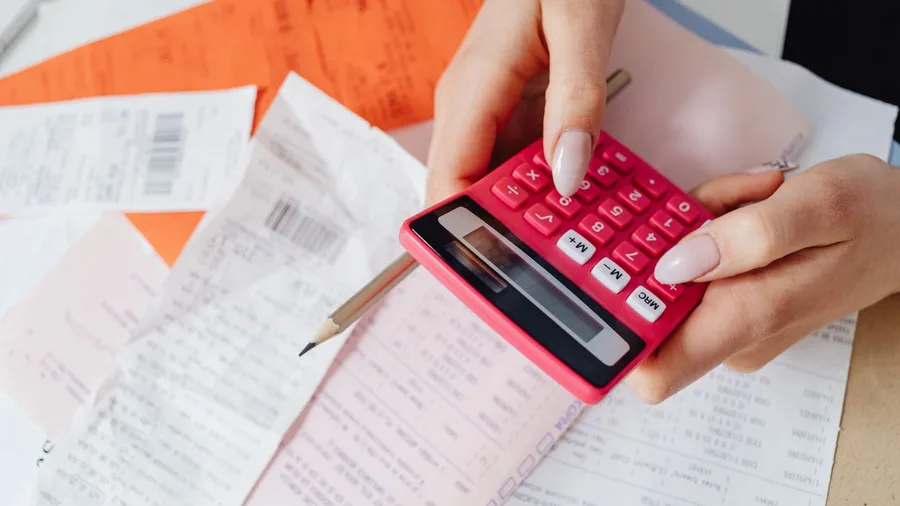
Twenty minutes in a spreadsheet is what splitting a shared bill takes by hand. Since October 8, 2026, Free users get Intelligent UI, and answers can arrive as charts, forms, buttons or a small working tool.
Ask for a bill splitter and you get one inside the conversation.
Building it takes about a minute. A generated calculator can carry a wrong formula, so check one line by hand before trusting the rest.
That single check makes the tool usable for the real bill.
The words in this list, in plain English
9. Library storage you already pay nothing for

Prompt to copy
Set up a naming rule for the files I keep re-uploading, in this format: date, project, version. List five example file names and one rule for what to leave out." Paste it into ChatGPT when you want a habit for stored files. Library holds up to 500MB on a Free account, and a tool an answer builds gives you output worth keeping.
Hunting a half-remembered file by hand takes about 10 minutes. Retrieve it from Library in about a minute, then spend 2 minutes confirming it is the right version.
The catch is that Library stores only what you put there. It is not a search engine for your computer, so an unnamed file stays lost.
Date, project and version in the name keeps the 500MB useful and makes that one minute of retrieval repeatable.
🔒 How to set up Locked Chats in four steps
Open Settings
Go to the privacy section of ChatGPT settings on the web or in the app and find the locked chats option.
Set a 4-digit PIN
Choose a PIN you will remember, because resetting a forgotten one deletes every locked chat and file for good.
Move the chats
Select the conversations you want out of history, pinned chats and search, and move them into the locked area.
Test the unlock
Lock the app, then unlock with your PIN or fingerprint to confirm the chats open and stay out of search.
10. Locked Chats for the sensitive conversations

A tidy file store fixes the files. It does nothing for the conversation you had last month that you would rather not see in your history.
Locked Chats is the setting for that one chat, and it is arriving on Free accounts with a 4-digit PIN.
The move itself is quick. Pick the chat, send it to the locked area, and confirm it no longer appears in history, pinned chats or search.
Face or fingerprint opens the area on a phone. Setup takes 5 minutes, moving conversations about 1 minute, and testing the PIN 1 minute more.
Forget that PIN and the reset wipes every locked chat and every file inside them, permanently. Change it while you still know the current one and nothing is lost.
Since this is rolling out across plans, check that the option appears before relying on it. It is not available on ChatGPT for Healthcare.
Two limits decide how much this protects. Locked Chats is not end-to-end encrypted, and it leaves the training and retention settings alone.
On Free, the setting that lets chats improve the model is on by default, and temporary chats are kept up to 30 days. Turn it off first.
Keep passwords, client files, and medical or financial records out of any chat, locked or not.
With that setting off and nothing sensitive pasted, the private conversation sits outside history and search, where a shared screen or a friend scrolling your chats will not reach it.
💡 Tip: Switch off the Improve the model for everyone toggle in settings before you move a sensitive chat into Locked Chats.
11. Codex tasks that run while you're away

Locked Chats puts a boundary around a conversation. Some work in ChatGPT does not need a conversation at all.
Codex starts coding tasks from the desktop, the web or the phone, and each one runs in its own isolated workspace that keeps going while your computer is asleep.
That is what a normal chat cannot do: it is not waiting for your next message.
The catch on Free is that Codex is limited, and the output still needs a person to read it and run it. Take a small file-renaming script. By hand it is 35 minutes.
Codex spends about 5 minutes on the task, then you spend 12 minutes reading the script and testing it on a copy of the folder. That is 17 minutes of your time against 35, before anything bigger gets handed over.
The total: one small, testable job, checked before it touches real files. That is the only Codex use worth starting on Free.
Frequently Asked Questions
Do I need to pay to use these features?
Most of them work on the free plan, including Projects, file uploads, Think mode, memory, Library and Locked Chats. Some limits apply: deep research runs are capped, voice defaults to the smaller Live-1 mini model, and creating custom GPTs needs a paid plan. More context room costs $8 a month on Go or $20 on Plus, US prices, October 2026. Check ChatGPT's own plan page before paying, because limits move.
Which one should I try first?
It depends on the job you do most. Documents and files: set up a project and upload the spreadsheet. Decisions: run a deep research shortlist and check every source. Privacy: turn off the Improve the model toggle, then set up Locked Chats. Start with the one that matches your week.
Is my chat data used for training?
On free accounts the "Improve the model for everyone" toggle is on by default, and chats may be used to improve the models unless you switch it off in settings. Temporary chats are not used for training but are kept up to 30 days for safety. Never paste passwords, client files, or medical or financial records into a chat.
Can I trust the sources deep research gives me?
Not without checking. Assistants can invent sources, quotes and links that look real. Open every URL and confirm the quote is on the page before you use a point. If a link is dead or the quote is missing, delete that point from the brief.
Is Locked Chats end-to-end encrypted?
No. It moves chats out of history, pinned chats and search behind a 4-digit PIN, but it does not change encryption, the training setting or retention. Reset a forgotten PIN and every locked chat and file is deleted for good. Keep the PIN somewhere safe.
Can I build my own GPT on the free plan?
No. Free accounts can discover and use GPTs from the store, but creating custom GPTs requires a paid plan. Use the store's ready-made helpers, and check who made each one and when it was last changed before trusting it.
Projects Plus File Uploads First
Most of the eleven can wait. If documents are your job, start with Projects plus file uploads.
If decisions are your job, start with deep research plus Think, and check every source.
If privacy is the worry, start with Locked Chats and switch the training toggle off first.
Do not pay for anything until the free plan's limits actually stop you. Go to ChatGPT's own plan page and confirm the current limits before you upgrade, because prices and caps change often.