
Why does the AI keep missing the point when your ask seems perfectly clear? That question is what these six rules settle.
Three rewrites deep on a single-sentence request, the cursor is back in the prompt box. You asked for a 150-word email and got a 700-word essay with headings, subheadings and a summary nobody wanted. The model did not ignore you. It filled every blank the prompt left: no role, no format, no background, so it picked the safest average answer for everyone, which means for no one.
Six rules fix that. Each one is a single line longer than the prompt you already type, and each shuts a specific guess before it happens: who is speaking, what shape the answer takes, the situation, the style, the steps, the leftover assumptions. Rule 3, the context block pasted above the request, is the one nearly everyone skips and the one that decides whether the answer is about your situation or a generic one.
You leave with six lines you can paste and a pre-send check that runs in under a minute, so the next prompt goes out once.
Quick Tips Before You Start
Write the goal first
Put the deliverable in sentence one, before any background.
Paste context before the ask
Background, constraints and audience go above the request, never after it.
Number multi-part asks
One action per numbered step, and tell the model not to skip any.
Give one example
A single 120-word sample beats five adjectives about tone.
Close with an assumption check
Ask for three to five lines naming what the model guessed.
1. Give the AI a role and an audience

Say who is talking and who is reading, or the model writes for everyone and reaches no one. 'You are an AI assistant' names no vocabulary, no field of expertise, no stake in the outcome, so the system reaches for the safest average of everything it has read: fluent, agreeable, and useless to you.
Give it a stakeholder and watch the vocabulary change. Paste 'You are a skeptical CFO reviewing this spend' and the draft turns to cost per seat, payback period, and the downside if adoption stalls. The word 'exciting' does not survive the edit.
Audience does the same for register. 'Write for busy small-business owners with no finance staff' returns short sentences, no acronyms without a gloss, and a worked example from one shop's monthly takings rather than a slide from a corporate treasury deck.
'Act as [role] writing for [audience].' Fill both brackets, keep it to one sentence, and put it above the task.
A role shifts three things in one move – the words chosen, the examples pulled, and the material left out. The skeptical CFO drops the growth narrative entirely and spends that space on the scenario where the numbers fail.
That third effect is the one readers miss. Telling the model what to ignore is as useful as telling it what to include, and a stake in the outcome supplies both at once.
💡 Tip: Name the role with one adjective that carries a bias: skeptical, impatient, detail-obsessed, budget-conscious.
Prompt with context vs. prompt without
Task only
- "Write a proposal for a new software vendor."
- Model assumes mid-size company and flexible budget
- Output reads plausible but fits nobody's actual situation
- You spot the mismatch after pasting it into a deck
- Three re-prompts and still no deadline mentioned
Task plus context
- Context: 14-person agency, 3-year contract with the incumbent, renewal due March 31
- Constraint: fixed budget of $18k per year, no tool changes mid-quarter
- Audience: two owners who sign, no IT staff
- Model addresses the contract and the deadline in paragraph one
- Answer is usable after one edit, not three rewrites
2. State the goal and format first

Lead with the object you want back, not the backstory.
A prompt that opens with three sentences of situation and closes with 'so can you write something about this' hands the model no shape to build, and it reaches for the one it has produced a thousand times: a long essay with headings and a tidy summary at the bottom.
Name the deliverable in the opening line and the problem disappears in the same move.
If you need a 150-word note to a client, the first six words are 'Draft a 150-word email to a client.' If you need a comparison, they are 'Return a five-row table with three columns.' The size and the container are the ask.
Length, format and tone belong on that same task line, crowded together, not spread across the paragraph where one of them gets dropped. The copyable frame is 'Goal: [deliverable]. Format: [length/format/tone].' Two sentences, done before the background starts.
What buries the format is distance. Put 'keep it short, maybe a list' at the end of 200 words of setup and it loses to everything above it, because the model weights the bulk of the request over the trailing aside.
A named format also gives you a free check on the other end. Five rows or not five rows. 150 words or 700. You catch a miss in two seconds instead of reading the whole thing and only then noticing the shape is wrong.
💡 Tip: Add "no preamble" if you want the answer to skip the restating-the-question opener.
One week to build the habit
Skip a day if you must, but never skip Wednesday's context block.
3. Paste the context before you paste the ask

The model misses the point because it was never told the point – only the task – so it invents a situation that fits the average ask and answers that one instead of yours.
This is the line most people skip, and it is the one the whole exercise turns on.
Picture the software proposal. You type 'write a proposal for a new software vendor' and give it nothing else: no budget, no word about the tool you already pay for, no idea who signs the check, no date it has to land. The model fills all four blanks without asking, and it fills them with the middle of the road.
A mid-size company. A healthy budget. A balanced recommendation that lists pros and cons and commits to nothing – because commitment is risk, and risk is what the average ask excludes.
It comes back clean, formatted, plausible. You skim it, nod, and paste it into a deck. The wrongness is buried in the assumptions: a budget three times yours, a team of eleven where you have two, a recommendation to switch when switching would cost you the integration you spent a year building.
The fix is to stack the background in a fixed order before the request. Who is asking. What you have already tried and why it failed. Who reads the answer. When it is due. Then the hard limits – the budget that cannot move, the system that cannot be swapped.
Use the block: 'Context: … Constraint: … Audience: …' and paste it above the ask, never after. Position matters, because the model reads the request as the frame and the background as support; put the support first and the request lands inside it.
Skip this block and every gap gets a generic fill. The answer reads fine at a glance and is wrong for your case in ways only a careful second read exposes – the ones you usually find in the meeting, out loud, in front of the person who asked.
💡 Tip: Paste the actual email thread or meeting notes as context. Raw source beats your summary of it.
⚠️ COMMON MISTAKE
Skipping context is the #3 habit
Most people paste the task and hit enter, expecting the model to infer budget, deadline and audience from one sentence. It cannot. Three labeled lines of context above the request fix more bad answers than any amount of re-prompting afterward.
4. One example beats five adjectives

Paste one paragraph of your own writing and the model locks onto the rhythm faster than any stack of adjectives.
A background block tells the model what the answer has to fit around, but it still hands tone and structure to whatever pattern the model has seen most often. One short sample of your real copy closes that gap in a single move. Length, sentence shape, whether you open with a question or a statement, whether you ever touch a bullet list, all of it gets read off the text and copied.
The instinct runs the other way. Teams upload a folder of past emails, three newsletters, two LinkedIn posts, a deck, believing more material means a closer match.
More material backfires. Three posts in three different registers means the model reconciles them into a blend that sounds like none of them, a flat average you would not send to a client. One example, roughly 120 words, pins a single shape.
Label it so the model treats it as a pattern and not as text to lift: "Example of the tone and structure I want:" above the sample. Keep the subject different from the task, same audience and same length, so the model copies the voice and sentence rhythm instead of pasting your sentences back at you. A 120-word budget update from last quarter, rewritten for a pricing announcement, works because the structure transfers and the words do not.
Adjectives collapse under their own weight here. "Professional" maps to everything from a law firm memo to a startup blog; "engaging" maps to even more. A paragraph of your actual writing rules most of those styles out in one read.
The sample also tells the model what to drop. A paragraph with no subheadings, no bold, and no sign-off is the strongest instruction you can give against the model adding them back, stronger than any line saying "no bullet points."
One honest cost: pick the sample wrong and the model copies the wrong habit. A rushed reply with three typos becomes the template, so choose a paragraph you would actually send.
💡 Tip: Two samples is the ceiling, and only when you want a blend. Pick one for a single clean pattern.
5. Numbered steps keep a complex ask on track
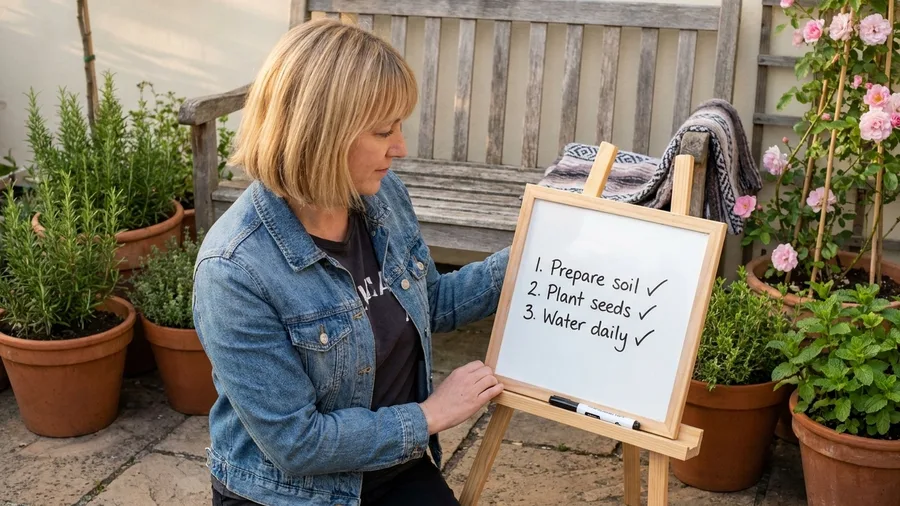
A request with four parts written as one flowing paragraph comes back answering the first part and the last, with the middle quietly gone.
That middle piece is usually the one you needed. The rough budget estimate. The list of who has to sign off. The comparison between the two candidates. The model builds a response around the easy open and the tidy close and lets the awkward middle slip, and nothing in the output flags the hole.
Numbers fix it. Break the ask into steps with one verb each: list three vendors; score each on annual cost; recommend one and name what you give up by picking it. Three actions, three numbered lines, no step carrying two jobs. This is the logic behind ChatGPT mega-prompts that cut a workday down.
Then add the instruction that forces order: "Follow these steps in order and do not skip any." Ask for each step's number printed as a label in the output. A visible "Step 3" heading is something you catch in one glance before the answer goes into a slide deck, instead of three days later when someone asks for the cost comparison that never got made.
Steps matter most when each one depends on the last. Research, planning and multi-part writing all chain this way, so a skipped step two poisons everything that follows: a recommendation built on vendors that were never scored against a budget that was never checked against a tool the company has already committed to. The output still reads clean. That is the problem.
Keep the count tight. Three to five steps is a plan; twelve is a project brief the model will summarize back to you in three lines.
The parts still run on borrowed time unless the model is told when it has to invent a fact to finish a step. That is a separate instruction.
🧭 The five-minute prompt build, in order
Name the role and audience
One line: act as a skeptical CFO writing for two owners with no finance staff.
State goal and format
Two lines: the deliverable, then length, format and tone.
Paste the context block
Context, constraint and audience above the request, never below.
Drop in one labeled example
About 120 words of copy that already sounds right, marked as a pattern.
Number the steps
One action per step with the instruction to follow them in order.
Close with the assumption check
Ask for three to five lines naming any guesses and missing information.
6. Ask the AI to flag its assumptions
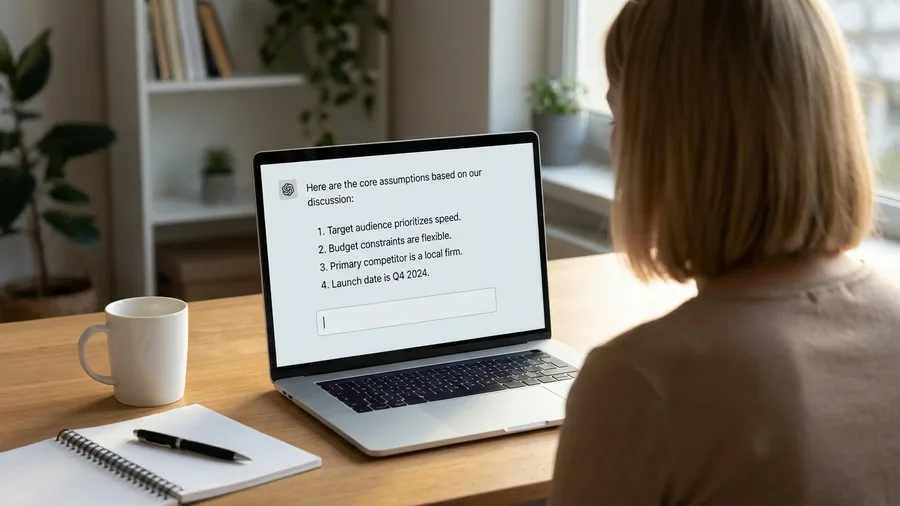
You find out what the model guessed by asking it to name the guesses before it answers.
A clean set of numbered steps still leaves the model filling blanks to complete them, and it fills those blanks silently: you live in the US, the fiscal year ends in March, the tool you are replacing has an API, the decision-maker is the CTO. Four assumptions, none of them stated, all of them baked into a confident answer. One line surfaces the lot.
Put that line at the very end of the prompt, after the request: "Before you answer, list any assumptions and missing information." Closing position matters, because the last instruction is the one the model acts on right before it writes.
Ask for three to five lines, not a paragraph. A short list is scannable, and a two-paragraph disclaimer that restates the question and hedges on every point is noise you skip and the guesses stay buried.
Then use the list. Reply that assumption two is wrong, the budget is fixed at $40k and not flexible, and ask for the answer again under that constraint. One correction beats a fresh rewrite.
The list also grades the prompt, not the answer. Two or three invented facts is the model telling you the background was too thin, and the fix belongs in that block at the top, not in another re-prompt.
The cost is an extra fifteen seconds per prompt and a follow-up turn when something comes back wrong, cheaper by far than shipping a recommendation built on a budget figure nobody gave it.
💡 Tip: Ask for the assumption list first, not last, when the stakes of a wrong guess are high.
💡 PRO TIP
Save the six lines as a snippet text
Keep the role line, format line, context labels and assumption check in a plain text file on your desktop. Paste the skeleton, fill four blanks, send. Rebuilding the prompt from scratch each time is what makes people drop the context block.
Frequently Asked Questions
Why does AI miss the point when my request is clearly worded?
The wording is fine. The missing piece is situation: budget, deadline, audience, what was already tried. With one sentence to work from, the model substitutes the most common scenario in its training data. Add a context block above the request and the same sentence lands correctly.
How long should a prompt be?
Long enough to carry role, goal and format, context, one example and the assumption check. For a real work task that is usually 120 to 250 words. Brevity is not a virtue here; the model reads faster than you type, and each line closes a gap it would otherwise fill by guessing.
Does a role really change the answer, or is it decoration?
It changes vocabulary, which examples get pulled, and what the model leaves out. "Skeptical CFO" drops the enthusiasm adjectives and adds payback period and downside risk. A generic assistant line keeps all three averages in place.
Should I paste five examples to get the tone right?
No. Five samples with different shapes give the model conflicting patterns and it averages them into something matching none of your samples. One labeled example of about 120 words pins a single pattern. Two is the ceiling.
What if the assumption list comes back with things I already told it?
That usually means your context block sat below the request or was too vague. Move it above the ask and name the specifics: the budget number, the deadline date, the system that cannot change. Re-run the prompt before editing the answer by hand.
Do these rules work the same in ChatGPT, Claude and Gemini?
Yes. All three respond to role, format, context, examples, numbered steps and an assumption check. The wording does not need to change between them, and a prompt that works well in one usually works well in the others.
Scan Your Prompt Against Six Rules
Before you send a prompt, run the six rules in order as a quick scan. Is there a role and audience line? Is the deliverable in sentence one with its format? Is the context block above the request? Is there one labeled example? Are the multi-part steps numbered with a do-not-skip instruction? Is the assumption check on the last line?
Whichever line is missing is your first fix, and for most weak prompts it is the context block. Add it before the request, before you touch anything else, and re-run. Six lines, about two minutes, and the first answer is the one you keep.
Build the six lines once, reuse them all week
Open your next prompt and check the order: role, goal and format, context, example, numbered steps, assumption check. If any line is missing, add it before you press enter.