
Everyone says AI writes a page in 30 seconds. Then you try it on a real afternoon job and spend 20 minutes fixing what came back.
I run marketing and admin for a 12-person landscaping company outside Raleigh, North Carolina. For three weeks in October 2026 I did 20 recurring afternoon jobs twice, stopwatch running: once by hand, once with a prompt.
By hand the set took 1,270 minutes, or 21 hours 10 minutes. The AI's own output totaled 53 minutes. My editing totaled 182 minutes. The full set came to 235 minutes, a saving of 1,035 minutes, or 17 hours 15 minutes.
Every entry below carries the same three clocks, kept separate. You get the exact prompt to copy, the tool that fits the job, and the catch that made me check something.
What the Stopwatch Split
1. The photo-and-notes case study prompt

Tempting, and it went wrong on the first try. ChatGPT named 'lomandra' for a bed my own notes called ornamental grass, then wrote a $1,200 figure I never gave it. Nothing here goes out until every noun and every dollar is matched against the notes.
The setup that works: six phone shots from that Wednesday install off Falls of Neuse Road, one page of the crew's site notes, and a fresh chat.
You will need Plus at $20 a month for the uploads, because the free tier ran dry after two jobs.
Prompt to copy
You are the marketing writer for a small landscaping company. I'm giving you [captions for 6 site photos] and [the crew's site-visit notes] from a job in [town]. Write a 350-word case study: 1) the problem in the client's words, 2) what we installed, 3) three numbers from the notes, 4) a one-line quote. Output: headline, three subheads, 350 words max. Rules: use only my notes; write [NEEDS INPUT] wherever a fact is missing; invent no plant names, prices or quotes.
Ninety minutes by hand last year. The reply landed in 40 seconds, and the fixing ran ten minutes of filling blanks. That time is not the interesting number; the minutes I spent with the notes open beside the draft are.
💡 Tip: Upload the site notes as text, not a screenshot of handwriting. OCR drops numbers and I lost two measurements that way.
| # | Prompt | Best tool | By hand (min) | AI's own time | Review (min) |
|---|---|---|---|---|---|
| 1 | Photo-and-notes case study | ChatGPT | 75 | 40 sec | 10 |
| 2 | Client-call summary table | Claude | 60 | 90 sec | 6 |
| 3 | New-client onboarding pack | Gemini | 35 | 40 sec | 5 |
| 4 | Twelve review replies | ChatGPT | 45 | 25 sec | 5 |
| 5 | Service page for a new town | Claude | 90 | 50 sec | 12 |
| 6 | One offer, four channels | ChatGPT | 55 | 30 sec | 8 |
| 7 | Five-email follow-up | ChatGPT Go | 85 | 55 sec | 12 |
| 8 | Ten-slide commercial deck | Gamma | 120 | 2 min | 18 |
| 9 | Drainage diagram spec | Napkin AI | 35 | 45 sec | 6 |
| 10 | 900-word post to 700 | Claude | 30 | 25 sec | 7 |
| 11 | Crew huddle notes | Otter.ai / Fathom | 30 | 2 min | 5 |
| 12 | Complaints to one-page process | ChatGPT | 40 | 45 sec | 6 |
| 13 | Crew-lead job post | ChatGPT | 50 | 35 sec | 8 |
| 14 | Supplier PDF to cost table | Claude | 40 | 60 sec | 7 |
| 15 | Invoices to cash-flow view | Claude | 65 | 70 sec | 9 |
| 16 | Monthly owner report | ChatGPT | 60 | 60 sec | 9 |
| 17 | Five-company competitor scan | Perplexity | 90 | 14 min | 12 |
| 18 | Emails to snow-contract FAQ | Claude | 45 | 50 sec | 6 |
| 19 | One quote, three tiers | ChatGPT Go | 40 | 60 sec | 6 |
| 20 | Quote calculator page | Replit Agent | 180 | 22 min | 25 |
2. The client-call summary with owners and dates
A client call is where the risk moves from my facts to somebody else's words, and a misheard name travels further than a wrong plant.
This one ran 55 minutes with a property manager over a fall contract, and I used to replay it twice to work out who agreed to what.
Claude's free tier handles it. Long transcripts are its strength, and a call of that length fits without a subscription. Prompt typed once, transcript pasted underneath:
Prompt to copy
You are an operations assistant. Below is a transcript of a [55]-minute client call: [paste transcript]. Produce a table with columns Decision | Owner | Due date, then a short list of open questions. Steps: 1) pull only what was actually agreed, 2) quote the line that supports each decision, 3) flag anything you had to interpret with a warning mark. Output: table, then bullets, then a five-line summary. Rules: add no new actions, keep names as initials, and say so when the transcript is unclear.
The machine took 90 seconds. Review cost 6 minutes, and I spent them in the quote column rather than the summary. That column caught the auto-transcription hearing 'Brier Creek' as 'Briar Wood', and $4,800 as $4,000.
The bill: 60 minutes by hand against 7 minutes 30 seconds of machine plus fixes. Free tier, $0 paid. The decision table with owners and dates went to the client that afternoon.
💡 PRO TIP
Ask for the sentence behind every answer
Any prompt that summarizes a document should make the AI quote the line it came from. That one column caught a misspelled street name and a wrong dollar figure in a single pass.
3. The new-client onboarding pack in one pass
Thirty-five minutes by hand is what this pack costs me, and five of those minutes are all it takes to check the version a machine drafts.
That gap matters most at the start of a relationship, when an invented detail stops being an error and hardens into a policy a client quotes back at you.
This one was a residential client in Knightdale, first visit booked for November 3, and the last onboarding of this kind became emails back and forth for more than a week. The prompt handles the welcome note, the checklist and the questions that always follow.
Prompt to copy
You are onboarding a new [residential/commercial] landscaping client. Details: [client type, property size, first service date, contact method]. Write: 1) a 120-word welcome email, 2) a 6-item checklist of what we need from them before day one, 3) three FAQ answers covering billing, weather cancellations and pets. Output: email, then checklist, then FAQs. Rules: plain English at an 8th-grade level, no prices unless I gave them, end every section with the next step.
Gemini's free plan did it, and its generosity is the reason I picked it; nothing here needs an upload. The reply came back in 40 seconds.
Then I read it and found it had invented a 48-hour cancellation window and net-30 payment terms we do not offer.
With the real policies pasted in, I saved the pack as a template. It went out the same afternoon, and the setup carried into every onboarding after that.
4. Twelve review replies in the owner's voice
Twelve Google reviews had sat unanswered since August, a few of them three sentences of complaint about the crew, and I cleared the lot in under six minutes. The prompt below does the whole batch; I signed each reply at [NAME] and changed nothing else.
Prompt to copy
You are the owner of a landscaping company replying to Google reviews. Here are [12 reviews]. Write 12 replies of 40-60 words each. Steps: 1) thank, 2) answer the specific point, 3) invite them back. Output: numbered 1-12, review title then reply. Rules: never argue or blame the crew, never offer a refund or discount, vary the openings so they don't read as a template, and put [NAME] where I should sign.
Forty-five minutes by hand, 25 seconds of output, 5 minutes of review, the smallest fixing bill in the test. The catch: it slipped a $75 credit into one reply and a re-sod promise into another, so I scan every line for commitments before posting.
💡 Tip: Read only the sentences containing a dollar sign, a date or the word 'free' before you post. That is where every invented commitment hides.
5. A service page for a town we just entered

Prompt to copy
You are a local SEO copywriter. Write a 500-word service page for [service] in [town, state]. Context: [what we actually offer, service radius, one differentiator]. Structure: H1, a 40-word intro, three H2 sections, a 5-question FAQ, one call to action. Rules: no superlatives, no invented certifications or license numbers, mention the town naturally four times, and list what I still need to confirm at the end.
The target was Holly Springs, a town we had picked up four clients in, and the page had been pushed back since July because local pages bore me stiff.
Claude's free tier drafted it in 50 seconds; 90 minutes by hand became 12 minutes of review.
It filled the license line with an NC contractor number I have never held and dated the business to 2009. The confirmation list at the end caught both, and the page went live that afternoon.
6. One offer, four channels, four versions
The tedious part isn't writing the promo. It's writing it four times in four lengths without the wording drifting apart. A page sits still and waits to be found by people already searching; an offer has to reach them everywhere at once.
One fall cleanup, running October 26 to November 14 on $300 of spend, needed as a Facebook post, an email, a text and a flyer.
Prompt to copy
You are a marketer for a small landscaping company. Campaign: [offer], runs [dates], budget [amount], goal [book fall cleanups]. Write four versions: 1) a 30-word Facebook post, 2) a 90-word email, 3) a 15-word text message, 4) a 6-line flyer. Output: labeled blocks with character counts. Rules: one clear call to action each, no exclamation marks, no discount I didn't give you, and the same offer wording across all four." I pasted that into ChatGPT's free tier, which handles short copy in four lengths without an upload.
It came back in 30 seconds. By hand the four versions took 55 minutes: the email first, then the cutting and reshaping into a text, then the flyer. My review took 8 minutes, and most of it went to one thing.
The Facebook version had grown a 15% discount I never offered, and the text said 'ends Friday' to sound punchier. Both were invented urgency. I checked all four against the original offer line before anything posted.
Times: 55 minutes by hand, 30 seconds of output, 8 minutes of my fixes. Four versions with identical offer wording, ready to run the same week.
7. Following up on quotes nobody answered

What came back was a five-step email chain I could load once and leave running on every quiet quote: nine unanswered September cleanup quotes, five sends over 14 days.
ChatGPT Go at $8 a month ran it without hitting the cap, because I kept reopening and tweaking the same prompt all week.
Prompt to copy
You are writing a 5-email follow-up sequence for people who got a [fall cleanup] quote and didn't reply. The sequence runs [14] days. For each email give: send day, subject line under 45 characters, body under 120 words, one call to action. Angles: 1) quick check-in, 2) what the job includes, 3) a scheduling deadline, 4) a photo of similar work, 5) a polite close-the-loop. Rules: no guilt, no fake urgency, one [LINK] slot, and stop the sequence if they reply.
The machine spent 55 seconds on the whole chain, against 85 minutes of drafting by hand. Review cost me 12 minutes, mostly deleting email three's "only two slots left" line, which every customer has already read from someone else.
8. A ten-slide pitch deck for a commercial bid

Prompt to copy
You are a presentation writer. Build a 10-slide deck pitching [service] to [property manager / commercial client]. Facts: [contract size, crew size, response time, two references]. Slides: title, their problem, our approach, scope, timeline, price structure, proof, team, next step. For each slide give a headline under 8 words and three bullets under 12 words. Rules: no placeholders described as real photos, no numbers I didn't give, one idea per slide.
I pasted that into Gamma with the bid facts for a 14-property portfolio due Thursday: our contract size, crew count, four-hour response time and two client references.
The quote emails ask for a small yes. This asks a property manager to hand us a whole portfolio.
By hand I once spent two hours on a deck like this, nudging boxes in a blank slide file.
Gamma returned a designed set in 2 minutes, and I exported it to edit rather than build from nothing. The fixing took 18 minutes, my second-largest bill after the calculator.
The polish is the risk. Gamma gave an invented 98% client retention figure a slide that looked ready to present, so I checked every number against my own sheet before the meeting.
9. The drainage diagram clients actually understand

Yes, and I built mine from one paragraph of plain text.
The client in Wendell had heard me explain the drainage fix three times by phone and twice in writing, then asked what they were paying for.
Step 1: I described the soggy lawn and our fix in one paragraph and pasted it into Napkin AI with the diagram prompt.
It returned six short node labels, the arrows in order, and a 25-word caption in 45 seconds. I had spent 35 minutes sketching the same thing by hand.
Step 2: The proof pass took 6 minutes. Napkin drew a confident water path running downhill east, where I had only guessed the slope from a photo, so I corrected that before the diagram went into the quote email and closed the question.
10. The 900-word post, tightened to 700

It's the edit pass nobody schedules: a 900-word post on fall aeration that has sat in drafts since September. Cutting it to 700 by hand is 30 minutes I keep promising and never book. Claude's free tier did the whole edit in 25 seconds.
Pasted in full, with the rules that keep my voice intact:
Prompt to copy
You are a copy editor. Edit this 900-word post: [paste]. Steps: 1) cut to 700 words without losing a fact, 2) flag every claim that needs a source with [CHECK], 3) fix passive voice and repeated words, 4) list the five biggest cuts. Output: clean copy, then the flag list. Rules: don't add new claims, keep my voice and contractions, US spelling.
The catch: it smoothed away the two sentences that sounded like me. The cut list told me which lines it had flattened, so I read that first. Seven minutes of review, and the tightest version of a post I'd given up on.
11. Crew huddle notes without typing a word

The catch with recording a huddle is that the transcript is only as good as the room. At our Monday huddle a leaf blower ran for the first ten minutes, and Otter.ai turned the noise into invented words and a job address that doesn't exist.
That's why the prompt asks for [GAP] markers and nothing but what was said. Huddle minutes by hand run 30 minutes. Otter.ai or Fathom, whose free individual plan covers unlimited recordings, gives back the transcript in about 2 minutes.
Prompt to copy
You are an operations note-taker. Here is the transcript of our [30]-minute crew huddle: [paste]. Produce: 1) five bullet decisions, 2) a job/owner/due table, 3) safety items as a separate list, 4) three questions to raise next week. Rules: only what was said, no advice, mark inaudible sections [GAP], keep it to one page.
Five minutes of review fixed the markers, and the one page went to the crew before they left the yard. Safety items kept their own list, which is why anyone read past the first decision.
💡 Tip: Record from inside the truck cab with the doors shut, then paste the transcript. It cut my [GAP] count from eleven to two.
12. Eight complaints turned into a one-page process
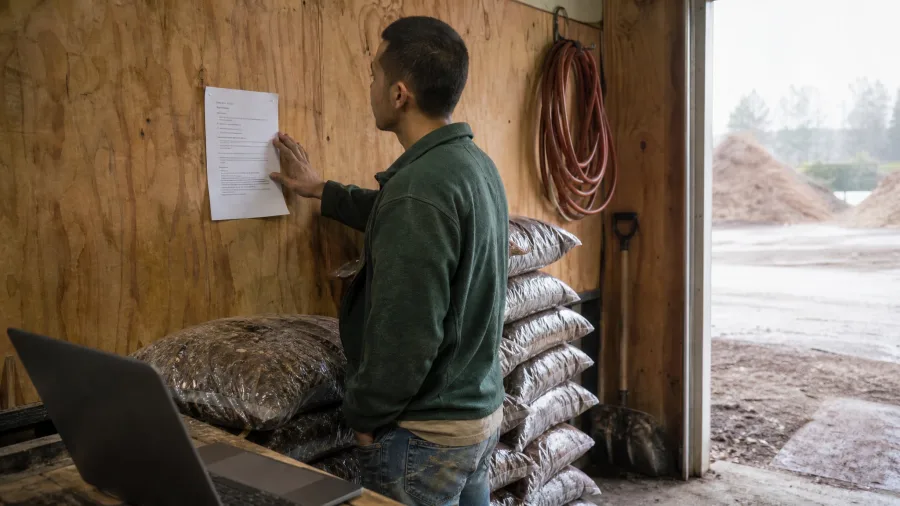
A one-page mulch delivery process came out of eight gripes my crew repeated over three weeks. Each one was spoken in the yard, never written down, and every fix I gave was forgotten by the next delivery.
A huddle captures a thing said once. These were the same thing said eight times, so I wrote the process instead of calling another meeting.
Prompt to copy
You are a process writer. These are [8] pieces of crew feedback about [mulch deliveries]: [paste]. Write a one-page process doc: purpose, 6 numbered steps, who signs off, what to do when it goes wrong. Output: one page, headings, 6 steps max. Rules: resolve contradictions by asking me one question at the end, use the crew's own words for the steps, no new equipment or costs.
ChatGPT's free tier handled it in 45 seconds, no uploads needed for eight short comments. By hand this was 40 minutes of rewriting. My review took 6 minutes.
Two of the crew disagreed on who signs the delivery ticket, and it picked a side without telling me. Its closing question exposed that, so I settled it myself.
The page now hangs in the truck. The crew follows it because the steps are their own words, not mine. Forty-five seconds of machine time set up a process I will not have to explain again next spring.
13. A crew-lead job post with screening questions

A written process turns verbal habits into steps the crew follows. Hiring is the same writing problem with a filter attached, because the post has to screen for the thing the last ad missed: someone who has actually run a crew.
Mine pulled eleven applicants, and not one of them had.
The opening I filled was a crew lead in Knightdale at $22 to $26 an hour, year-round and full-time. The post and its screening questions came from ChatGPT's free tier, pasted straight into the job board. No uploads, no long file, no paid plan.
Prompt to copy
You are hiring for a small landscaping company. Write a job post for a [crew lead] in [town], [pay range], [full-time, year-round]. Sections: 1) 60-word hook, 2) what the day looks like, 3) must-haves vs. nice-to-haves, 4) pay and benefits, 5) how to apply in two steps. Then 5 screening questions with what a good answer sounds like. Rules: no 'rockstar', no physical requirements I didn't list, no experience minimums I didn't give.
By hand the post ran 50 minutes. The answer came back in 35 seconds, and I spent 8 minutes fixing it.
The must-have list had grown until nobody on earth would qualify, and the benefits section promised a 401k we have never offered. Both got cut.
The five screening questions did the real work. Each came with a sample of what a strong answer sounds like, so I compared applicants against a written bar instead of a gut feeling. Post and questions went up the same afternoon.
14. The supplier PDF turned into a cost table

For two years, "who is cheaper" between my suppliers was a guess. A 14-page price sheet mixed bags, cubic feet, pallets and per-yard rates, and nobody had time to make the units match.
I uploaded the file to Claude and asked it for a comparison table with every unit converted to square feet.
Prompt to copy
You are a procurement analyst. From this supplier price sheet [paste or upload], build a comparison table: Item | Unit | Price | Unit price per [sq ft] | Lead time | Notes. Steps: 1) normalize every unit to [sq ft], 2) flag items where the unit doesn't convert cleanly, 3) rank by unit price. Rules: show the conversion for each row, mark any price you had to infer [VERIFY], don't round prices.
The catch sits in the bag-to-square-foot conversion, where the tool guesses depth. It assumed 2 inches I never specified, which flipped the mulch ranking.
It took 40 minutes by hand, 60 seconds of output and 7 minutes of checking, and I now have a cheaper supplier I can name to the owner.
15. Three months of invoices into a cash-flow view
Never paste client files, bank or card numbers, or financial records into a chatbot. On free and personal plans your chats may train the model unless you switch that off in settings.
So I stripped client names and typed anonymized weekly totals only, then pasted three months of figures into Claude.
Prompt to copy
You are a bookkeeper. Here are [three months of invoice totals by week, no client names]: [paste]. Build: 1) a weekly cash-in table, 2) the four biggest gaps between invoice and payment, 3) a one-paragraph cash-flow note for the owner. Steps: total each week, calculate average days-to-pay, flag any week below [amount]. Rules: use only the totals I give, state every assumption, don't project more than four weeks ahead.
It volunteered a six-week forecast anyway, a guess dressed as a trend past my limit, so I cut it.
The job ran 65 minutes by hand, 70 seconds of output, 9 minutes of review, and the two tight weeks each quarter are now visible at a glance.
16. The monthly owner report, numbers to narrative
A weekly cash table shows me what came in. It does not show the owner what changed.
Every month I still sat down with September on a screen: a revenue line, a job count, an average ticket, callback tally, a pile of overtime hours.
Turning that into a page he would read took an hour.
Prompt to copy
You are a business analyst writing to the owner. Data: [revenue, jobs completed, average ticket, callbacks, overtime hours for the month]. Write a one-page report: 1) three numbers that moved, 2) why each moved, 3) two decisions for next month, 4) one risk. Output: headline, three short sections, under 350 words. Rules: no cheerleading, cite the number behind every claim, say 'unknown' rather than guess.
ChatGPT on the free tier wrote the September page in 60 seconds. My review took 9 minutes. The finish line is narrow: three movements, two decisions, and one risk named instead of twelve numbers stacked in a column.
The trap is cause. A callback spike became "due to new crew training" in its draft, and I had no idea why callbacks rose that month. I deleted every sentence with a reason behind it and nothing to back that reason.
Ten minutes of checking and the owner has a page he reads in two minutes. If he ever asks for it weekly, ChatGPT Go at $8 a month clears the caps. The page is only worth reading because the guesses came out.
17. A five-company competitor scan with sources

Five landscapers within 15 miles of Raleigh, compared on services, price signals, review counts, ratings and years in business, with a link on every row. That is the outward look. Our own figures say how we are doing; these five say what we are missing.
Prompt to copy
You are a market researcher. Research [5] landscaping companies within [15] miles of [town, state]. For each: services, price signals on their site, review count and rating, years in business, one thing they do better than us. Output: a table, then five bullets on gaps we could fill. Rules: link a source for every row, mark anything you can't verify [UNVERIFIED], no estimates presented as facts.
Perplexity in deep research mode answers with sources, which is the whole job here. It browsed for 14 minutes against my 90 by hand, and I spent 12 minutes clicking links. One review count appeared on no linked page, and one source link was dead.
The bill: 14 minutes of search plus 12 minutes of checking against 90 by hand, on a free tool. Only the five-bullet gap list goes to the owner.
💡 Tip: Sort the output table by 'one thing they do better than us' and read only that column first. The five gap bullets are the only part I send to the owner.
⚠️ COMMON MISTAKE
A confident answer is not a sourced one
The rows that look most specific are the rows to check. Review counts, ratings and years in business are exactly where a research tool fills a gap quietly. Click each link before a number goes into a report.
18. Last year's emails into a snow-contract FAQ

Eleven months a year nobody mentions snow. Then the first week of November arrives, and the same six questions land in my inbox again, one client at a time.
I had a whole season of last year's emails and had re-read them from scratch every fall.
Prompt to copy
You are a contract writer, not a lawyer. Here are last year's client emails about snow removal: [paste, names removed]. Draft a 10-question FAQ: response time, trigger depth, what's included, billing, liability, cancellations. Output: question, 60-word answer, and the sentence in the emails it came from. Rules: quote only what the emails say, add [LEGAL REVIEW] to anything that reads like a promise or a liability limit, and tell me to check it with my attorney.
I put the stripped emails into Claude's free tier. Long pasted threads and careful quoting are what that free plan handles best. It returned ten question-and-answer pairs in 50 seconds, my review ran 6 minutes, and doing it by hand cost 45.
Then I read the liability answer. Claude had written a $500 cap on our responsibility, a figure that is in no email and no contract, and presented it as our policy.
Every [LEGAL REVIEW] flag went to my attorney, never to the website. The answers are quoted, but the promises still get a human pen.
19. One quote, three tiers, same scope
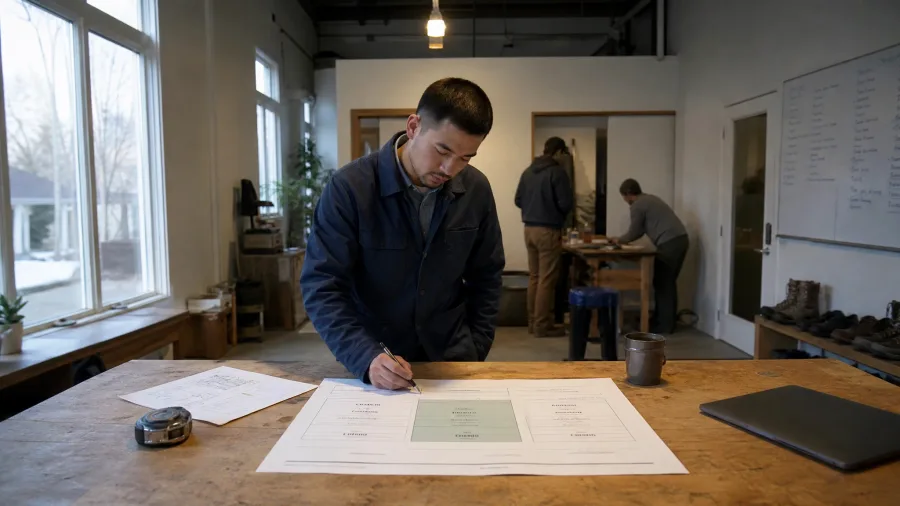
What came back was three labeled blocks on one 1,800 sq ft bed-and-lawn cleanup, at three prices, with the same scope sitting underneath all of them. The customer picked the middle tier and never asked for a discount.
By hand, that quote took me 40 minutes. The AI's output took 60 seconds. Fixing it took 6 minutes, and ChatGPT Go at $8 a month pays for itself when I rerun this on every quote.
Prompt to copy
Rewrite this quote three ways for the same job: [scope and costs]. Tier 1 value, tier 2 recommended, tier 3 premium. For each: a 25-word description, what's included as bullets, what's left out, price. Output: three labeled blocks, then a one-line note on which to lead with and why. Rules: same scope baseline, no fake anchoring, and don't drop anything from the middle tier that the job needs.
The premium tier came back inflated with extras I never quoted, a soil test and a season-long monitoring visit, there to make the middle look reasonable.
I cut both and rechecked every line against my scope sheet. That is the fixing bill on a price document: you are checking for invented value, not for typos.
An FAQ settles what customers already asked. This quote is the document they read before they buy, and it is where the price actually gets set, whether I write it or a prompt does.
20. A quote calculator page built from a paragraph

Prompt to copy
Build a single-page quote calculator for a landscaping company. Inputs: [property size in sq ft], [service type dropdown], [frequency], [distance in miles]. Config block at the top, editable: 2 bags of mulch per 100 sq ft, $55 an hour labor, 3 labor hours per 1,000 sq ft of bed work, $40 trip fee beyond 15 miles. Output: live total, a breakdown line per item, a 'request this quote' button that opens an email with the numbers filled in. Mobile-first, no login, no database.
Replit Agent builds that from the description alone, so a lead can price a cleanup at 9 pm without my call back.
This was the longest job in the test: 22 minutes of machine time and 25 minutes of my testing, against 3 hours by hand.
A database is a stored list of records, and leaving it out keeps the page simple.
Then I changed the mulch figure in the config block, and the build quietly kept the old math in the breakdown line. Test it on three jobs whose prices you already know, because the totals are only as right as the rates typed in.
Four Words This Article Keeps Using
Frequently Asked Questions
Do I need to pay for any of these tools?
Most of the 20 run on free tiers. I paid for one month of ChatGPT Plus at $20 because uploads ran out, and $8 a month for ChatGPT Go because I kept rerunning two prompts. Perplexity Pro was another $20 for the deep-research job. Everything else used free plans.
How long does the AI actually take to answer?
A chat assistant writes a page in roughly 10 to 60 seconds. Reading and summarizing a long call transcript takes about a minute or two. Deep research and agent builds are the slow ones, at 14 minutes for the competitor scan and 22 for the calculator.
Can I paste client names and contract details into a chatbot?
Do not paste client files, bank or card numbers, or financial records. On free and personal plans, chats may be used to train the company's models unless you switch that off in settings. Strip names and account numbers first, as I did for three of the 20 jobs.
Which one should a beginner run first?
The review replies. It takes 25 seconds to generate and about 5 minutes to check, and nothing goes to a client. The proofreading pass and the onboarding pack are close seconds because the worst outcome is a paragraph you rewrite.
Why does the article keep talking about review minutes?
Because the machine time is the least interesting number. The AI wrote my 20 answers in 53 minutes total; I spent 182 minutes checking them. Leave the review out and any saving you quote is fiction.
What do I do when the AI invents a price or a policy?
Delete it and replace it with the real number, then add a rule to the prompt that tells it to write [NEEDS INPUT] when a fact is missing. That one instruction is what turned the case study prompt into something I could publish.
One prompt tonight, one stopwatch next week
Run the twelve review replies tonight. It is the lowest-risk prompt on the list and the one with the smallest fixing bill, so you will know within minutes whether this workflow suits you.
Then spend one week timing three of your own afternoon jobs by hand. That is where the honest saving comes from, and the 17-hour-15-minute figure only exists if the 182 review minutes get counted with it.