
By the end of this page you will have a short library of lines you can paste into ChatGPT, Claude, Gemini, Microsoft Copilot or Perplexity. Each one fixes a specific kind of weak answer.
The reader here already uses a chatbot most days. The problem is not access, it is the reply: polished, hedged, the wrong shape, and needing a rewrite before it is usable.
Every move below follows the same pattern. Name the weak answer it fixes, give the exact line to paste, then name the human check that remains.
The running example is a 5-day Santa Fe, New Mexico trip for two adults in late April, $2,000 total, no rental car, lodging included. That is $400 a day for the two of them.
| Move | Weak answer it fixes | Line to paste |
|---|---|---|
| Role, audience, goal | Generic answer with no audience or finish line | Draft a 5-day Santa Fe itinerary for two adults in late April, $2,000 total, no rental car, in three short paragraphs. |
| Three questions first | Confident answer built on silent guesses | Before answering, ask up to three clarifying questions whose answers would most change the result, then answer. |
| Outline first | Long answer written at length in the wrong structure | Give a five-line outline only, no prose, for the 5-day Santa Fe itinerary. |
| Format contract | Useful answer you have to reformat before pasting | Return a table with these columns in this order: Day, Morning, Afternoon, Lodging area, Estimated daily cost. |
| One good example | Draft in generic chatbot tone | Use this only as a model of style, not text to reuse. |
| Constraint stack | Padded survey that says nothing | Must include: lodging inside $400 a day, one walkable area per day, no rental car. |
| Red-team pass | Weak parts found only after you start reworking | List three specific failures: where it breaks the $2,000 total, where no car makes a day impractical, where hours fail. |
| Confidence flag | Guesses buried in confident prose | Mark any claim you are unsure of inline as [UNCERTAIN] and give the reason in five words. |
| Source demand | Facts and quotes you cannot trace | Beside every factual claim or quote, put a source name and a link; if no source exists, write NO SOURCE. |
| Plain-English toggle | One version that fits nobody | Rewrite the same answer for a neighbor who has never planned a trip and needs to know what to book first. |
| Custom instructions | Retyping tone and format every chat | Plain English, no hedges, three short paragraphs unless a table is requested, American English. |
| Anonymize pass | Unsafe paste that exposes people and accounts | Replace names with roles, keep the structure. |
| Follow-up chain | One long prompt that tries to do everything | Cut this to 150 words and keep the $2,000 total and no-rental-car constraint. |
| Upload and search ask | Answer drawn from memory when the file is available | After the answer, list which sentences came from the uploaded PDF, which from web search, which from general knowledge. |
| Portable prompt | Tool lock-in | Same moves, any assistant; narrow the task, paste a sample, demand sources. |
1. The Role, Audience, and Goal Opener

The Santa Fe opener returned a first draft shaped for two adults on a $2,000 trip with no rental car, and no tone rewrite was needed. Three sentences did that, in ChatGPT, in about two minutes.
Step 1: Paste the role line: "You are a New Mexico travel planner." What you see: a one-line acknowledgment, nothing more, which is the point. A helpful assistant is already the default, so that role alone adds no audience, budget, place or date.
Step 2: Add the audience sentence: "The answer is for two adults taking a 5-day Santa Fe, New Mexico trip in late April on $2,000 total with no rental car."
Now the budget, the dates and the missing car are fixed before any text is drafted.
Prompt to copy
Finish with a day-by-day itinerary in three short paragraphs that keeps lodging inside $400 a day for the two of them.
Step 3: The goal line above sets the finish line, so the answer comes back as day-by-day prose pitched at your trip, not a survey of New Mexico. A role loaded with adjectives but no constraints still returns a general answer.
What remains: the shape is right on the first try, so no tone rewrite. The check left is factual. Opening hours, prices and transit still get verified before anything gets booked.
💡 Tip: A role loaded with adjectives but no constraints still returns a general answer. Swap one adjective for one number.
2. The Three Questions Before Answering

Missing details do not have to become silent guesses. Once the ask names audience and goal, pace, lodging type and whether the $2,000 includes lodging are still unsaid, and those are exactly what you want named before an answer starts.
The old way asked a bare question and got a confident plan built on guesses about pace and budget.
The new way pastes this before the trip: "Before answering, ask up to three clarifying questions whose answers would most change the result, then answer; cap it at three so you do not stall."
The cap forces trade-offs. You get pace, lodging type and whether the $2,000 includes lodging, not ten small things. Answer in a line and add "continue," and the guesses are now visible answers to questions, not lines buried in prose.
💡 Tip: The assistant's guesses are now visible as answers to questions, not buried in prose.
3. The Outline-First Two-Pass
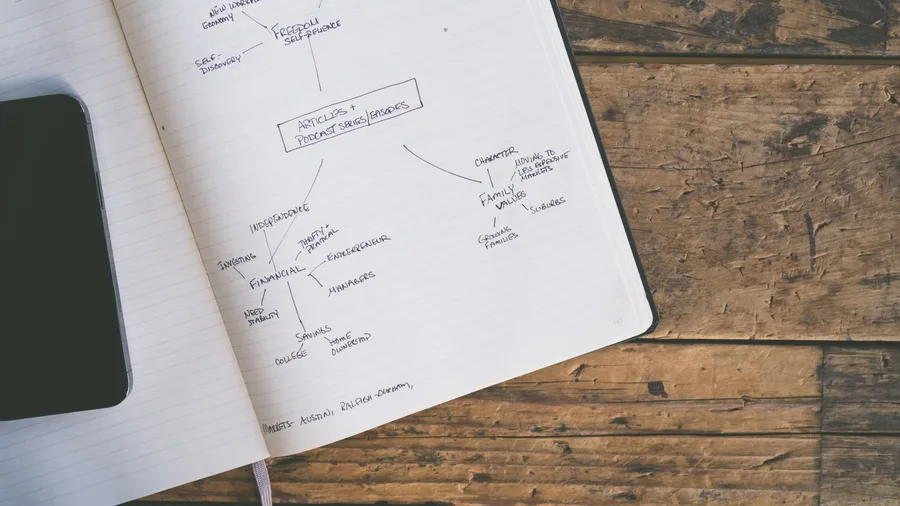
Clarifying the missing details still leaves the risk of a long answer with the wrong spine. The outline-first pass removes it, for the price of one extra message and the minutes it takes to read five lines.
Ask first for "Give a five-line outline only, no prose, for the 5-day Santa Fe itinerary." A bad outline comes back as bare day labels, arrival, museums, shopping, with no $400 daily ceiling for the two of them, no bus-and-walking geography and no late-April weather.
Change one thing before approving: the day order, so each day stays in one walkable area and the $400 a day is visible against lodging and activities. Leave the wording alone.
Then send: "Now draft the full itinerary from this approved outline, in three short paragraphs, keeping the 5 days, two adults, late April, $2,000 total and no rental car."
The words get written once, after the shape is right, so no structural rewrite follows. Prices and hours still get checked.
💡 PRO TIP
Approve the outline, not the prose
If the outline has a day that jumps across town without a car, fix the order before the draft. Rewriting a finished draft costs three times the edits.
4. The Format Contract
Reformatting one good answer by hand costs about 20 minutes: copy the day blocks, rebuild the cells, drag the columns into your order. Shape outlined, the answer can still arrive impossible to paste, because the assistant chose its own layout.
So contract the format. Paste: "Return a table with these columns in this order: Day, Morning, Afternoon, Lodging area, Estimated daily cost, then three short paragraphs." Name the columns and their order, and Day lands first, matching your document.
Set a count too. Ask for three paragraphs of about 100 words each plus a five-row table. Left as "short," the same answer drifts to 700 words or clips to a stub. Fifteen minutes beats the 20 by hand.
A format contract fixes shape, not truth. The table can still hold a wrong hotel rate or invented museum hours, so every cell gets opened and confirmed before it goes out.
5. The One Good Example
The tedious part is rewriting the whole draft into your voice, sentence by sentence, because the chatbot's tone is flat and formal.
One short sample beats a paragraph of style adjectives.
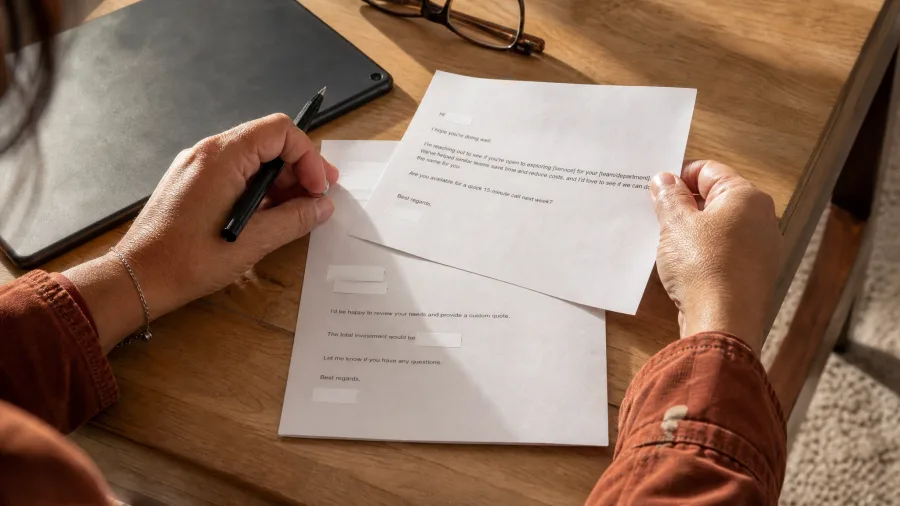
Label it, then paste: "Use this only as a model of style, not text to reuse; do not copy its wording or facts. Hi [Vendor], Thanks for sending the 2-page contract. Two questions: the payment date and the renewal term. Could you confirm both by Friday? Best, [Name]"
Black out names and dollar amounts before uploading. It copies the greeting, sentence length and sign-off, so the edit goes to accuracy and detail instead of voice.
6. The Constraint Stack
Prompt to copy
Draft the Santa Fe itinerary in three short paragraphs and a five-row table. Must include: lodging inside $400 a day for two, one walkable area per day, no rental car. Never use 'it depends,' 'you may want to,' 'In today's travel landscape,' or filler words like 'amazing,' 'vibrant' or 'charming.'
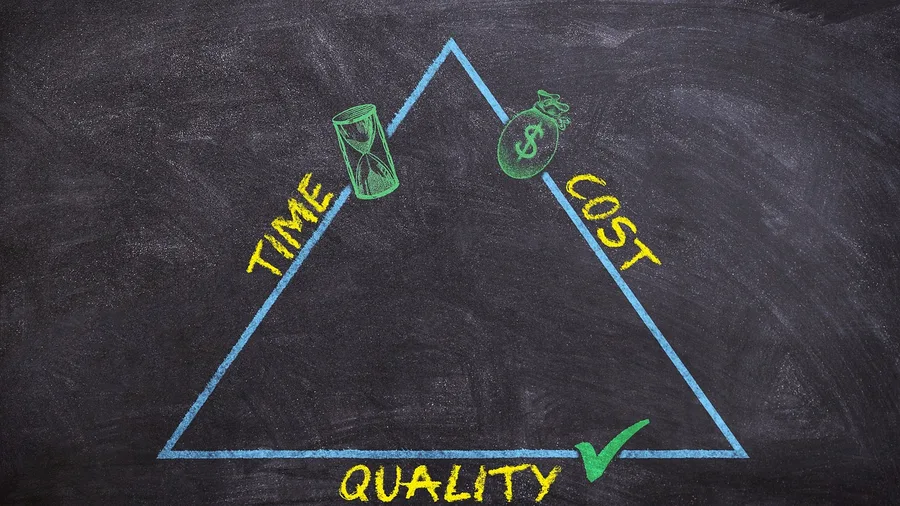
That list does one thing: it forces choices. Cap the must-includes at three, so the answer picks one walkable area per day instead of listing every option in town. The banned list strips the hedges and openers that pad a survey.
Hold the length too. At three paragraphs and five rows it stays tight; when it overshoots, cut filler adjectives first, then generic alternatives. Never cut the $2,000 total, late April, two adults or the no-rental-car rule.
One limit: this is not the job for a decision that needs a local's current knowledge, like which trail is washed out this week. Check that against the official site or a call. For everything else you get a pointed answer, not a survey.
7. The Red-Team Review Pass
A tight answer can still be wrong, and the weakest lines usually surface after the reworking has begun. Before any editing, paste one follow-up that names failure conditions and counts them, so praise has nowhere to land.
Prompt to copy
Act as a skeptical reviewer and list three specific failures: where the itinerary breaks the $2,000 total, where no rental car makes a day impractical, and where late-April weather or opening hours could make a stop fail.
Asking what the assistant thinks returns compliments. Asking where it would fail returns critique, because the ask names the conditions.
Give each flaw one action: fix it, verify it, or cut it. A far-flung day gets reordered, a vague opening hour joins the check list, a filler stop goes.
What it costs: 2 minutes of your time against roughly 20 for a full rewrite, with 3 named failures to act on.
The Weak Answer vs the Fixed One
Without the move
- A general plan with no audience, budget or finish line
- One long block of prose to reformat by hand
- Facts and quotes you cannot trace
- Confident claims with no flag for guesses
- The same tone and format retyped every chat
With the move
- Role, audience and goal in three sentences
- A five-column table in the order you named
- A source name and link beside each claim
- Uncertain claims marked inline as [UNCERTAIN]
- Custom instructions that brief every new chat
8. The Confidence and Gap Flag

A 5-day Santa Fe itinerary came back with a Wednesday bus time the assistant had plainly guessed, and the guess sat mid-sentence in the same steady tone as the checked prices. Nothing in the prose showed which line to doubt.
One added line puts the doubt on the page as it is written: mark any claim you are unsure of inline as [UNCERTAIN], with a five-word reason in brackets. Pair it with a closing request.
Ask for a list of what it would have needed to answer fully, such as live museum hours, bus schedules and hotel rates for late April.
A flag is not a check. All five assistants can state false facts with confidence and invent sources, so a marked-certain claim still gets verified. So does one that was never flagged; the mark only tells you where to start.
The result is a five-line verify list in place of a page of unchecked prose, and a clear view of what the original ask left out.
9. The Source-and-Quote Demand
Prompt to copy
Beside every factual claim or quote, put a source name and a link; if no source exists, write NO SOURCE.
Adding that line to the Santa Fe ask takes about 40 seconds, and then it travels with the prompt into every later chat.
What comes back is a busy square with a name and a link beside each price, hour and quote instead of a bare wall of text.
The catch is that an invented citation looks real. Titles, authors, dates and web addresses all read as plausible, so the source line is a lead, not proof. Open every link before the answer is used.
The check is three steps per line, about 6 minutes for a 10-claim itinerary. Confirm the quote appears on the live page, confirm the page says what the claim says, and treat a dead link as NO SOURCE.
What remains is a short list to work through rather than a whole answer to research again.
💡 Tip: Open every link. A plausible URL is the most common way a false claim gets through.
10. The Plain-English Rewrite Toggle
The fix for a beginner-friendly version is one extra message after a good answer lands. Ask the assistant to redo that same answer for someone who has never booked a trip, and say that person needs to know what to book first.
The details stay put; only the wording gets simpler.
Then put the two versions side by side and read the short one for what vanished.
The five days, two adults, late April, $2,000 total, $400 a day with lodging inside it and no rental car should all still be there.
Restore any missing figure in plain words.
You end up with two versions instead of one that fits nobody. The plain one goes to the neighbor; the detailed one stays open for planning.
11. The Custom Instruction That Sticks

Three new chats in a row, and you have typed the same tone, format and reading level three times.
That is roughly four minutes of retyping spent before any work starts. The fix is a custom instruction you set once: the standing preferences that apply to every chat.
What goes in is the shape of your answers. Plain English, no hedges, three short paragraphs unless a table is requested, American English, and your banned words. On the Santa Fe plan, that alone returns a tighter first draft with no formatting message sent.
What stays out is anything specific or private. The April dates, the $2,000 total, the vendor contract details and any names go in the chat itself, after the personal details are stripped out. Standing instructions are the wrong place for one-off facts.
Where that field sits and what it allows differ by product and plan, so check the assistant's own help pages before filling it. ChatGPT, Claude, Gemini, Copilot and Perplexity each handle it their own way, and the wording moves between updates.
The arithmetic: four minutes retyping times five new chats a day is about 20 minutes, or roughly 100 minutes over a five-day week. Set the instruction once and that time goes back to the actual job.
12. The Anonymize-Before-You-Paste Pass
Blacking out names and dollar amounts on a 2-page vendor contract by hand, clause by clause, is the tedious part.
First rule: never paste passwords, client files, or medical or financial records into a chatbot, and never a contract with a real company name on it.
Step 1. On a free or personal plan, open settings and switch off the option that lets your chats train the company's models. You should see it saved before any file goes in.
Step 2. In the PDF editor, swap the parties for "Vendor" and "Client" and cover names and figures. You should see a readable page where the clauses and layout still make sense.
Step 3. Paste the redacted file and ask about structure and risky clauses. The payoff: real help with the contract while nobody's details leave your desk.
13. The Follow-Up Chain
A first answer that tries to do everything in one long prompt still misses, and the fixing happens after it.
Three short replies do the work, and they go in a fixed order: cut it down, narrow it, then attack it. Set this sequence up once and it carries every task.
Reply one trims: "Cut this to 150 words and keep the $2,000 total and no-rental-car constraint." Reply two points at the weak part: "Focus only on Days 2 and 3 and keep each day in one walkable area."
Reply three hunts for failure: "Where would this fail for two adults without a car in late April?"
Change one thing per message. Combine a length cut, a source demand and a tone shift in one follow-up and the answer moves in three directions. You then cannot tell which instruction broke it, so you rewrite from scratch.
Start a new chat when it repeats the same error, drops the no-rental-car constraint twice, or the thread has buried the original ask. Reopen with the refined prompt and your approved outline, not the full history. A finished itinerary then takes four messages.
Prompt Words, Decoded
14. The Upload and Search Ask

ChatGPT, Claude, Gemini, Copilot and Perplexity can all read an uploaded PDF and search the live web on at least some plans, but free-tier allowances move, so check the product's own pages first. Pasting this after an answer shows what came from where.
Prompt to copy
After the answer, list which sentences came from the uploaded 2-page PDF, which came from web search, and which came from general knowledge.
File and search claims then sit apart from memory, so a wrong museum hour or fee stands out and gets checked in a minute. Point each follow-up at the source it needs: the vendor PDF, or a current page for late-April hours.
15. The Same Prompt in Any Assistant

About 12 minutes to rebuild the same Santa Fe itinerary by hand in a second tool, retyping the role, audience, goal, format, constraints and review line. Paste the finished prompt instead and it lands in about 2 minutes.
The same moves work in ChatGPT, Claude, Gemini, Microsoft Copilot and Perplexity. Each one responds to a named role, an audience, a goal, a format and constraints, so nothing in the library depends on the product.
Each free tier's limits change, so check that product's own pages before a big upload or a long session.
When one assistant refuses or returns a thin answer, try the same lines with a narrower task, a pasted style sample and a source demand. If it still fails, paste the prompt into another assistant instead of rewriting the library.
Side by side: about 12 minutes by hand versus about 2 minutes pasted, before counting the check on either version.
Three Moves People Skip, and What It Costs
Frequently Asked Questions
Do these prompt tricks work in Claude, Gemini and Copilot?
Yes. The moves rely on role, audience, goal, format, constraints and review demands, and every major assistant responds to those. Free-tier limits differ, so check each product's own pages before a big upload or a long session.
Do I need to pay for a subscription to use them?
No. The free tiers of ChatGPT, Claude, Gemini, Copilot and Perplexity all accept these lines. What changes is the free allowance, and that moves often, so check current pricing on the product's pages.
Is it safe to paste a contract into a chatbot?
Only after you remove the details. Never paste passwords, client files, or medical or financial records. Black out names and dollar amounts, replace them with roles, and check the chat-history setting first.
Can I trust the links and quotes it gives me?
Not without opening them. All of these assistants can invent sources and links that look real. Demand a source name and link beside each claim, then confirm the quote is on the live page.
Which move should I add first?
Start with the role, audience and goal opener for your most common task. Add the source-and-quote demand in the same week, because it is the move that keeps a wrong fact out of your work.
Two Lines to Add This Week, Then One Habit
Add the role, audience and goal opener first, written for the task you run most often. Then add the source-and-quote demand in the same chat.
That pair fixes the two failures that cost the most: a generic answer and an untraceable fact. The other thirteen moves are variations you can layer on when a specific job needs them.
The habit that outlasts every trick is the check. Open each fact, quote and link before it is used, because every one of these assistants can sound certain and be wrong.